Released in July 2025, ChatGPT's agent introduced a powerful way to automate multi-step workflows. But when it comes to bulk spreadsheet tasks in Google Sheets and Excel, such as translating thousands of rows, enriching data, or running large market-research jobs, a general-purpose AI agent often struggles with speed, stability, and integration.
GPT for Sheets is purpose-built for spreadsheet bulk tasks. It runs directly inside your sheet, eliminates the upload/download cycle, and executes bulk operations with speed and consistency with a live tracker so you can track your progress. With support for large datasets, native integration, and flexible consumption-based pricing, it delivers a faster, more reliable, and more scalable experience than ChatGPT's general-purpose agent.
In this article, we compare GPT for Sheets with ChatGPT agent across performance, reliability, integration, model flexibility, and pricing with real benchmarks on 2,000-row translations and multi-column market-research tasks. If you rely on Excel or Google Sheets for high-volume data processing, this comparison shows which AI tool is faster, more consistent, and more scalable for your workflows.
TL;DR
- ChatGPT agent is a flexible, general-purpose AI tool, but in our tests it struggled with large spreadsheet workloads due to slower execution, tool switching, and subscription-based message limits.
- The GPT for Sheets agent is purpose-built for Google Sheets and Excel, delivering much faster bulk processing, consistent large-range performance, and real-time progress tracking.
- GPT for Sheets scales past a fixed quota: every seat includes monthly usage and you can add extra-usage credits anytime. It supports multiple AI providers and models, and runs directly inside your spreadsheet, making it more scalable for high-volume data tasks.
Quick Comparison: GPT for Sheets vs ChatGPT Agent
Feature | GPT for Sheets Agent | ChatGPT agent |
|---|---|---|
Primary use case | Bulk spreadsheet automation in Google Sheets & Excel | General-purpose multi-step AI workflows |
Where It Runs | Directly inside your spreadsheet (no uploads) | Inside ChatGPT on uploaded .xlsx/.csv files |
Bulk Performance | Processes thousands of rows in one run; 2,000 rows in 26 seconds (4,615 rows /minute) | Often slows or stalls beyond a few dozen rows; did not complete 2,000-row test after 25 min |
Processing Method | Optimized batched requests built for spreadsheets | Step-by-step agent loop with tool switching |
Progress Tracking | Yes, real-time, row-by-row | No built-in progress visibility |
Model Choice | Multiple providers & models (GPT, Claude, etc.) | Single model selected by OpenAI |
Error Recovery | Easy to fix or rerun partial ranges | Failures often require restarting the entire run |
Pricing | Subscription with included usage; extra-usage credits available anytime | Subscription-based with strict agent message limits |
Best For | Large datasets, bulk operations, structured workflows | Non-bulk tasks like creating a financial model |
Note: these numbers are obtained with our new backend which is not yet released to all users.
A simple use case: translating 2,000 rows. GPT for Sheets does it in 26 seconds, ChatGPT does not finish after 25 minutes.
ChatGPT agent's overhead of explaining and reasoning means that simple operations can take significantly longer than expected. Add to this the steep learning curve in creating functional prompts and the fact that it may require periodic intervention to stay aligned with the intended task, and ChatGPT agent can often slow users down rather than speeding them up.
The new GPT for Sheets agent is different: it's purpose-built for spreadsheets, designed to execute bulk executions rapidly and reliably. Instead of wandering through multiple steps and retries, it goes straight to work inside your sheet.
Let's take the simple example of translating 2,000 rows of reviews:
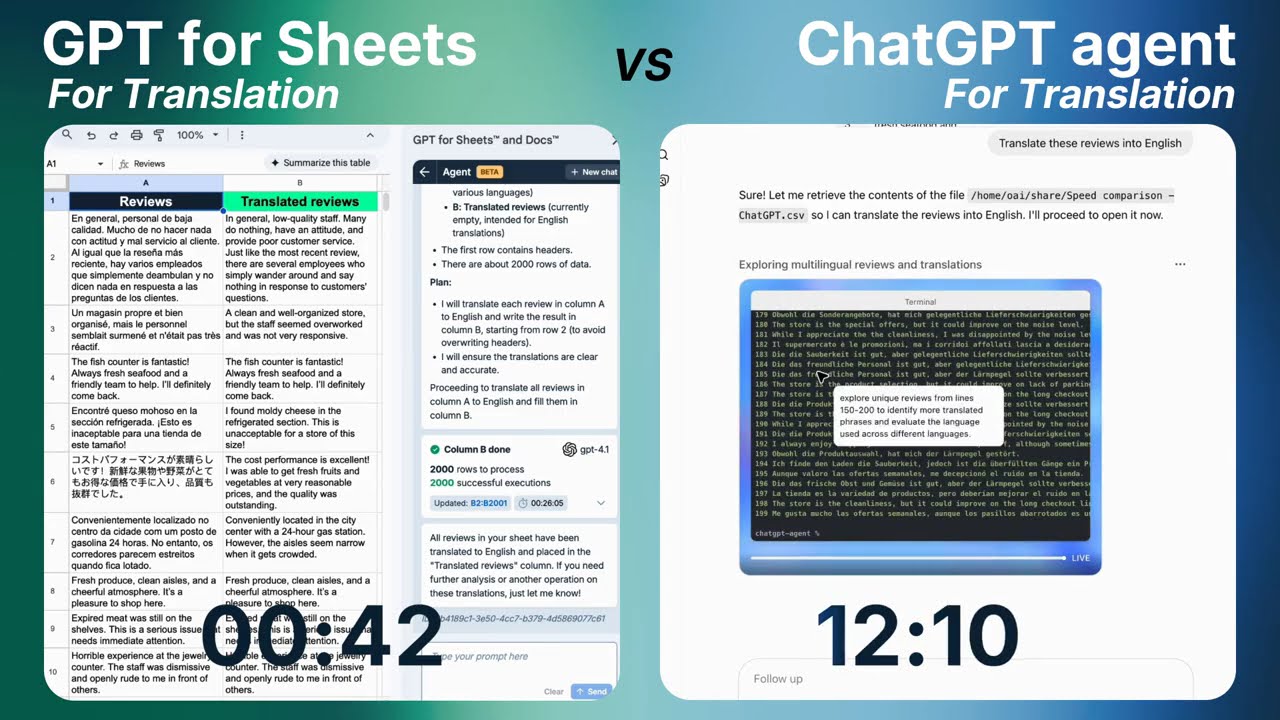
In this case, GPT for Sheets's agent completed the task in just 45 seconds, processing 2,000 rows in 26 seconds whereas ChatGPT's agent, weighed down by its external setup and tendency to backtrack when errors occur, did not complete the task after 25 minutes of running.
A key reason for the performance gap is architectural. During this test, ChatGPT agent didn't even use its own LLM to translate the spreadsheet. Instead, it tried to automate the task by running Python in a terminal, searching for external translation APIs, and repeatedly switching between tools as it attempted to complete the job. This trial-and-error workflow introduces additional overhead: the agent loads the file, sends small batches for processing, waits for responses, retries when errors occur, and often backtracks or drifts off-task. As the dataset grows, this step-by-step agent loop becomes slow, unstable, and increasingly prone to failure.
In contrast, GPT for Sheets uses a true batched procedure specifically designed for large spreadsheet operations. It sends entire ranges of cells to the model in a single optimized request, allowing hundreds or thousands of translations to be processed at once without tool switching, Python scripts, or external API detours. This fundamental difference is a core reason GPT for Sheets delivers dramatically faster and more reliable performance.
Another simple use case: market research. GPT for Sheets finishes in a few seconds, while ChatGPT agent only completes 10 rows in 16 minutes.
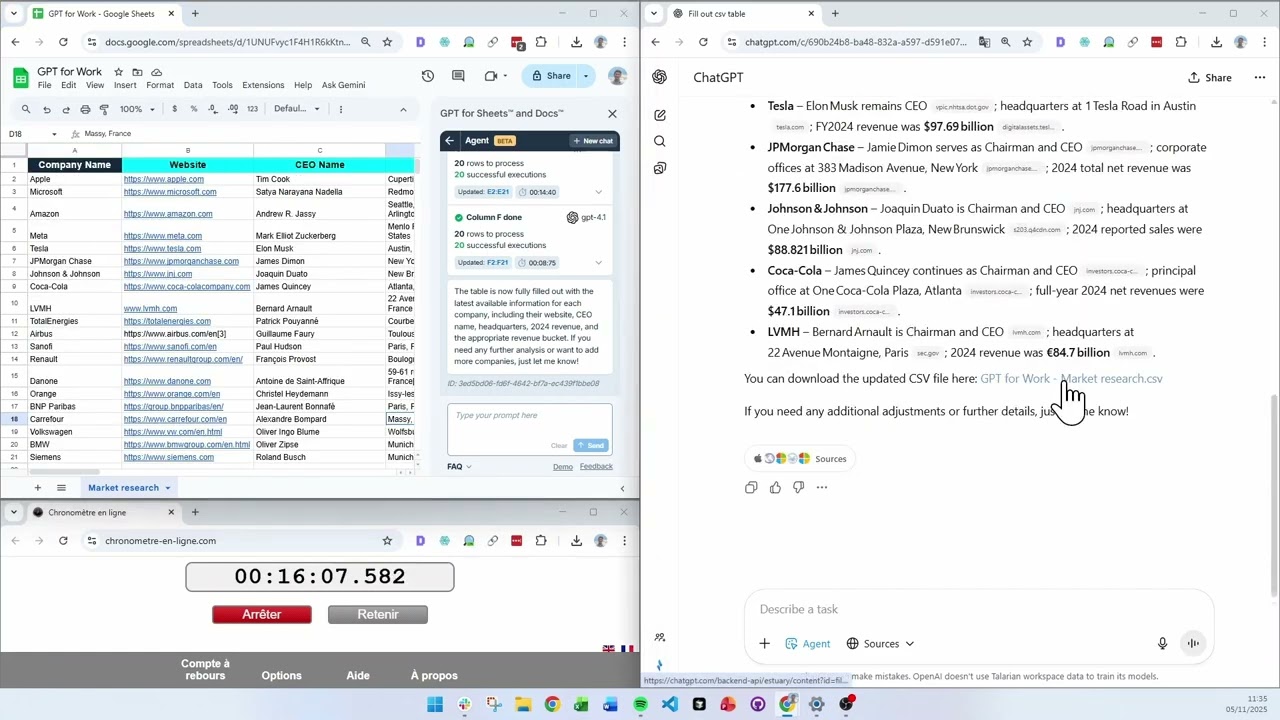
For spreadsheet automation, speed alone isn't enough; reliability is just as important. This is especially clear when evaluating performance at scale. ChatGPT agent can run into limitations delivering consistent results when tasks grow beyond a few dozen rows, resulting in stalling, backtracking, or producing partial outputs that require reruns. This stop-and-go workflow makes it hard to trust for everyday bulk operations.
GPT for Sheets is built for scale. Its bulk processing can execute hundreds of thousands of rows in a single run, with results that remain consistent start to end. And if something does go wrong, corrections are simple; you can adjust results instantly without repeating the entire process. The outcome is a dependable workflow that holds up even under the heaviest datasets.
In the demo, ChatGPT agent ran for 16 minutes but produced only 10 filled rows. GPT for Sheets, on the other hand, completed the entire task in one uninterrupted run.
GPT for Sheets offers progress tracking, ChatGPT doesn't
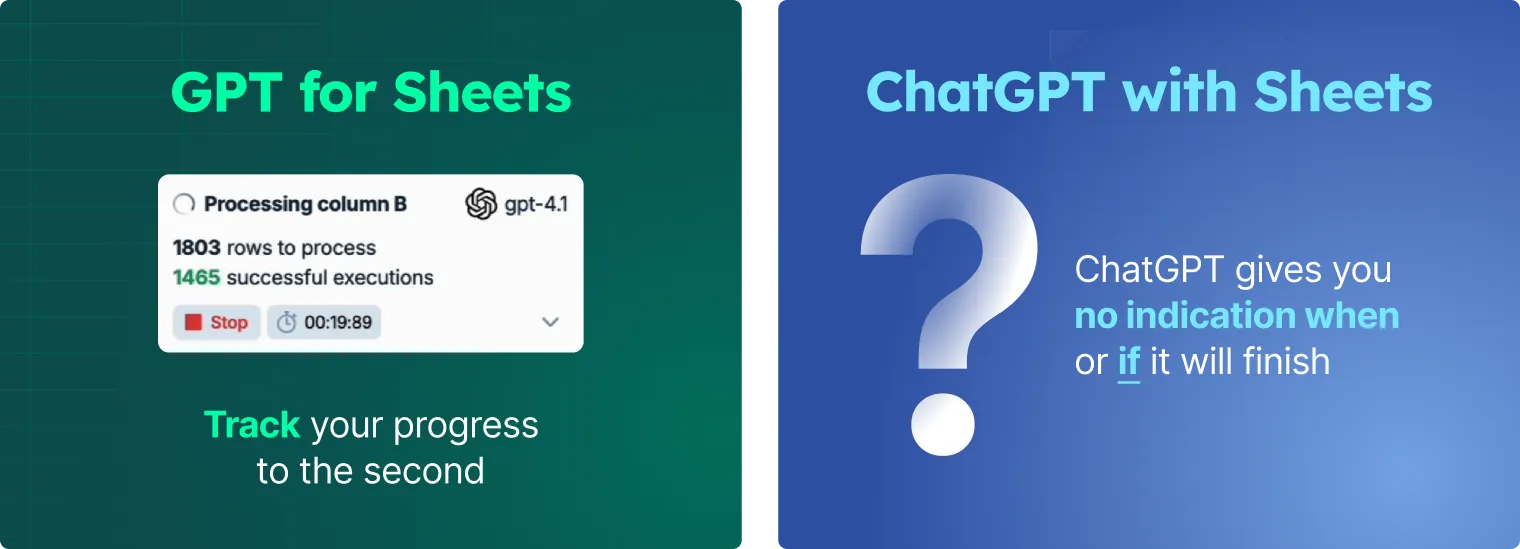
And unlike ChatGPT agent, GPT for Sheets provides a real-time progress tracker. As your task runs, you can see exactly how many cells have been processed and how many remain. By contrast, ChatGPT agent offers no visibility during execution, leaving users waiting without knowing whether a task is progressing, stuck, or about to fail. This transparency makes GPT for Sheets far easier to trust for large or time-sensitive operations.
This lack of visibility is exactly what happened in the video demo (watch here): ChatGPT agent had to be cancelled 25 minutes into the run after it drifted away from the translation task and began performing unrelated actions instead.
GPT for Sheets is directly integrated in your spreadsheets, ChatGPT requires you to upload/download at every step
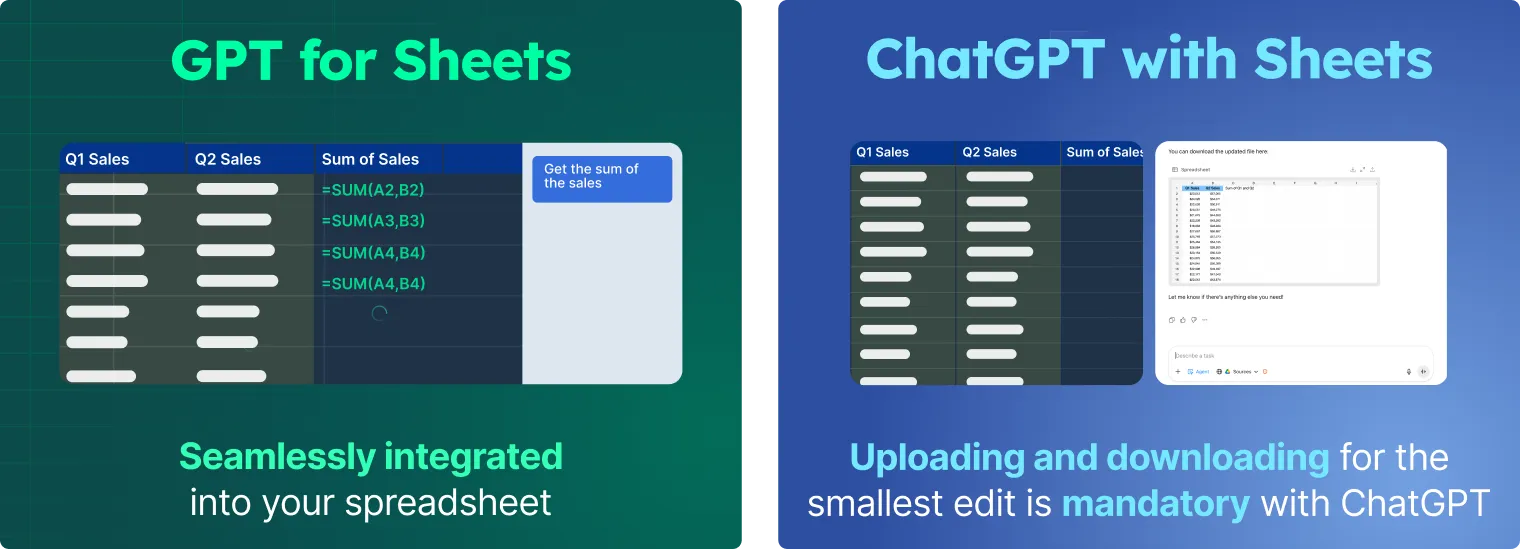
As a general-purpose agent, ChatGPT agent is not specialized for spreadsheets. It can only work with .xlsx or .csv files, which means even basic operations require clunky workarounds like uploading, downloading, and re-importing files. The process is time-consuming and storage-heavy, which adds friction compared to working directly inside the spreadsheet.
On the other hand, the GPT for Sheets agent was built with spreadsheets at its core. It works directly within your sheet, eliminating the upload/download cycle entirely. Results appear where you need them, and if something requires adjustment, you can follow up with the agent or even edit in place without starting over.
Choose your AI provider and models in GPT for Sheets
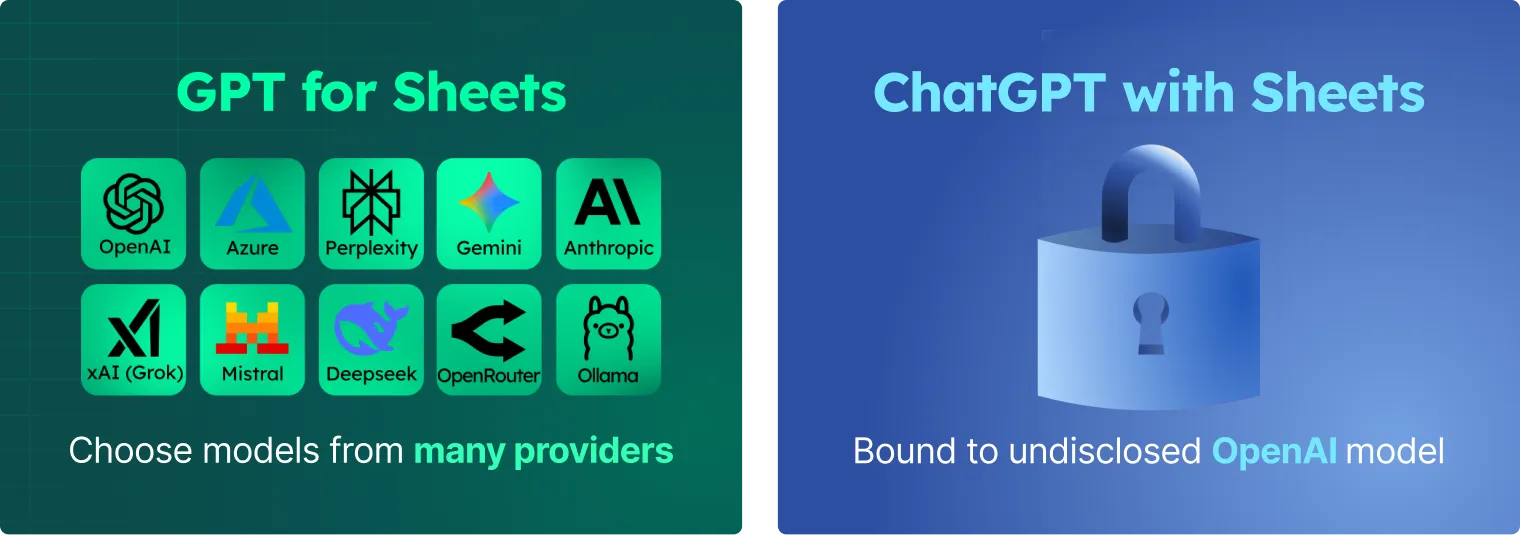
With ChatGPT agent, users have no visibility into which model is running behind the scenes, nor any ability to choose or configure it. The model is selected entirely by OpenAI, which limits transparency and prevents users from tailoring performance for specific tasks.
GPT for Sheets, by contrast, gives users full control over the underlying model. You can select from leading AI providers and choose between specific model versions such as gpt-5.1, claude-4.5-sonnet, or gemini-2.5-flash, depending on what your workflow requires. This flexibility allows users to tailor both performance and cost to the task at hand.
Pricing and usage
Pricing and usage limits highlight another important distinction. One of the biggest differences between ChatGPT agent and GPT for Sheets lies in how usage is managed.
ChatGPT agent is subscription-bound. Each plan comes with strict monthly limits on how many agent messages you can run:
- Plus: 40 messages/month
- Pro: 400 messages/month
- Business & Enterprise: 40 messages/month (with flexible pricing plans at 30 credits per message)
Once you hit these limits, you either need to wait until the next month or upgrade to a higher tier. This can be restrictive if your workload fluctuates or if you occasionally need to process a lot of data which is common with bulk tasks.
GPT for Sheets is a monthly subscription with included usage, and the quota isn't the end of the road: when your monthly quota runs out, you can buy extra-usage credits and keep going. You decide how many prompts you run, and you're free to scale usage up or down depending on your needs. Additionally, depending on the task — whether it's bulk web research or simple spreadsheet assistance — you can select the model that best balances quality, cost, and speed. This flexibility makes it easier to budget, and it ensures that when you need to run bulk tasks, you aren't constrained by fixed message limits.
Frequently Asked Questions
Is ChatGPT agent good for spreadsheet tasks?
ChatGPT agent can automate spreadsheets in simple cases, but its general-purpose design makes it slower and less reliable on large Google Sheets or Excel workloads. In our benchmarks, tasks involving thousands of rows often stalled, backtracked, or required repeated restarts.
What makes the GPT for Sheets agent faster for bulk operations?
The GPT for Sheets agent uses an optimized batching system built specifically for spreadsheet data. Instead of running step-by-step tool calls, it processes entire ranges at once. For example, it translated 2,000 rows in 26 seconds (~77 rows per second), while ChatGPT's agent did not finish the same task after 25 minutes.
Can ChatGPT agent run directly inside Google Sheets or Excel?
No. ChatGPT agent works on uploaded .xlsx or .csv files inside the ChatGPT interface. Every change requires uploading a new file and downloading results. The GPT for Sheets agent runs inside your spreadsheet, eliminating the upload/download cycle entirely.
Does GPT for Sheets support both Google Sheets and Excel?
Yes. GPT for Sheets and GPT for Excel work in Google Sheets and Microsoft Excel, respectively. Both versions support bulk operations, large ranges, progress tracking, and model flexibility.
Can I choose different AI models with GPT for Sheets?
Yes. GPT for Sheets supports multiple AI providers and models (GPT, Claude, Gemini, and more). You can select different models for different workloads based on speed, cost, or quality. ChatGPT agent uses a single model selected automatically by OpenAI.
How do pricing and usage limits compare?
ChatGPT agent is tied to monthly subscription limits, such as 40–400 agent messages per month depending on your plan. GPT for Sheets includes monthly usage with every seat and lets you add extra-usage credits anytime, so bulk jobs aren't limited by agent message quotas.
Which tool is best for large spreadsheet datasets?
For datasets above a few hundred rows, GPT for Sheets is typically much faster and more reliable. ChatGPT agent is better suited for flexible, multi-step workflows rather than high-volume spreadsheet automation.
Conclusion
When it comes to spreadsheet automation, the difference between a general-purpose agent and a purpose-built tool couldn't be clearer. ChatGPT agent shows promise but ran into limitations in our tests around speed, reliability, bulk execution, and integration. It can be slower on simple tasks and is capped by rigid usage limits.
GPT for Sheets solves these problems head-on. It runs directly inside your spreadsheet, processes thousands of rows with ease, corrects errors instantly, and gives you freedom to scale with included usage plus extra-usage credits on demand. The result is a tool that scales with your workflow instead of holding it back.
If you're ready to experience spreadsheet automation that's faster, more reliable, and built for scale, it's time to try GPT for Sheets.