

AI data cleaning in Excel & Google Sheets
Clean your data with AI: deduplicate rows, standardize formats, fix messy textdirectly in your spreadsheets (Excel or Google Sheets),
at a speed of up to 1,000 rows per minute



Clean, standardize, and dedupe your data — directly in your spreadsheets
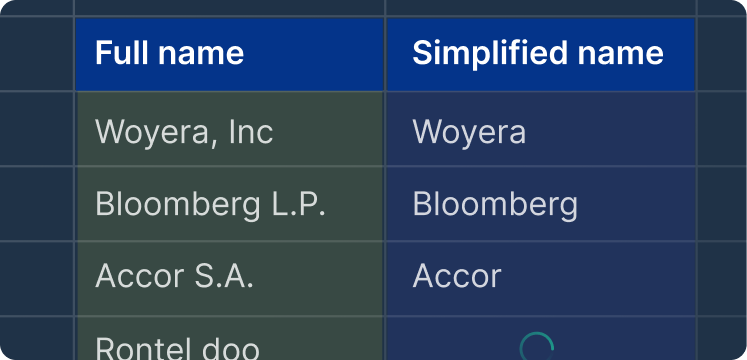
Clean names
Standardize entity names like companies or person names by removing prefixes, suffixes, casing variations, or inconsistent formats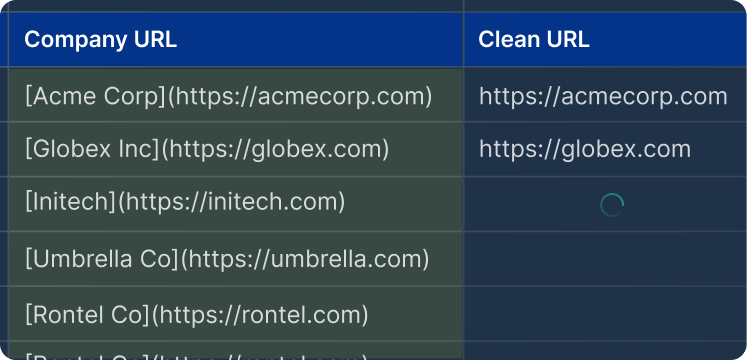
Clean text fields
Clean text fields by fixing punctuation errors, inconsistent casing, extra spaces, or other unwanted characters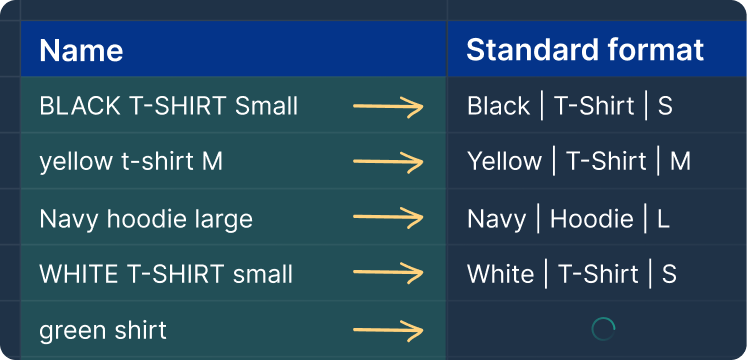
Data standardization
Standardize data formats (e.g., dates, text, currency, HTML tags, hashtags, special characters).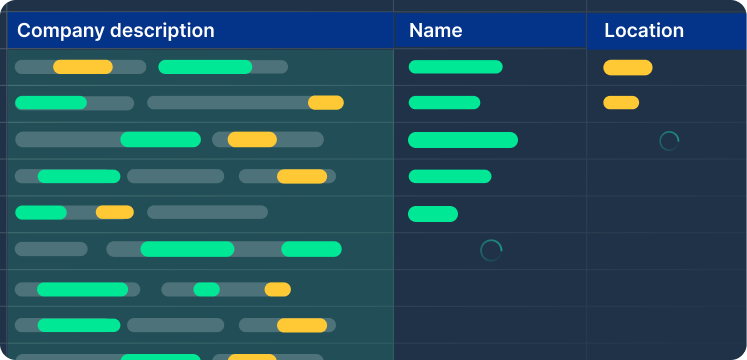
Data Extraction
Extract names, dates, locations, emails, URLs, and more from text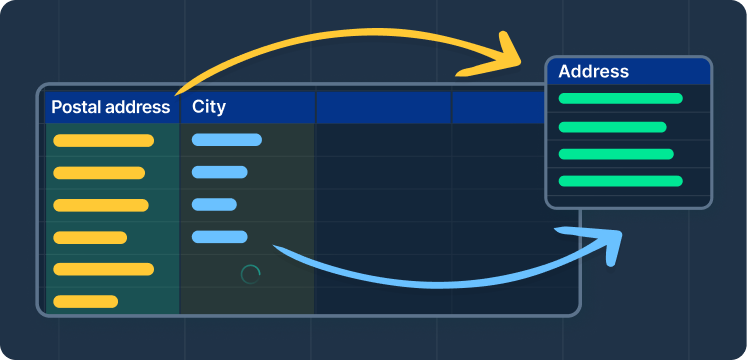
Data Merging
Combine two columns with custom rules (e.g. create formatted addresses, add prefixes or suffixes, …)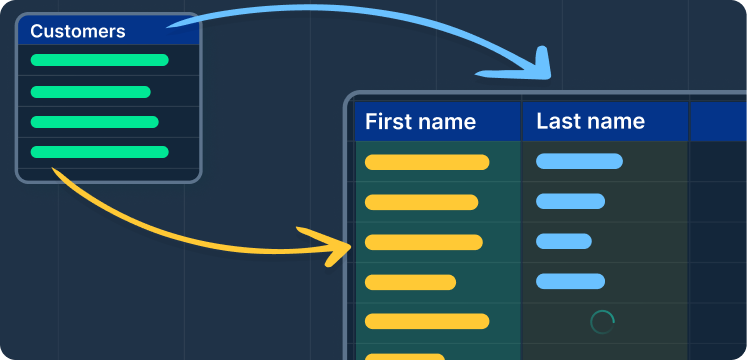
Data Splitting
Separate data into multiple columns (e.g. full names into "First Name" and "Last Name.")Deduplicate and match records with AI
Exact-match tools only remove rows that are identical character for character. AI deduplication uses fuzzy matching: it understands that entries spelled differently can refer to the same record, so it can flag, group, or merge near-duplicates — no fuzzy lookup formulas or helper columns.
| Before | After |
|---|---|
| IBM Corp. | IBM |
| International Business Machines | IBM |
| I.B.M. | IBM |
Standardize names, phones, addresses, and formats
One prompt normalizes an entire column to the format you describe: proper-case person names, company names without legal suffixes, phone numbers written one consistent way, addresses split into street, city, and ZIP, dates in a single format.
| Before | After |
|---|---|
| SALESFORCE INC | Salesforce |
| (415) 555-0100 | +1 415 555 0100 |
| 12 march 26 | 2026-03-12 |
Fix casing, typos, and messy text at scale
Stray spaces, inconsistent casing, typos, leftover HTML tags, and punctuation errors pile up faster than anyone can fix them cell by cell. Describe the fix once and the agent applies it down the whole column.
| Before | After |
|---|---|
| jHON smith | John Smith |
| VP, of markting ! | VP of Marketing |
| <b>Great value</b> for money | Great value for money |
How to clean data in Excel or Google Sheets with AI
- Open the agentInstall GPT for Excel or GPT for Sheets and open the agent panel next to your data.
- Describe the cleanup in plain EnglishFor example: “Standardize the company names in column B, format the phone numbers in column D consistently, and flag near-duplicate rows.”
- Run it in bulkThe agent applies the cleanup across all your rows, at a speed of up to 1,000 rows per minute.
- Review the resultsSpot-check the changed cells, then refine with a follow-up prompt if anything is off.
Frequently asked questions
- What is AI data cleaning?
- AI data cleaning is the use of AI language models to detect and fix errors and inconsistencies in tabular data — duplicate records, inconsistent names, mixed formats, typos, and messy text — directly in the rows and columns of a spreadsheet. Unlike formulas and find-and-replace rules, which only catch patterns you can spell out exactly, an AI model understands what a value means: it can tell that “IBM Corp.” and “International Business Machines” are the same company, or that two phone numbers are the same number written differently. In practice, you describe the cleanup you want in plain English and an AI agent in Excel or Google Sheets applies it across thousands of rows at once.
- Can AI clean data in Excel?
- Yes. GPT for Excel adds an AI agent to your workbook: you describe the cleanup in plain English, and it deduplicates rows, standardizes names, phone numbers, addresses, and formats, and fixes messy text directly in your cells. The same agent is available in Google Sheets as GPT for Sheets.
- Is there a free AI data cleaning tool?
- GPT for Excel and GPT for Sheets are free to install and come with a free trial, so you can clean a real dataset before paying anything. After the trial, you can continue on a subscription plan from $25/month.
- Can ChatGPT clean spreadsheet data?
- Only in a roundabout way: you have to paste or upload your data into the chat, wait for the answer, and copy the results back into your file — then repeat that loop for every fix. An AI agent that runs inside Excel or Google Sheets, like GPT for Work, reads your sheet and writes the cleaned values back into your cells, so you skip the upload-download loop entirely.
- Can AI do fuzzy matching and deduplication in Excel?
- Yes. Excel's built-in Remove Duplicates only catches values that are exactly identical. An AI agent does fuzzy matching: it recognizes that entries like “IBM Corp.” and “International Business Machines” refer to the same company, so it can flag, group, or merge near-duplicate rows that exact matching misses.
Why an AI chat assistant isn't enough for bulk work in Excel and Google Sheets
You have thousands of rows in a spreadsheet and one instruction you want applied to every one of them.
Any AI chat tool can do that once. Doing it on every row is a different job: it needs retries when a request fails, answers that land in the right rows, and a run you can watch and stop.
GPT for Work is built for that second job, in Google Sheets and Microsoft Excel, on the rows you already have.
Fast and reliable bulk processing in Sheets and Excel:
Fast
Up to 1,000 rows / minute
Reliable at scale
Up to 1 million rows with one bulk run
Easy to use
- No prompting skills required
- Write column-specific instructions
- Monitor progress in real time
Bulk web search, bulk image analysis, flexible AI choice:
Search the web in bulk
One search per cell
Analyze images in bulk
Use vision models to analyze images from URLs and extract key information
Configure your AI setup
- Choose your AI providers
- Configure custom API keys and endpoints
- Select available models for your team
Enterprise ready:
Top-notch support
- 98% CSAT
- Professional people who love their job
- No annoying AI chatbot
Private & Secure
- ISO 27001 certified, GDPR compliant
- We don't use your data to train models
- Encryption in transit, at rest, at work
Easy admin
- User management
- Centralized billing
- Centralized AI configuration
- Detailed reporting


