On February 10th, we co-hosted a webinar with Tingstad on how to scale repetitive e-commerce work with GPT for Work. During the session, Viktor Gustafsson, SEO/SEM Specialist at Tingstad, shared three practical examples:
- Bulk translation at scale: translating product titles and descriptions from Swedish into multiple languages
- Automated SEO alt text generation: generating alt text from product images in bulk
- B2B company categorization: classifying companies using web search signals for CRM segmentation
"It's a huge cost saving in time and salary, and lets me focus on higher-value work."
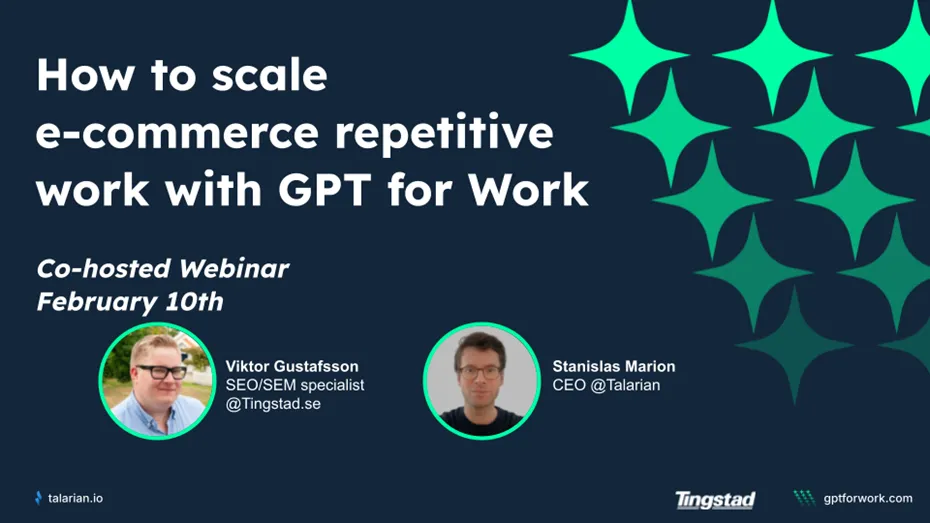
The full webinar replay is available here.
Here is a detailed walkthrough of each of the use cases presented during the webinar:
Use case #1: Translate product content from Swedish into four languages
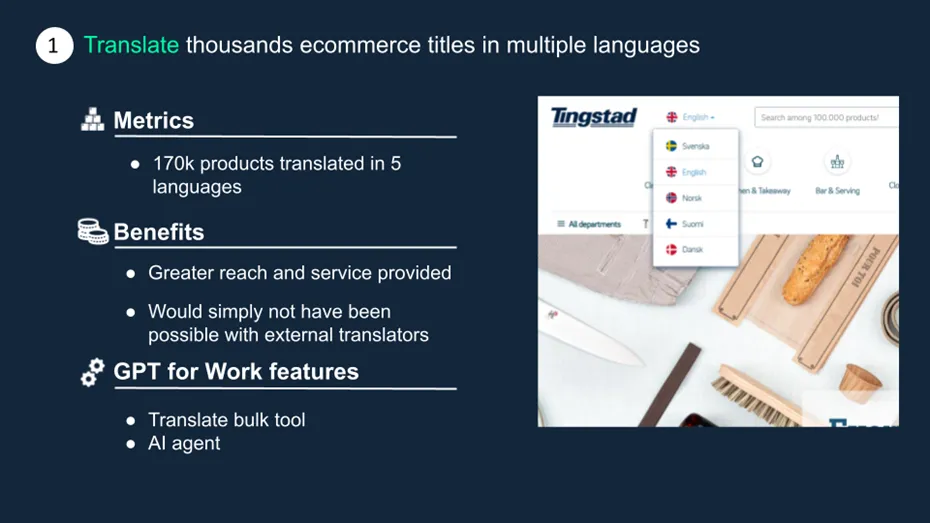
Bulk translation at scale was demonstrated using a sample dataset of product titles and descriptions written in Swedish. At Tingstad, this approach has been used to translate 170,000 product information sheets into four languages (English, French, Norwegian and Finnish), significantly expanding the company's market reach. According to Viktor, this would simply not have been possible using external translators.
"It would not have been possible with human translators."
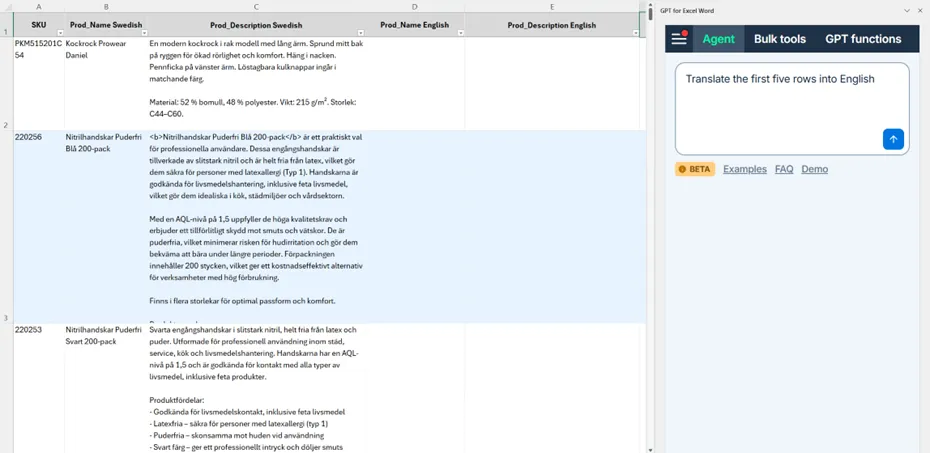
Step 1: Test translations on a small sample
Viktor first validated translation quality on a limited number of rows so the team could confirm terminology and output style before scaling further.
Run type: Agent
Prompt used:
Translate the first five rows into English
Step 2: Extend to additional language columns
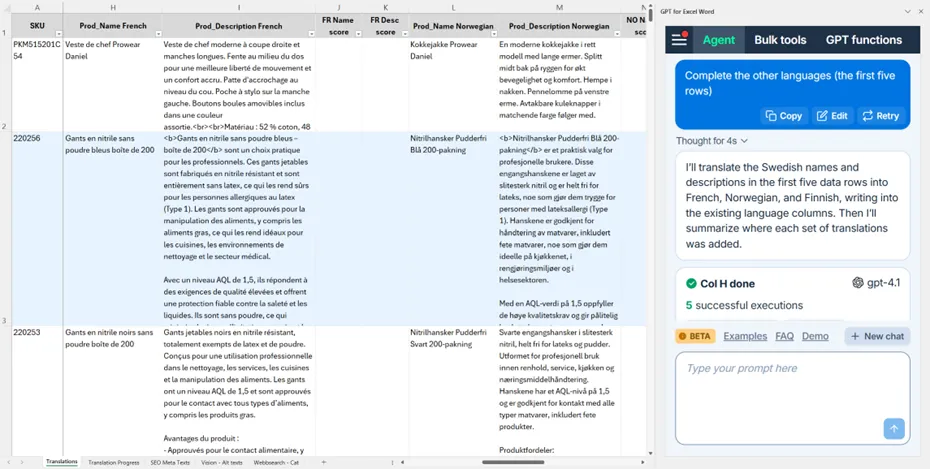
Once the first output looked correct, he continued with the remaining language columns using the same logic.
Run type: Agent
Prompt used:
Complete the other languages (the first five rows)
Step 3: Run a quality scoring pass
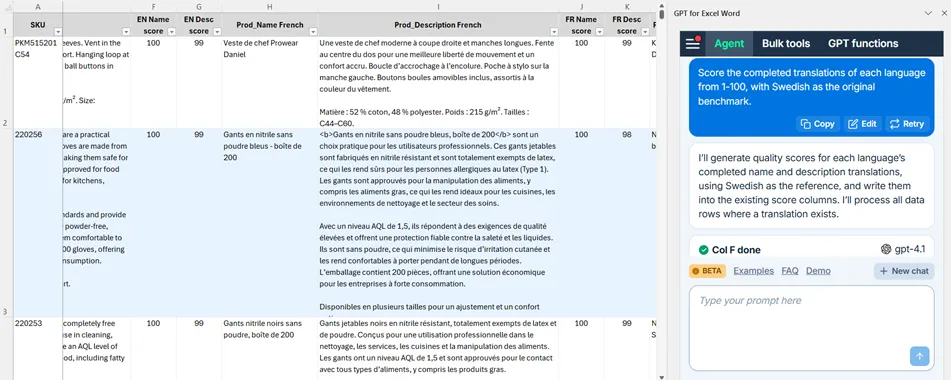
A dedicated quality pass was then used to score translations, so reviewers could concentrate only on rows that might need correction.
Run type: Agent
Prompt used:
Score the translations of each language from 1-100, with Swedish as the original benchmark.
Step 4: Highlight rows that require review
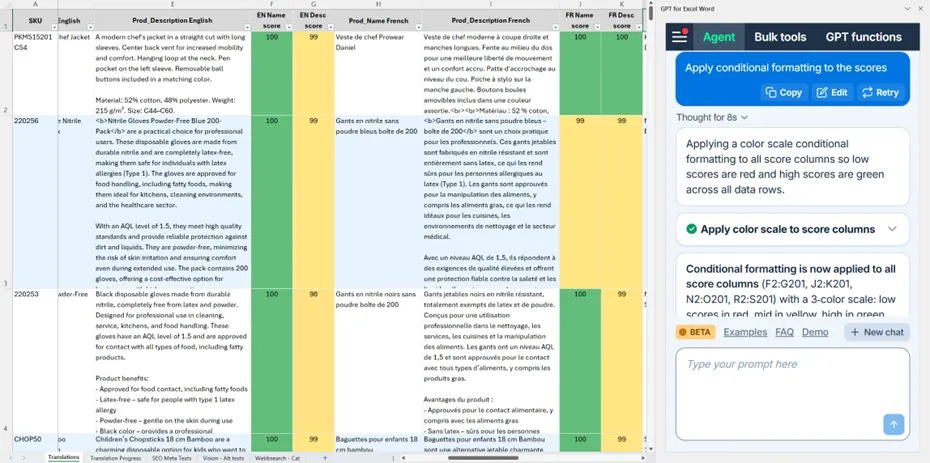
To make the review stage faster, conditional formatting was applied to surface low-scoring rows immediately.
Run type: Agent
Prompt used:
Apply conditional formatting to the scores
Use case #2: Generate alt text from product images in bulk
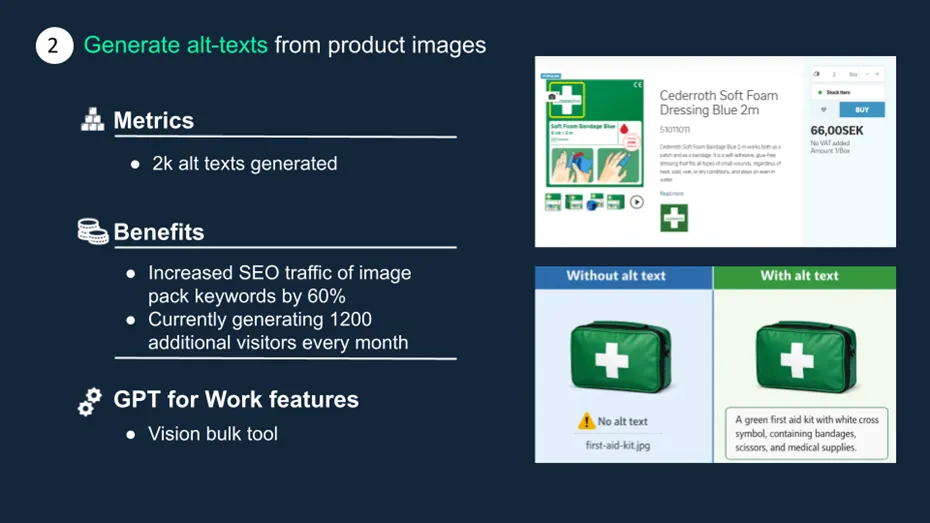
This use case focused on automated SEO alt text generation from product images. In production, Tingstad has used this method to generate over 2,000 alt texts, contributing to a 60% increase in image search traffic and about 1,200 additional monthly organic visitors.
"With alt text, we saw a real bump in image traffic."
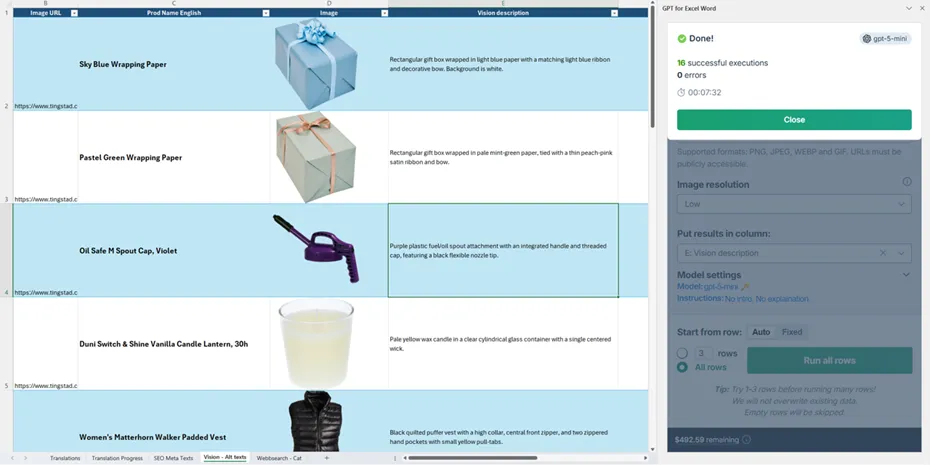
Step 1: Create image descriptions from URLs
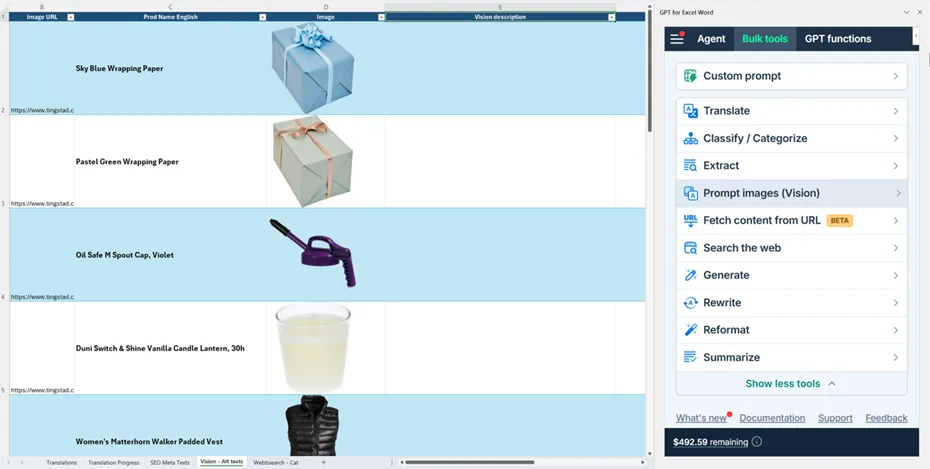
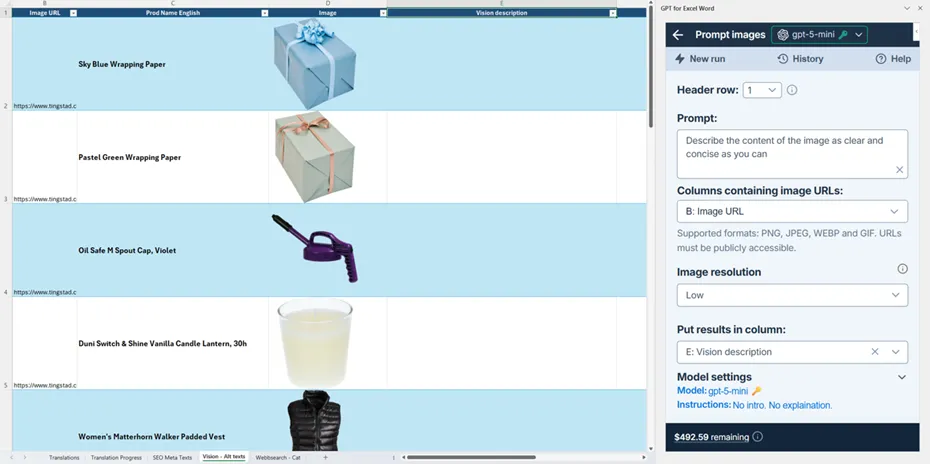
Viktor started by generating first-pass descriptions from image URLs, creating a strong base for the next transformation step.
Run type: Bulk tool - Prompt images (Vision)
Model used: gpt-5-mini
Prompt used:
Describe the content of the image as clear and concise as you can
Step 2: Convert descriptions into final alt text
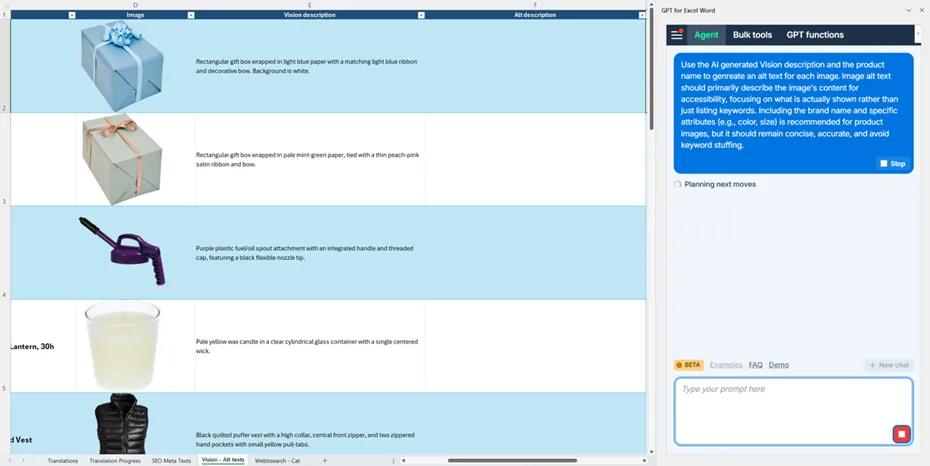
He then reused those descriptions with product context to produce concise, publishable alt text better aligned with SEO and accessibility needs.
Run type: Agent
Prompt used:
Use the AI-generated Vision description and the product name to generate an alt text for each image. Image alt text should primarily describe the image's content for accessibility, focusing on what is actually shown rather than just listing keywords. Including the brand name and specific attributes (e.g., color, size) is recommended for product images, but it should remain concise, accurate, and avoid keyword stuffing.
Use case #3: Categorize B2B companies using web search signals
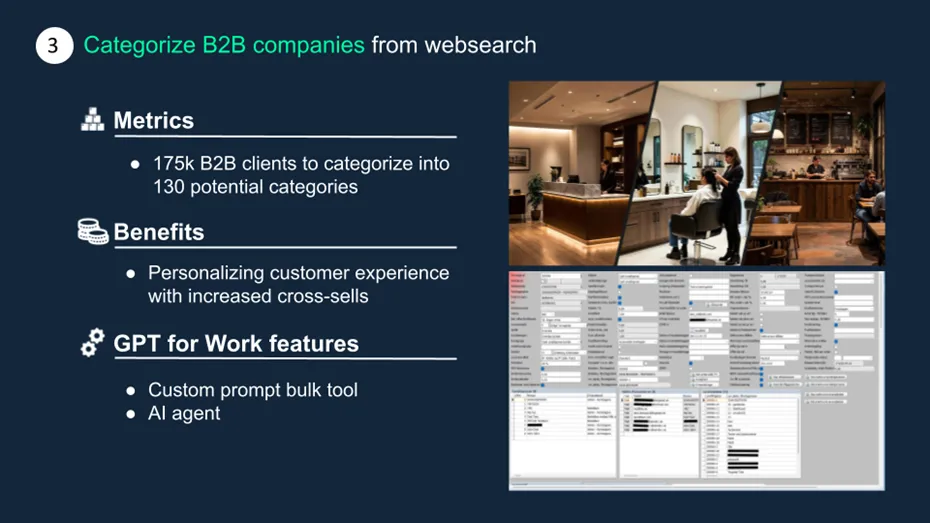
The third use case demonstrated how web search signals can support B2B company categorization for CRM operations. This approach has been applied to categorize some of Tingstad's 175,000 B2B customers into 130 industry segments, supporting personalization and cross-sell strategies.
"This used to take about 12 to 15 work hours per month. Now those 200 companies take about a minute."
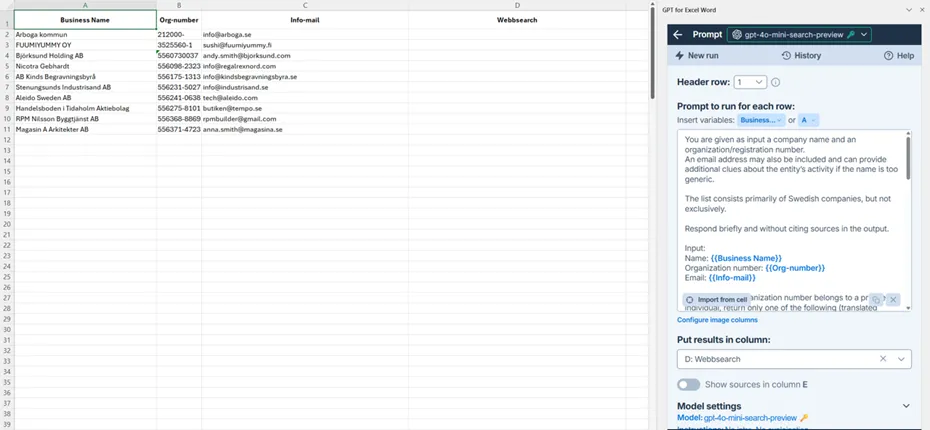
Step 1: Enrich each row with a short company summary
The first run gathers concise context on each company, based on available row data and web search information.
Run type: Bulk tool (Custom prompt)
Model used: gpt-4o-mini-search-preview
Prompt used:
You are given as input a company name and an organization/registration number.
An email address may also be included and can provide additional clues about the entity's activity if the name is too generic.

The list consists primarily of Swedish companies, but not exclusively.

Respond briefly and without citing sources in the output.

Input:
Name: {{Business Name}}
Organization number: {{Org-number}}
Email: {{Info-mail}}

If the name or organization number belongs to a private individual, return only one of the following (translated equivalents are allowed):
Private individual
If it belongs to a company, return instead one of the following (translated equivalents are allowed):
Company: X
Where X is a very short description of the company's business or industry, using only a few words
(for example: "Construction company", "IT consultant", "Asian restaurant", "Second-hand clothing store").
To determine this, you may use the entity name and information found by looking up the organization number (for example via allabolag.se or similar business registries) and the email address may give clues to the business type (for example 'restaurant@mondoly.com' is most likely a restaurant)
If it is not possible to determine what the company does, return one of the following (translated equivalents are allowed):
Company: Unclear
Optionally add a very short summary of the information you were able to find.
Always respond exactly using one of the allowed formats, with no additional text or explanation.
Examples:
Input: Anna Karlsson, 850101-1234
Output: Private individual
Input: Karlssons Bygg AB, 556123-4567
Output: Company: Construction company commercial properties
Input: Xyrovia Solutions AB, 559876-5432
Output: Company: IT consultant
Input: KALLES AB, 556987-1111
Output: Company: Fish restaurant by the harbor
Input: GreenField Farming AB, 559401-3320
Output: Company: Unclear - Name suggests agricultural activity
Step 2: Assign one category from a fixed taxonomy
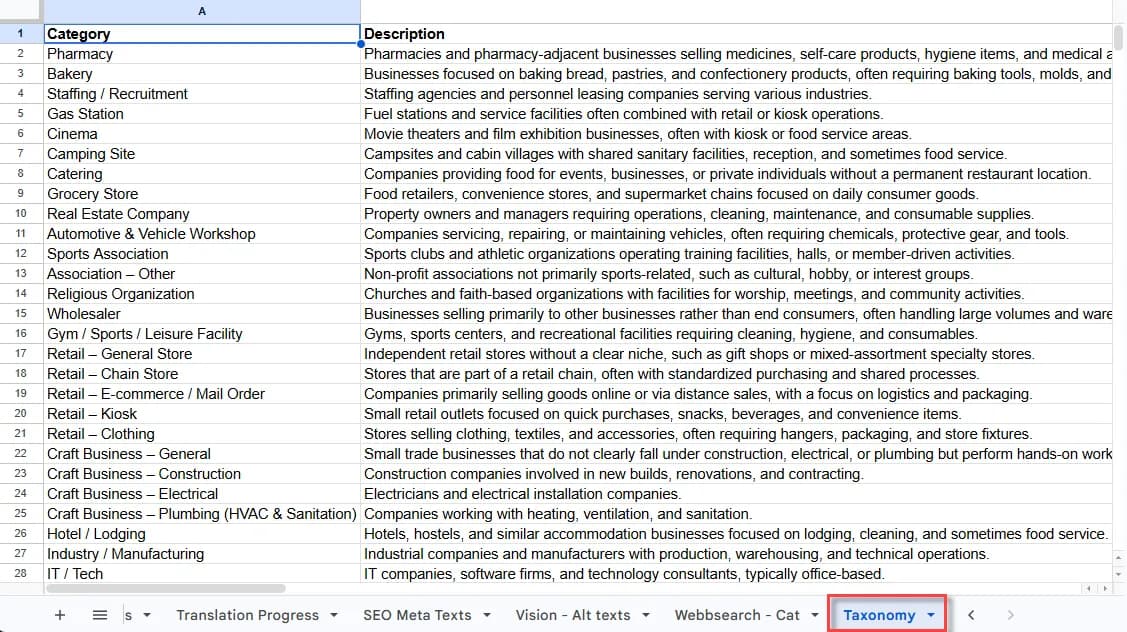
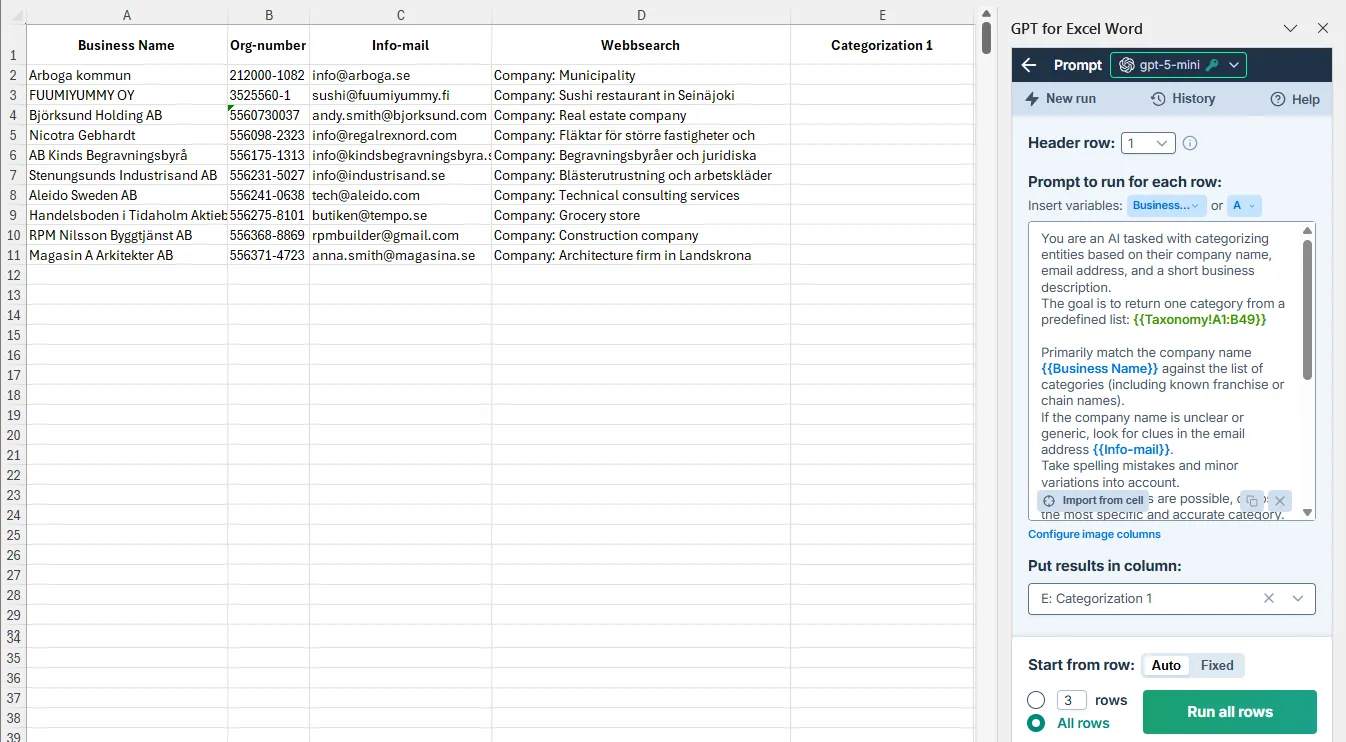
The second run maps each enriched company description to one category. The taxonomy is stored in a separate sheet.
Run type: Bulk tool (Custom prompt)
Model used: gpt-5-mini
Prompt used:
You are an AI tasked with categorizing entities based on their company name, email address, and a short business description.
The goal is to return one category from a predefined list: {{Taxonomy!A1:B49}}

Primarily match the company name {{Business Name}} against the list of categories (including known franchise or chain names).
If the company name is unclear or generic, look for clues in the email address {{Info-mail}}.
Take spelling mistakes and minor variations into account.
If multiple matches are possible, choose the most specific and accurate category.
If no direct match is found, use the business description {{Webbsearch}} to select an appropriate general category.
If neither the name nor the description provides a clear match, output "Uncategorized".

Output rules
Return only the category name, exactly as written in the list below
No additional text, explanations, or formatting
Output: one single category
To go further
Install GPT for Work: https://gptforwork.com/install
Webinar materials
- Watch the full replay.
- Read the presentation slides.
- Try these use cases yourself using the Excel demo spreadsheet.