In June 2026 we started rolling out subscription pricing to new GPT for Work spaces, with Standard, Business, and Enterprise plans and quota tracking right in the dashboard. On the model front, Anthropic Claude Opus 4.8 joins the Agent lineup and Google Gemini 3.5 Flash is now available as a bulk model. You also get more control over Agent runs — set the reasoning effort for each model and see usage statistics after each run — and you can now sign in to Excel and Word with a Google account. Rounding out the month is a batch of smaller improvements.
Explore the key improvements and announcements below, and check out the release notes for the full details.
💳 Subscription pricing for new spaces
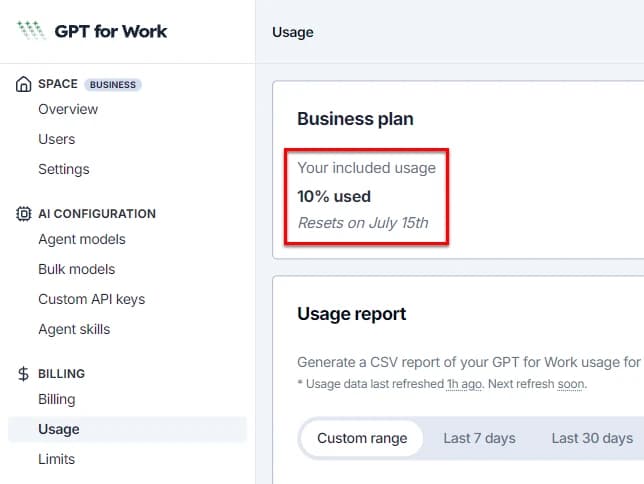
We started rolling out subscription pricing to newly created GPT for Work spaces. Spaces included in the rollout choose between Standard, Business, and Enterprise plans, each with a monthly usage quota. The rollout is progressive, so not all new spaces see subscription plans yet — and existing spaces remain on pay-as-you-go pricing.
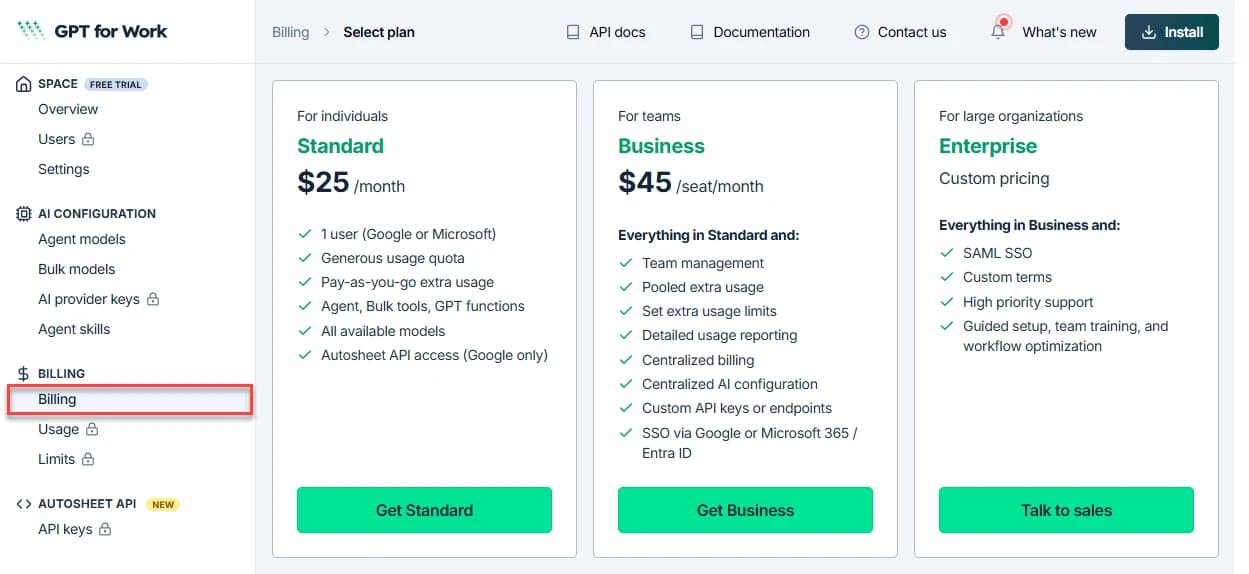
To keep track of your plan, the Usage page of the GPT for Work dashboard now shows how much of your monthly quota you've used and when it next resets. And if you run through your quota before the reset, you can buy extra-usage credits to keep going: they'll also show on this page.
🤖 New models
Anthropic Claude Opus 4.8 

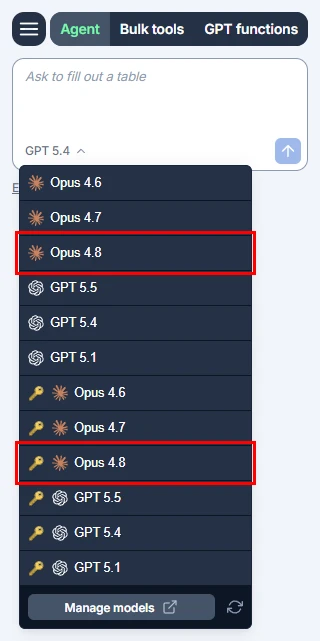
Anthropic Claude Opus 4.8 is now available as an Agent model in GPT for Sheets and Excel, with or without an API key. Opus 4.8 builds on Opus 4.7 with improvements across benchmarks, and is a more effective collaborator on complex spreadsheet tasks.
Google Gemini 3.5 Flash 
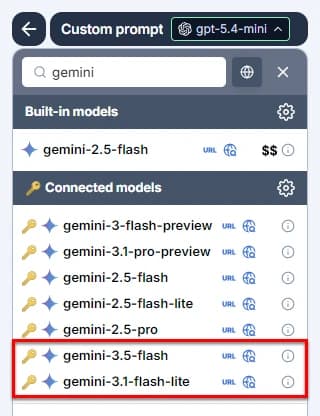
Google Gemini 3.5 Flash is now available as a connected bulk model in GPT for Sheets, Excel, and Word. It delivers sustained frontier-level intelligence optimized for real-world tasks, at a higher speed and lower cost. We also upgraded Google Gemini 3.1 Flash Lite Preview to its general release, Google Gemini 3.1 Flash Lite.
🎛️ More control and visibility over Agent runs
Set the reasoning effort
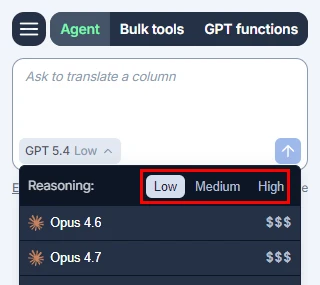
You can now set the reasoning effort for an Agent model, controlling how much the model thinks before it responds — lower effort for quick tasks, higher effort for complex ones. Open the model switcher and select the effort from the Reasoning header. The Agent remembers the effort you last chose for each model, so switching models brings back that model's selection.
See usage statistics
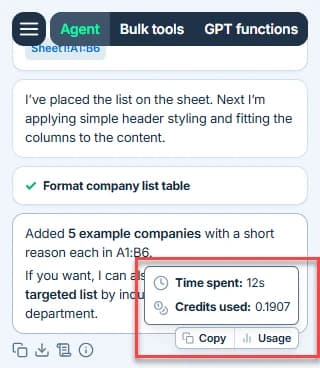
You can now see usage statistics for your Agent runs, including time spent and credits used — so you always know what a run cost you.
🔑 Sign in to Excel and Word with Google
You can now sign in to GPT for Excel and GPT for Word with a Google account. Previously, the add-ins required a Microsoft account — one less hurdle if your organization runs on Google.
⚡ Other improvements
- In the Agent chat field, pressing Enter now sends your message, and Shift+Enter or Alt+Enter (Option+Enter on Mac) inserts a new line — matching the behavior of other AI chat apps.
- When the Agent searches the web, it now restricts results to specific sites only when you name those sources in your prompt. Otherwise, it searches the whole web — so relevant results are no longer left out by an unrequested site filter.
- The Agent and bulk tools now let you know when reading your spreadsheet data is slow or fails, instead of waiting silently — with a warning for slow reads and clear guidance if reads keep failing.
- Removed support for the Claude Sonnet 4 model, which Anthropic retired on June 15, 2026.
📖 To go further
Check out our resources to get the most out of GPT for Work:
- 📚 Step-by-step guides for Sheets, Excel, Word, and Docs
- 📖 Complete documentation — Find everything you need to know about GPT for Work!
- 📝 Our blog articles for e-commerce, SEO, and market research
- 📺 Our YouTube channel with video tutorials
- 📄 Release notes — Or read them directly in the add-ons!
- 🔧 Contact support — Need help? Reach out to our friendly team.