Upgrade from Standard to Business
Upgrade from Standard to Business to unlock team management features, centralized billing, spending limits, and more. The upgrade takes effect immediately, and your billing is prorated for the remainder of the current cycle.
-
Open the GPT for Work dashboard and click Billing in the left sidebar.
-
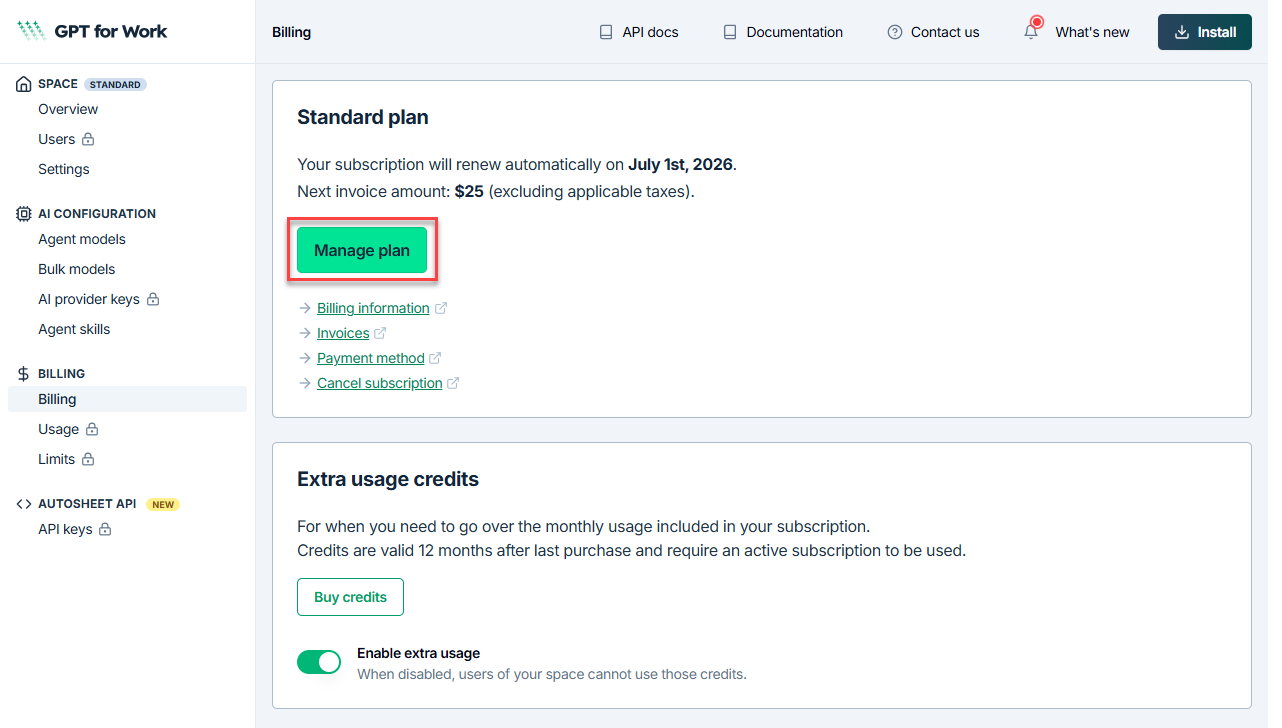
On the Billing page, click Manage plan.
-
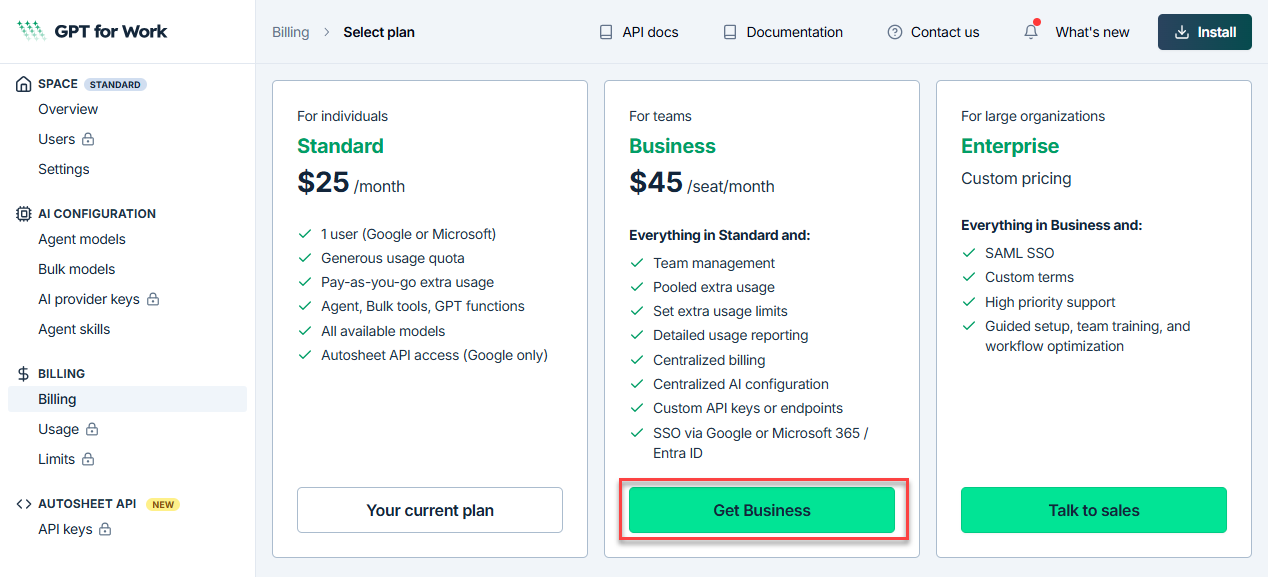
Click Get Business.
-
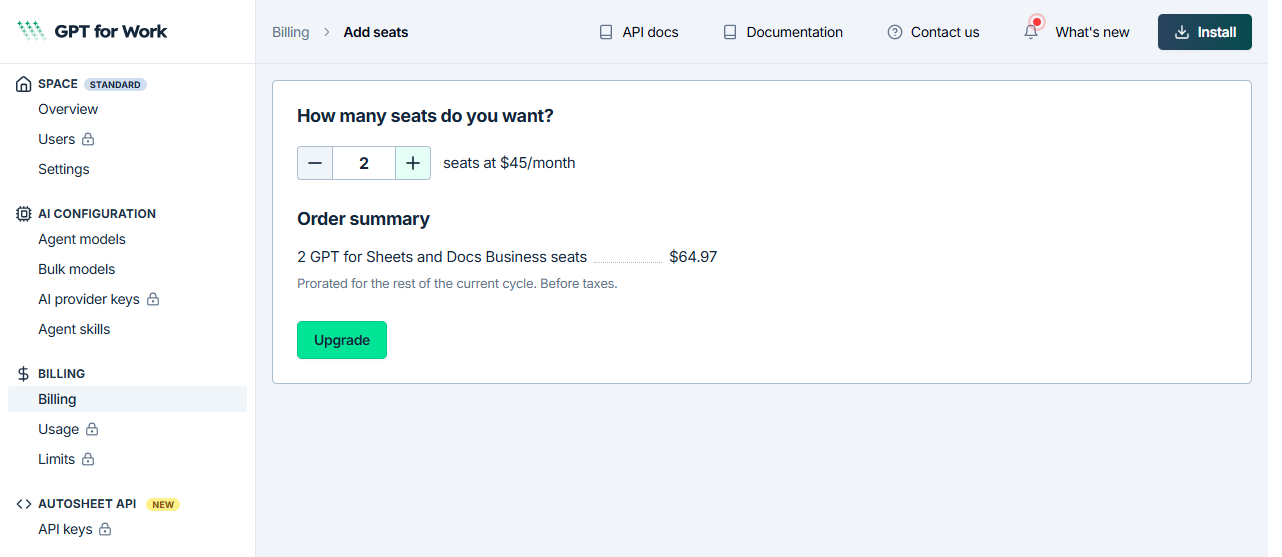
Enter the number of seats you need, then click Upgrade.
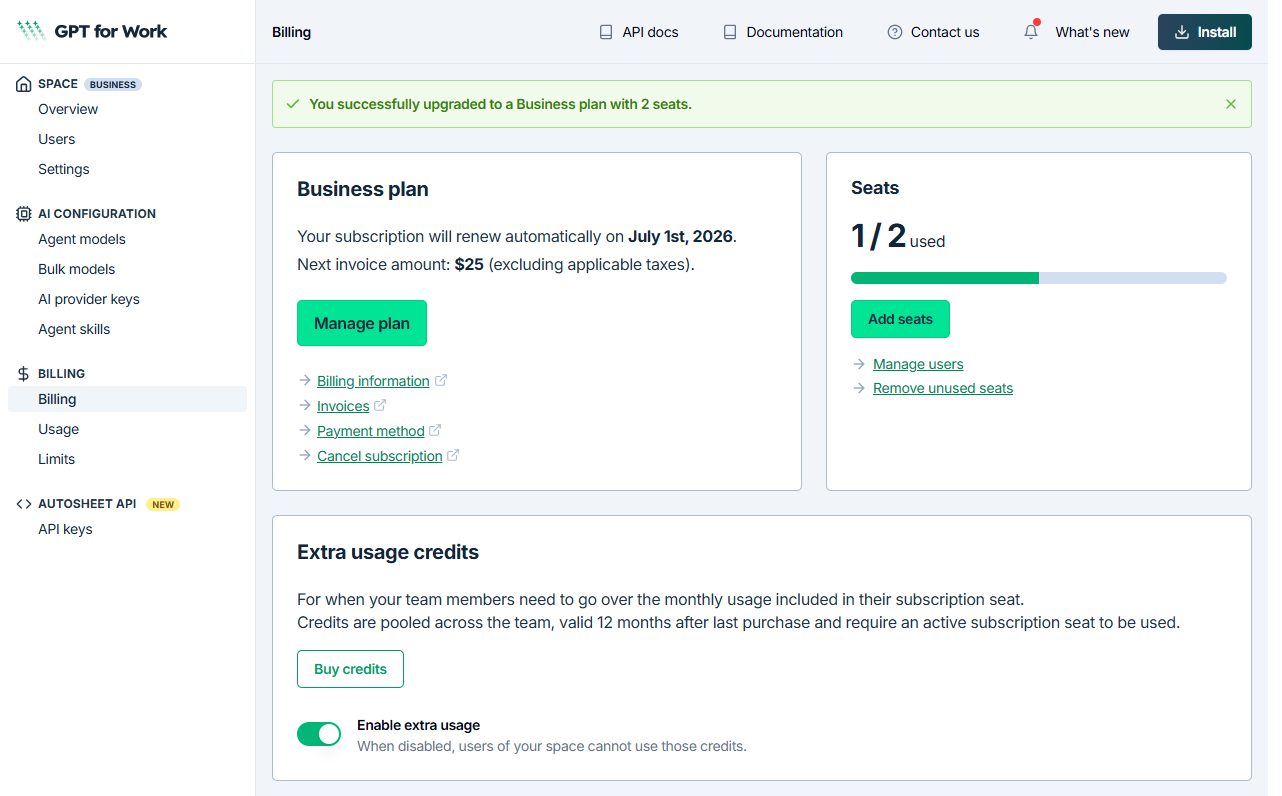
You return to the dashboard. A confirmation banner confirms your Business plan, along with your next renewal date and invoice amount.