Downgrade from Business to Standard
Downgrading from Business to Standard schedules the change for the end of your current billing cycle. You keep full access to Business features until then.
Prerequisite
You need to be the only user in the space. Remove users if necessary.
-
Open the GPT for Work dashboard and click Billing in the left sidebar.
-
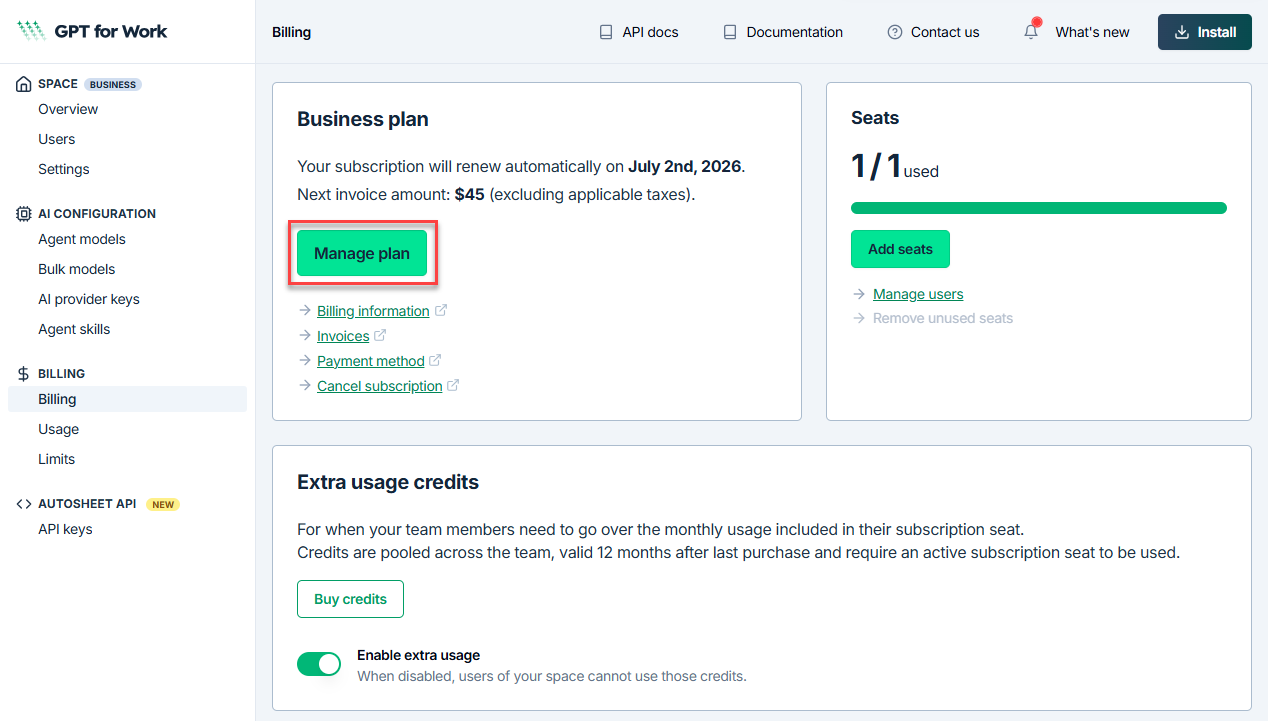
On the Billing page, click Manage plan.
-
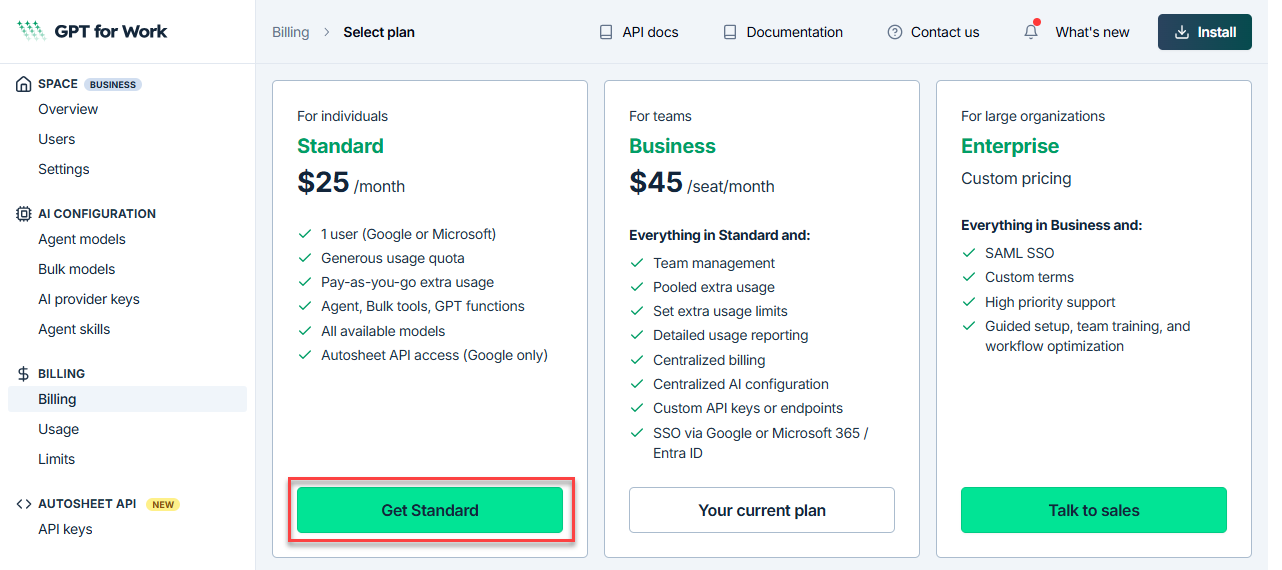
Click Get Standard.
-
Review the features that will no longer be available, then confirm the downgrade.
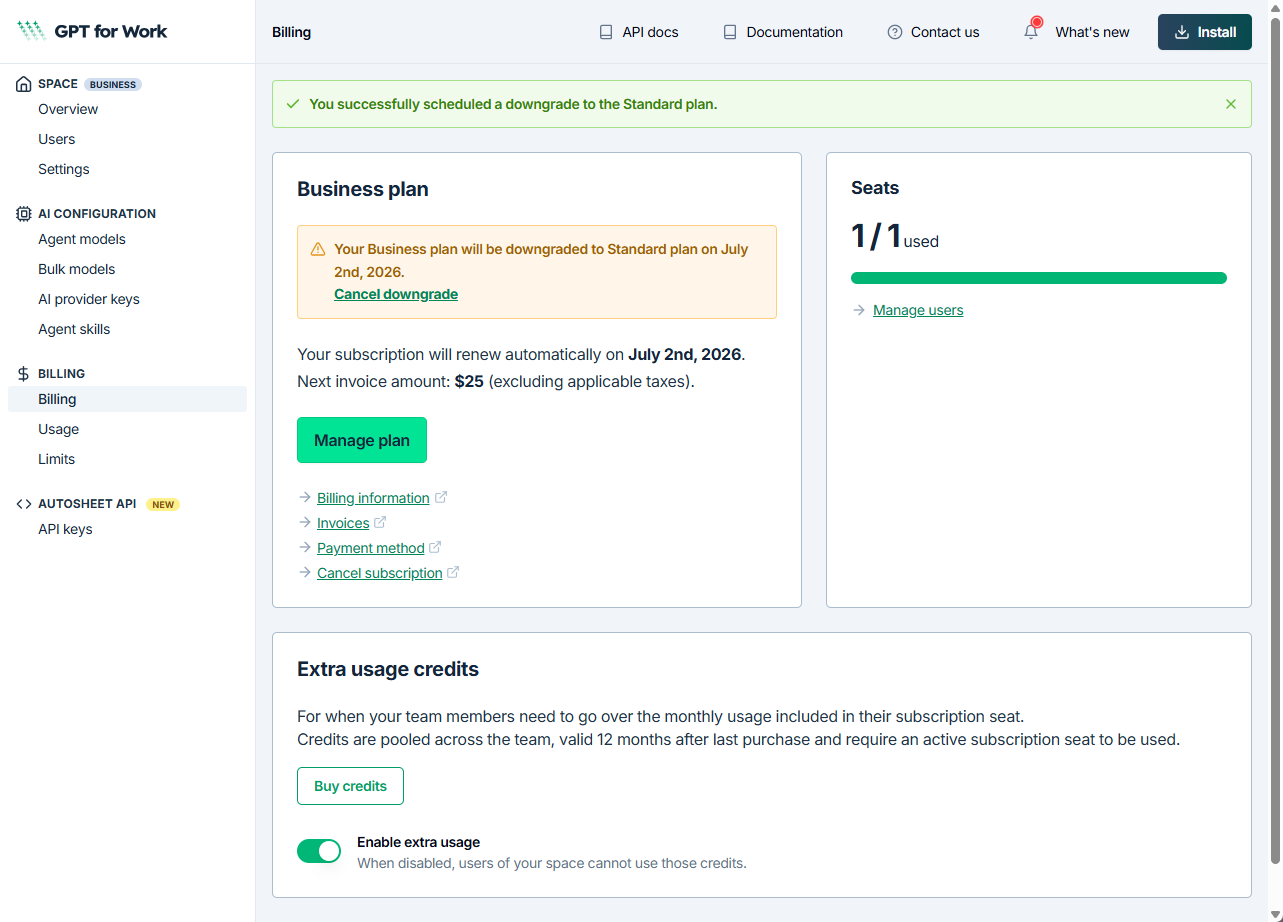
Your downgrade is scheduled. You keep access to Business features until the end of the current billing cycle, at which point your plan switches to Standard.
What's next
You can cancel the scheduled downgrade at any time before the billing cycle ends from the Billing page in the GPT for Work dashboard.