Upgrade to a paid plan
Upgrade to a paid plan to continue using the product once your free trial has ended.
-
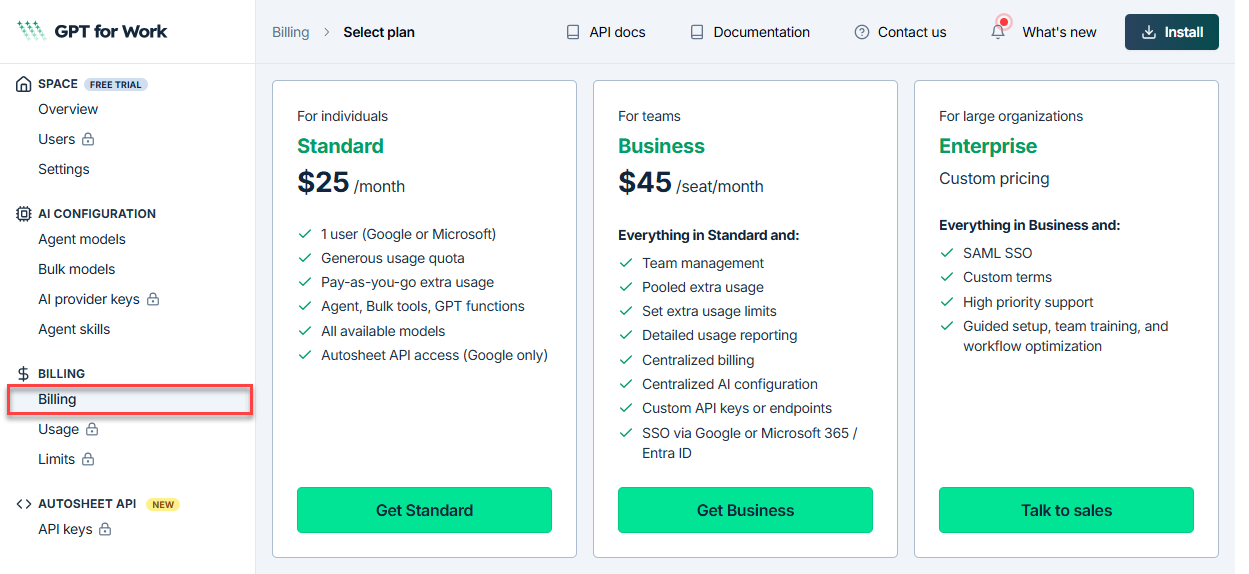
Open the GPT for Work dashboard and click Billing in the left sidebar.
-
Click Get Standard or Get Business.
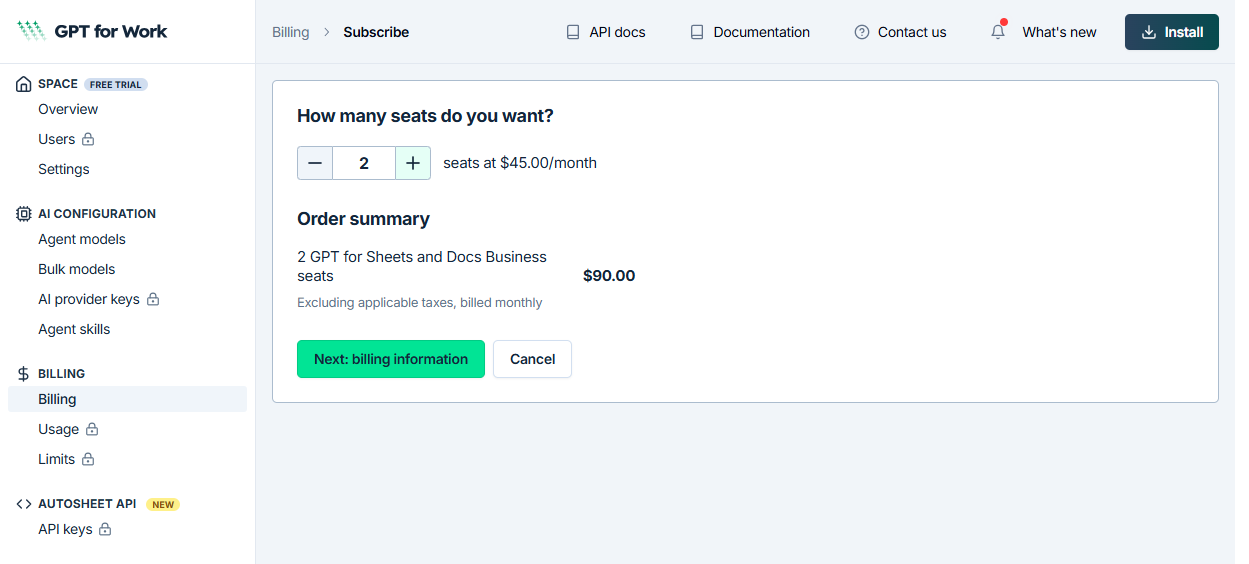
(For Business) Enter the number of seats you need, then click Next: billing information.
-
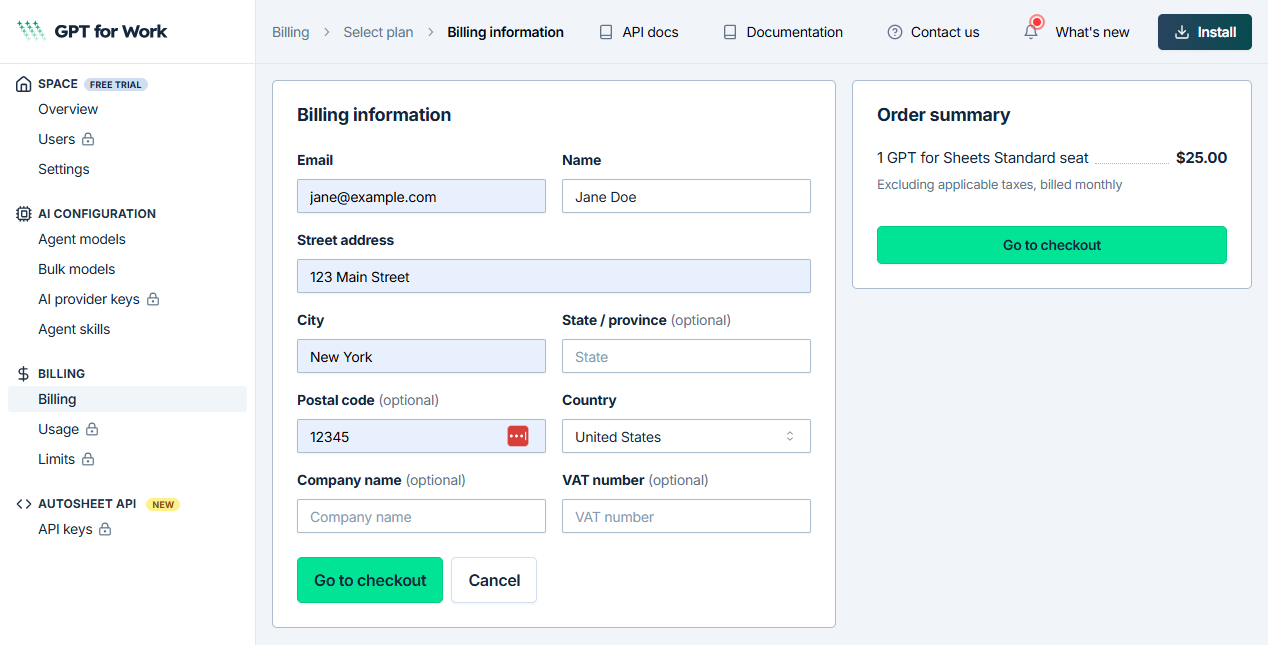
Enter your contact and billing details, review the order summary, then click Go to checkout.
-
Complete the payment on the Stripe checkout page.
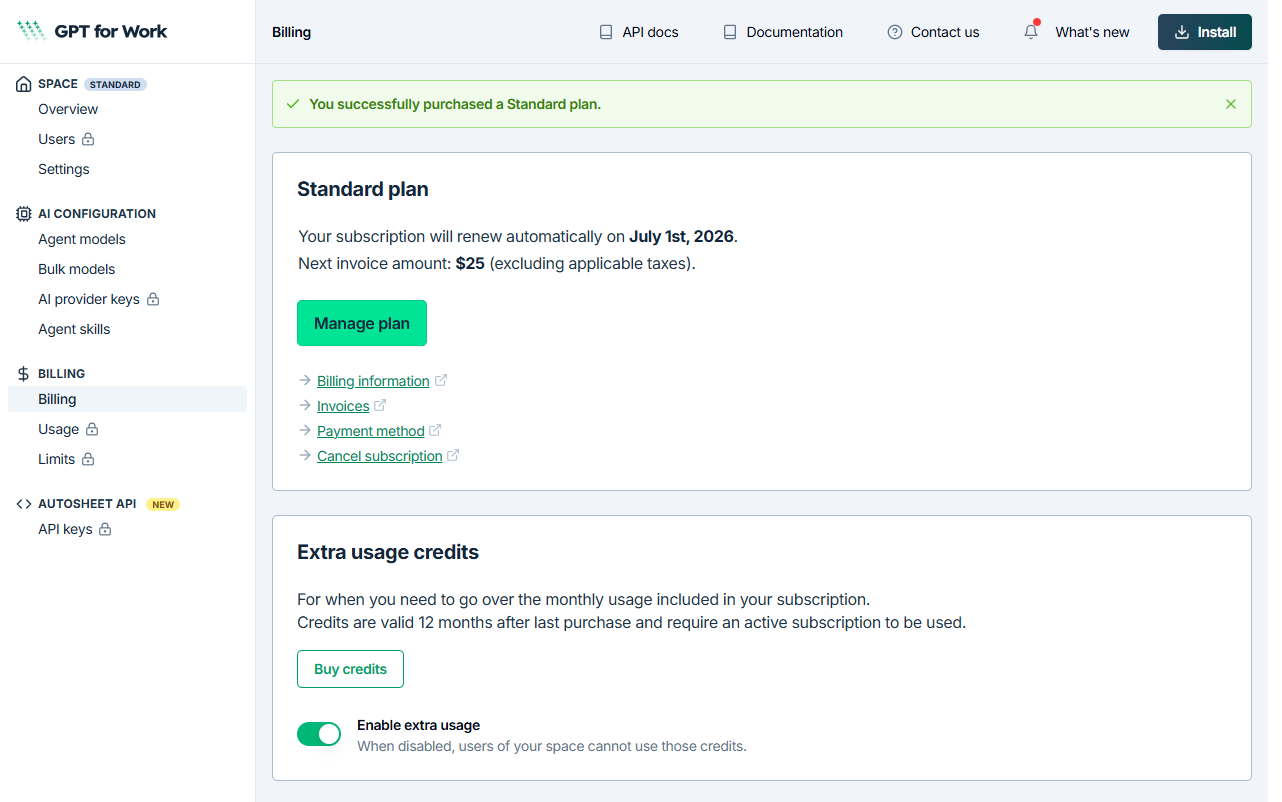
You return to the dashboard. A confirmation banner confirms your plan, along with your next renewal date and invoice amount.
What's next
- Buy extra-usage credits
- Manage users — Business and Enterprise plans only
- Set spending limits for extra usage — Business and Enterprise plans only