Cancel your subscription
Canceling your subscription schedules the cancellation for the end of your current billing cycle. You keep full access until then.
-
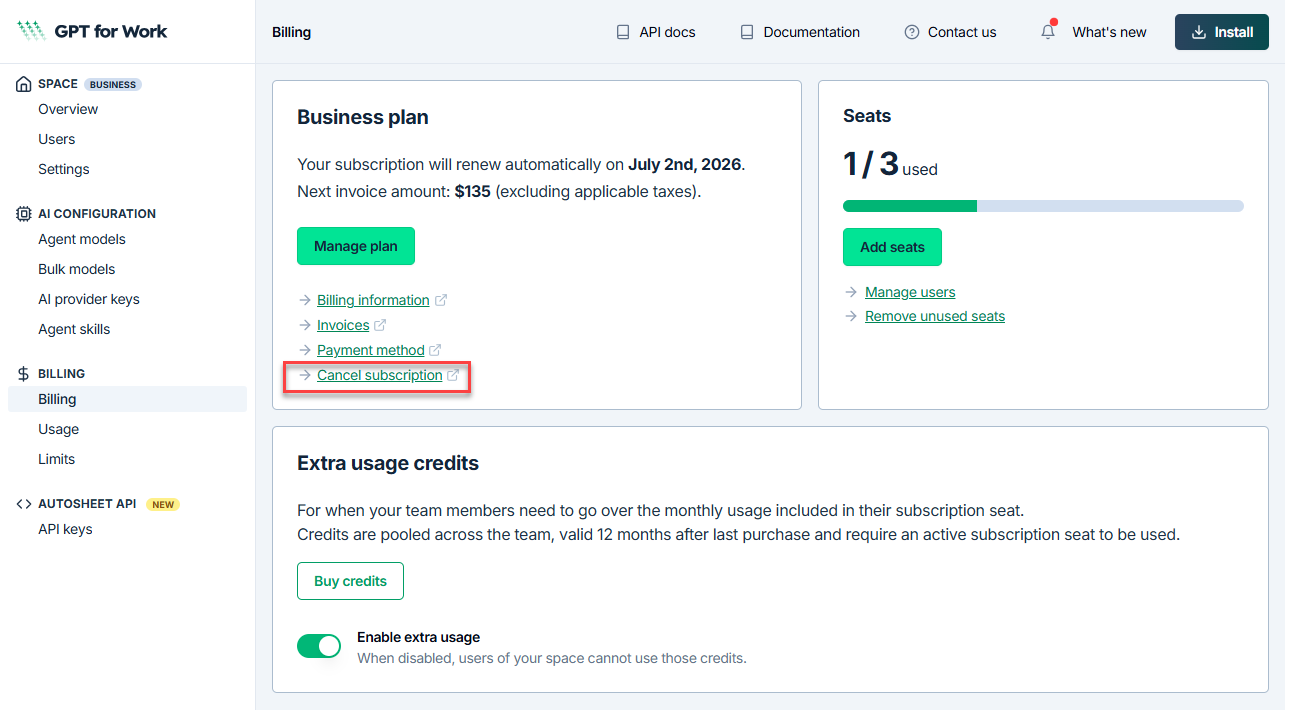
Open the GPT for Work dashboard and click Billing in the left sidebar.
-
On the Billing page, click Cancel subscription.
-
In the Stripe Customer Portal, click Cancel subscription.
-
Review the cancellation details, then click Cancel subscription to confirm.
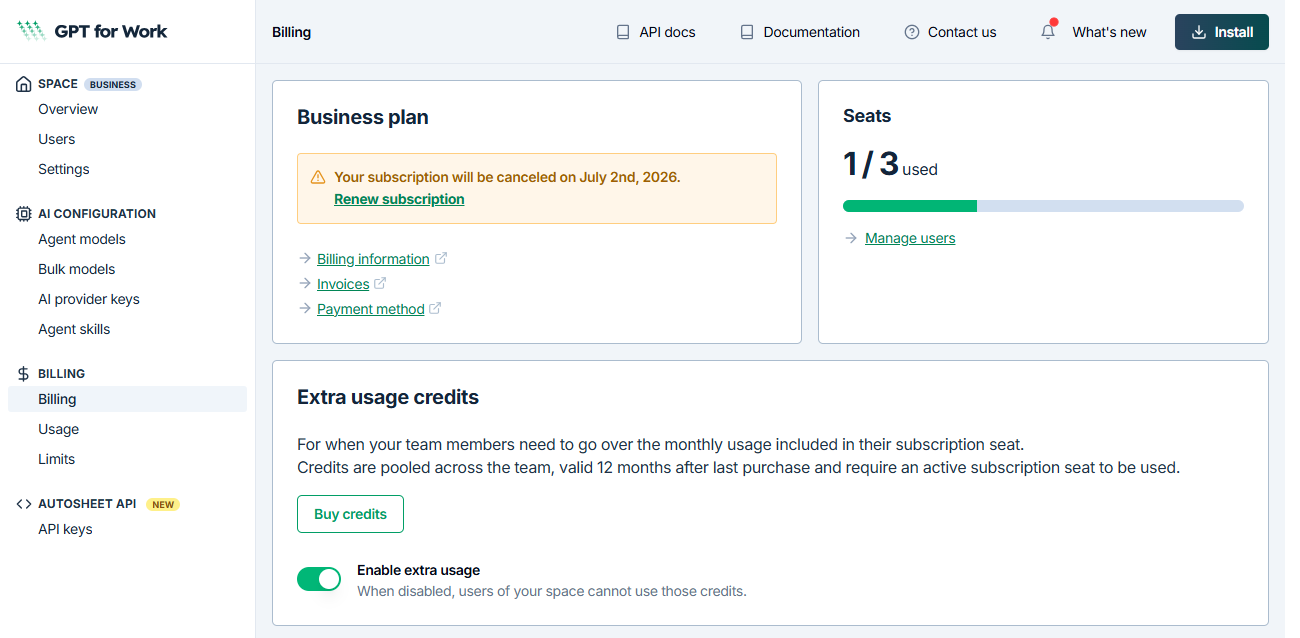
After confirming the cancellation, return to the dashboard manually. The dashboard reflects the scheduled cancellation.
What's next
You can renew your subscription at any time before the billing cycle ends from the Billing page in the GPT for Work dashboard.