🎉 November 2025 marks a major milestone: The Agent is now available to all users in GPT for Sheets! This month also brings powerful new AI models, enhanced Agent capabilities, and improvements to the dashboard that now centralizes API key and endpoint management, as well as pack purchases.
Explore the key improvements and announcements below, and check out the release notes for the full details.
🎉 Agent now available for all GPT for Sheets users 
All GPT for Sheets users can now use the Agent to do bulk content generation, bulk translation, bulk web search, bulk data cleaning, and bulk data analysis — with just a few words, and without any configuration!
Just type your prompt in plain language, and the Agent analyzes your spreadsheet data and executes the task automatically.
✨ Agent improvements 
Work across multiple sheets
You can now use the Agent across multiple sheets, so you can keep your source data and reference materials like glossaries in separate tabs and stay organized.
Copy and paste with preserved formats
You can now ask the Agent to copy and paste a range with preserved values, formats, or formulas. It can even flip rows and columns.
🎛️ Dashboard improvements
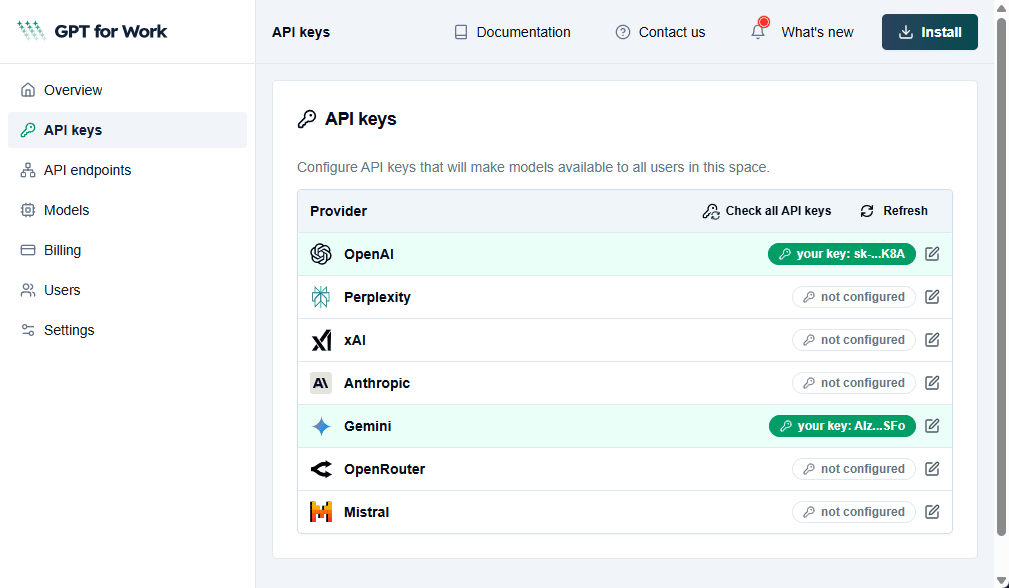
Space-level API keys and endpoints 

User-level API keys and endpoints are no longer supported. You now set all API keys and endpoints on the space level in the GPT for Work dashboard, making management simpler and more consistent across your team.
Improved pack purchase flow
For spaces on the prepaid usage-based plan, buying packs now happens fully in the GPT for Work dashboard. In GPT for Sheets, GPT for Excel, and GPT for Word, the Buy credits button on the Billing page now takes you to the Billing page of the dashboard, where you can buy a pack.
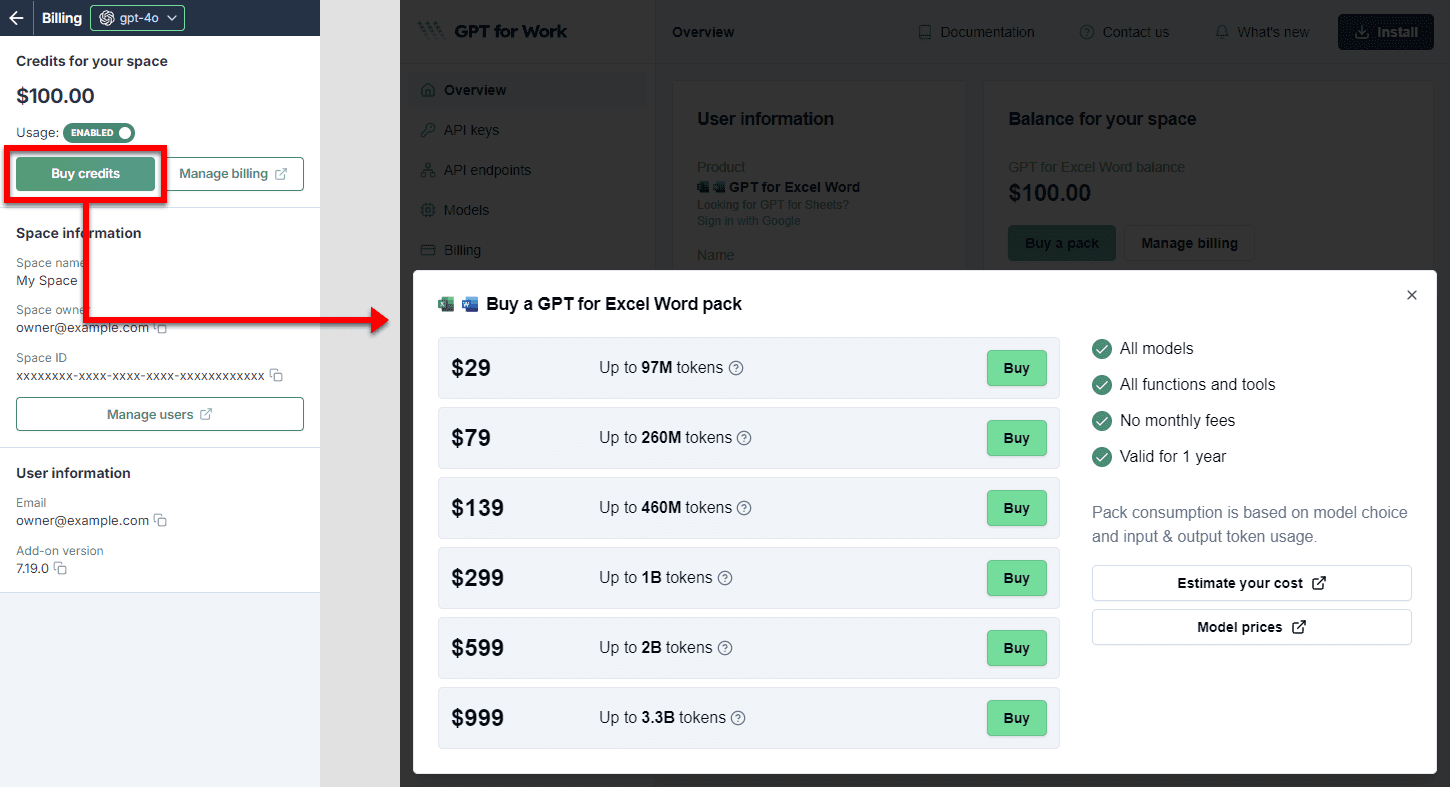
In GPT for Docs, the Billing link in the add-on footer takes you to the Billing page of the dashboard.
🖼️ Image URL validation
GPT for Sheets and Excel now check image URLs before sending them to the AI provider, saving credits when using the Prompt images (Vision) bulk AI tool and the GPT_VISION function.
🤖 New AI models
- OpenAI GPT-5.1 (with or without API key)
OpenAI's new flagship model, designed to balance intelligence and speed. Now available across all GPT for Work add-ons. - Anthropic Claude Haiku 4.5 (with or without API key)
Anthropic's fastest and most cost-efficient model, now available in all GPT for Work add-ons. - xAI Grok 4 Fast (with API key)
Use grok-4-fast and grok-4-fast-non-reasoning models with an API key in GPT for Excel, Sheets, and Word. - Perplexity Sonar Pro (without API key)
Perplexity's Sonar Pro model is now also available in GPT for Sheets and Excel without an API key.
🔄 Model deprecations
- Grok 3 models (grok-3, grok-3-mini, grok-3-fast, and grok-3-mini-fast) are no longer supported. Use Grok 4 Fast models instead.
- Older models from Anthropic Claude 3.5 Haiku and Claude 3.7 Sonnet are no longer supported. Use Claude Haiku 4.5 and Claude Sonnet 4.5 instead.
- Fine-tuned versions of OpenAI's deprecated models babbage-002 and davinci-002 are no longer supported.
📖 To go further
Check out our resources to get the most out of GPT for Work:
- 📚 Step-by-step guides for Excel, Word, Sheets, and Docs
- 📖 Complete documentation — Find everything you need to know about GPT for Work!
- 📝 Our blog articles for e-commerce, SEO, and market research
- 📺 Our YouTube channel with video tutorials
- 📄 Release notes — Or read them directly in the add-ons!
- 🔧 Contact support — Need help? Reach out to our friendly team.