The promise of the best AI agents is simple: hand them a job and get finished work back.
In practice, each agent is good at one kind of work. A coding agent can work through an entire codebase but is the wrong pick for market research. A research agent can handle a long brief but is a poor fit if the job lives in your inbox, CRM, or spreadsheet. So there is no single best AI agent, only the right one for the job in front of you.
Below, we compare eight agents by the job they handle best, walk through what a typical task looks like in each, and cover where they fall short and what they cost.
What Are AI Agents?
You probably already use an LLM through tools like ChatGPT, Claude, or Gemini. Give it a prompt and it gives you an answer. Ask it to rewrite an email, summarize a document, or explain a formula, and it responds.
But it normally waits for you to tell it what to do next.
A workflow can connect an AI model to other tools, but the path is still decided in advance. For example: when a new lead enters your CRM, research the company, summarize what you find, and add the notes back to the CRM. The AI handles parts of the job, but it never chooses the steps.
An AI agent is an AI system that can decide what to do next to complete a task, rather than waiting for you to give it every step.
Give it a goal and the right tools, and it can decide which steps to take, use those tools, check the result, and change its approach if needed.
Claude Code is a good example. Ask it to fix a bug and it can inspect the codebase, decide which files matter, make changes, run tests, see what broke, and try again. You gave it the goal, not a step-by-step checklist.
That ability to make decisions is what separates an AI agent from a normal chatbot or a fixed workflow.
An AI agent does the work. An AI agent builder is software you use to create or configure those agents.
Tools such as n8n, CrewAI, and LangChain fall more into the builder/framework side, so we haven't included them in this list unless they also offer an agent you can use directly.
Best AI Agents: Quick Comparison
Use this table to find the agent that matches the job you want to hand off. Each tool below was picked for one kind of work, so start with the job, then compare the options that fit it.
AI agent | Best for | Pricing |
|---|---|---|
GPT for Work | Spreadsheet and data work at scale | Free trial credits; then plans from $25/month |
Claude Code | Writing, running, and fixing code | Claude Pro $20/month; Max from $100/month |
Manus | Long, multi-step projects | 300 free daily credits; paid plans from $20/month |
Replit | Building apps without coding | Free Starter plan; Core from $20/month |
OpenClaw | Self-hosted personal automation | Free and open source; hosting and AI model costs vary |
ChatGPT Work | General multi-step work across files and apps | Limited on Free and Go (desktop only); Plus $20/month; Pro from $100/month |
Fin | Customer support | 14-day trial; $0.99/outcome + Intercom from $19/seat/month |
Grok Bot | Always-on business tasks | Bundled with eligible Cursor and SuperGrok plans; current pricing from $20/month |
This is one pick per job, not a ranking of every agent on the market. Strong tools that compete for a slot already taken, such as Codex and Cursor for coding, are not on the list.
1. GPT for Work: Best AI Agent for Excel and Google Sheets
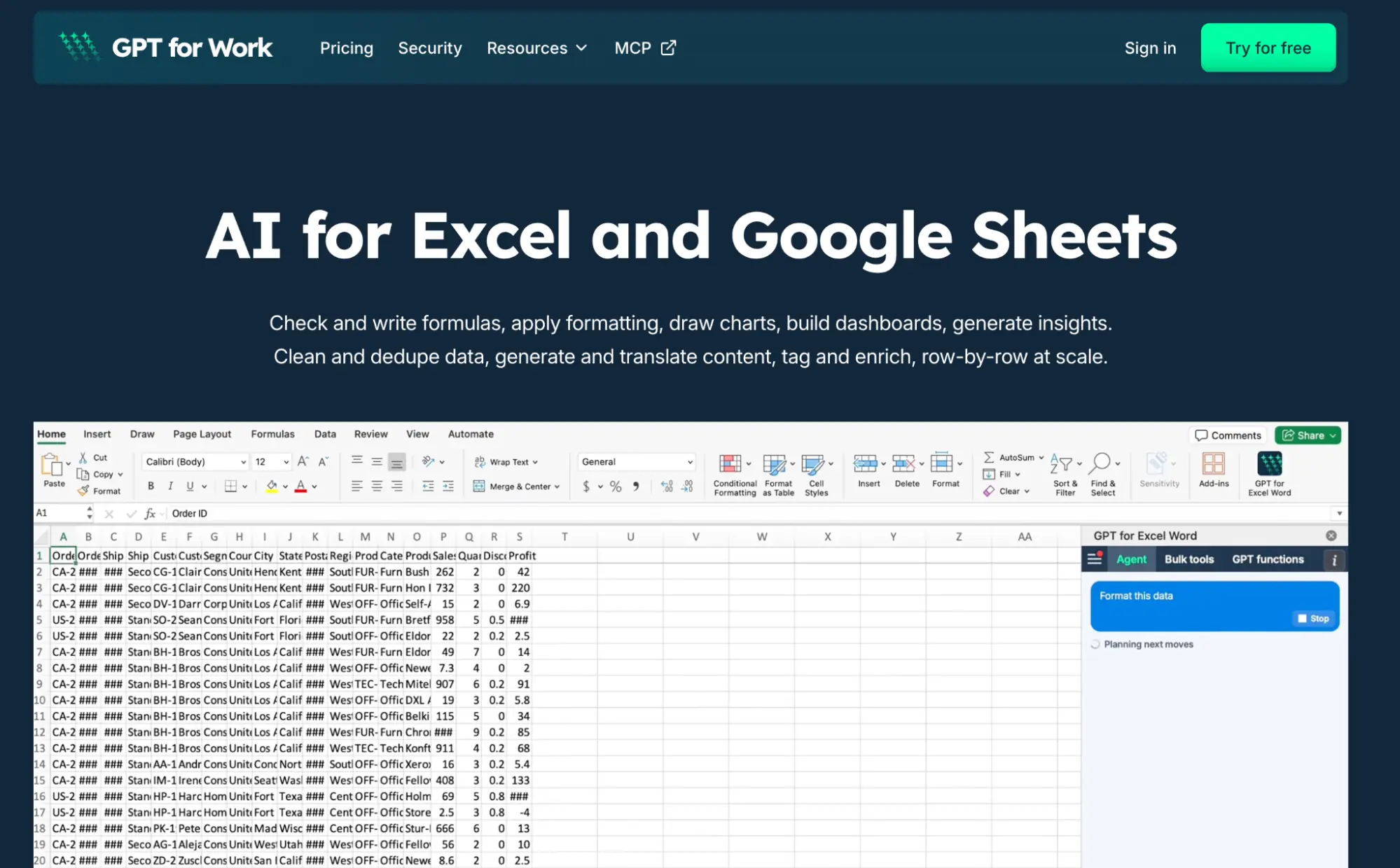
Best for: People who spend a lot of time in Excel or Google Sheets and want AI to handle repetitive spreadsheet work at scale.
GPT for Work is an AI agent for Excel and Google Sheets. You tell it what you need in plain language, and it can clean data, fix formulas, analyze a workbook, create charts and pivot tables, look up information, or make changes across large datasets.
Bulk work is where it really stands out. It can process up to 1,000 rows a minute and handle up to 1 million rows in Excel, depending on the task and model. In GPT for Work's own benchmark, it was fastest on 10 of 11 Excel tasks and the only agent to complete the 10,000-row test.
GPT for Work can also plug into broader agents through Autosheet MCP. That lets tools such as ChatGPT, Claude Code, Grok, or OpenClaw hand spreadsheet work off to a specialist agent while they handle the rest of the task.
Here's a simple example. We started with a product catalog that had product names and descriptions, but no category or confidence score.
We gave the agent one prompt:
"Categorize every product based on the description in column B into one of 8 categories. Add the category in column C and a confidence score from 0 to 1 in column D."
The agent set up the task and filled both columns across the dataset. You can follow the run from the sidebar as the results come in, and the results land in your own columns, so checking a sample is a matter of scrolling. For more spreadsheet-focused options, we've also put together a list of the best AI tools for Google Sheets.
What it does well
- Works directly inside Excel and Google Sheets
- Handles everyday spreadsheet work and large bulk jobs
- Works as a spreadsheet specialist inside broader AI agents through Autosheet MCP
Where it falls short
- Limited to spreadsheet work, not email, calendar, CRM, or browser tasks
- Large bulk jobs can use credits quickly
- Bring-your-own-key is limited to Business and Enterprise plans and still carries a small platform fee
Pricing
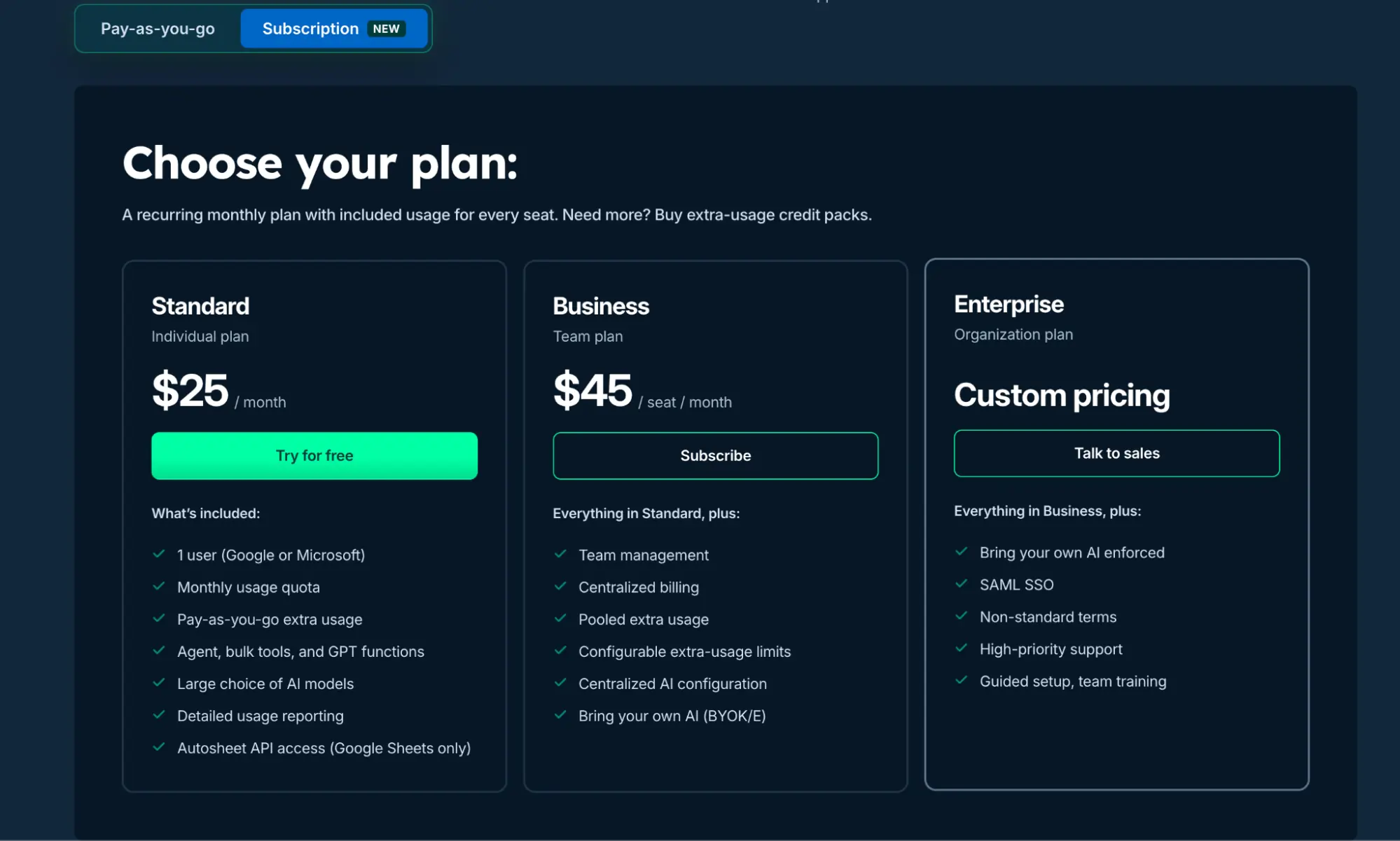
GPT for Work is priced as a monthly subscription with included usage.
- Free trial: Free to install with free starting credits, no card required. Every seat then includes a monthly usage quota, and shared extra-usage credits stay valid for 12 months after the latest purchase.
- Standard: $25/month for one user, with a monthly usage quota and access to the agent, bulk tools, GPT functions, and multiple AI models.
- Business: $45/seat/month. Adds team management, centralized billing, pooled extra usage, usage limits, and bring-your-own-AI support.
- Enterprise: Custom pricing for organizations that need features such as SAML SSO, high-priority support, custom terms, and guided setup.
What users say
GPT for Work's Google Sheets add-on, GPT for Sheets, has 7M+ installs and 4,000+ reviews on Google Workspace Marketplace.
Its Excel add-in, GPT for Excel, has a 4.4/5 rating on Microsoft Marketplace.
2. Claude Code: Best AI Agent for Coding
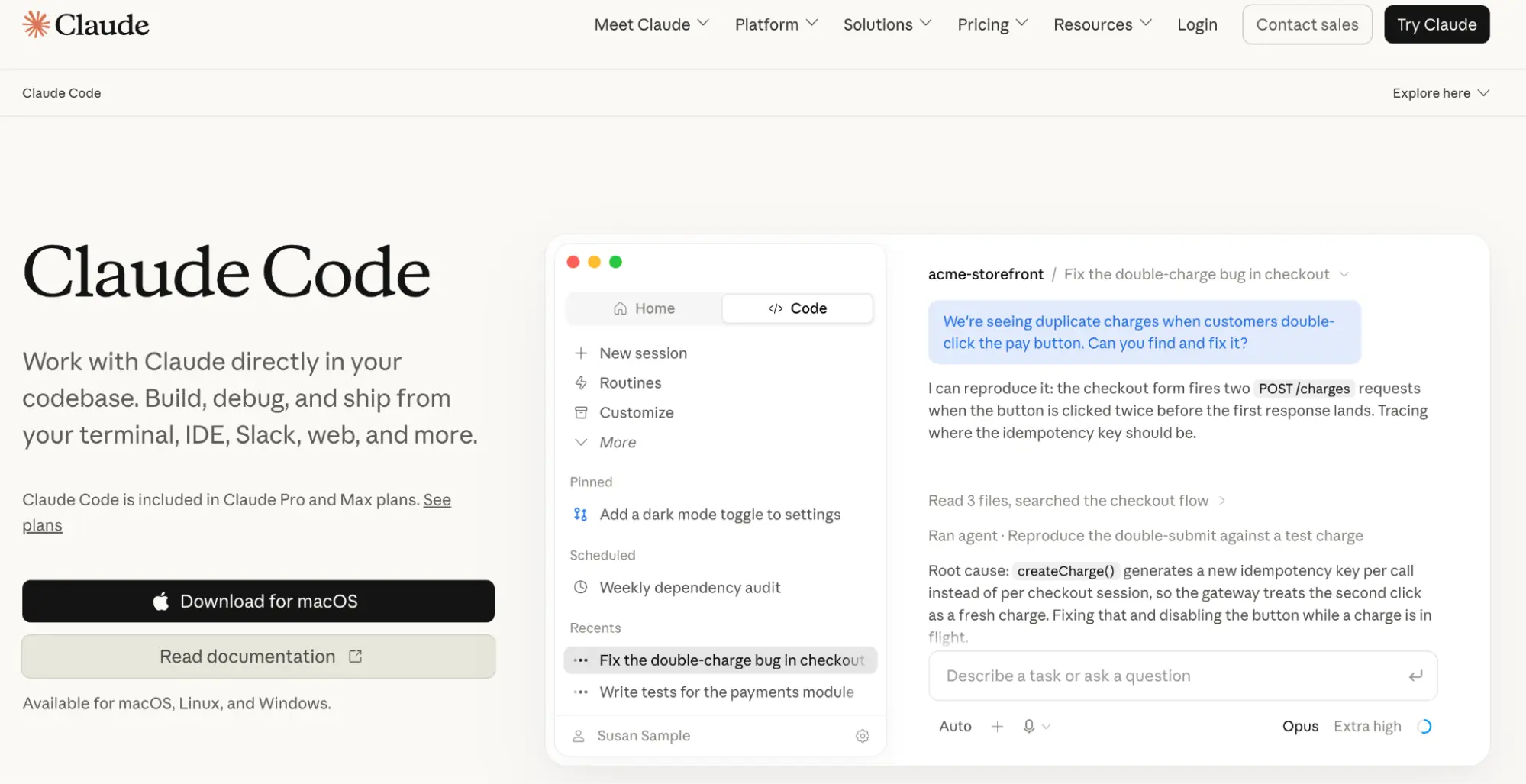
Best for: Developers who want to hand off real coding work, from fixing bugs to building and testing new features.
Claude Code is Anthropic's AI coding agent. It runs in your terminal, IDE, browser, or GitHub, reads your codebase, edits files, runs commands and tests, and works with Git. Instead of handing you isolated snippets, it works through the task inside the codebase.
Say you type "add dark mode to this app" in a project it has never seen. It starts by searching the codebase for where colors and themes live, then proposes a plan: a theme toggle, a set of CSS variables, and a saved preference. Once you approve, it edits the files, starts the dev server, and runs the test suite. If a test fails, it reads the failure and fixes it before reporting back. What you get is a diff to review and a summary of what it changed, not a snippet to paste.
Where it needs you is scope. A vague instruction on a large codebase can produce a change that touches more files than you wanted, which is why experienced users break big changes into planned steps and review each one.
What it does well
- Works directly with your codebase instead of one snippet at a time
- Can write, run, test, debug, and edit code in the same task
- Works across the terminal, IDEs, web, and GitHub
Where it falls short
- Makes the most sense if you already work with code
- Heavy use can hit plan limits quickly, especially on longer coding sessions
- Bigger projects still need clear instructions and checkpoints to stay on track
Pricing
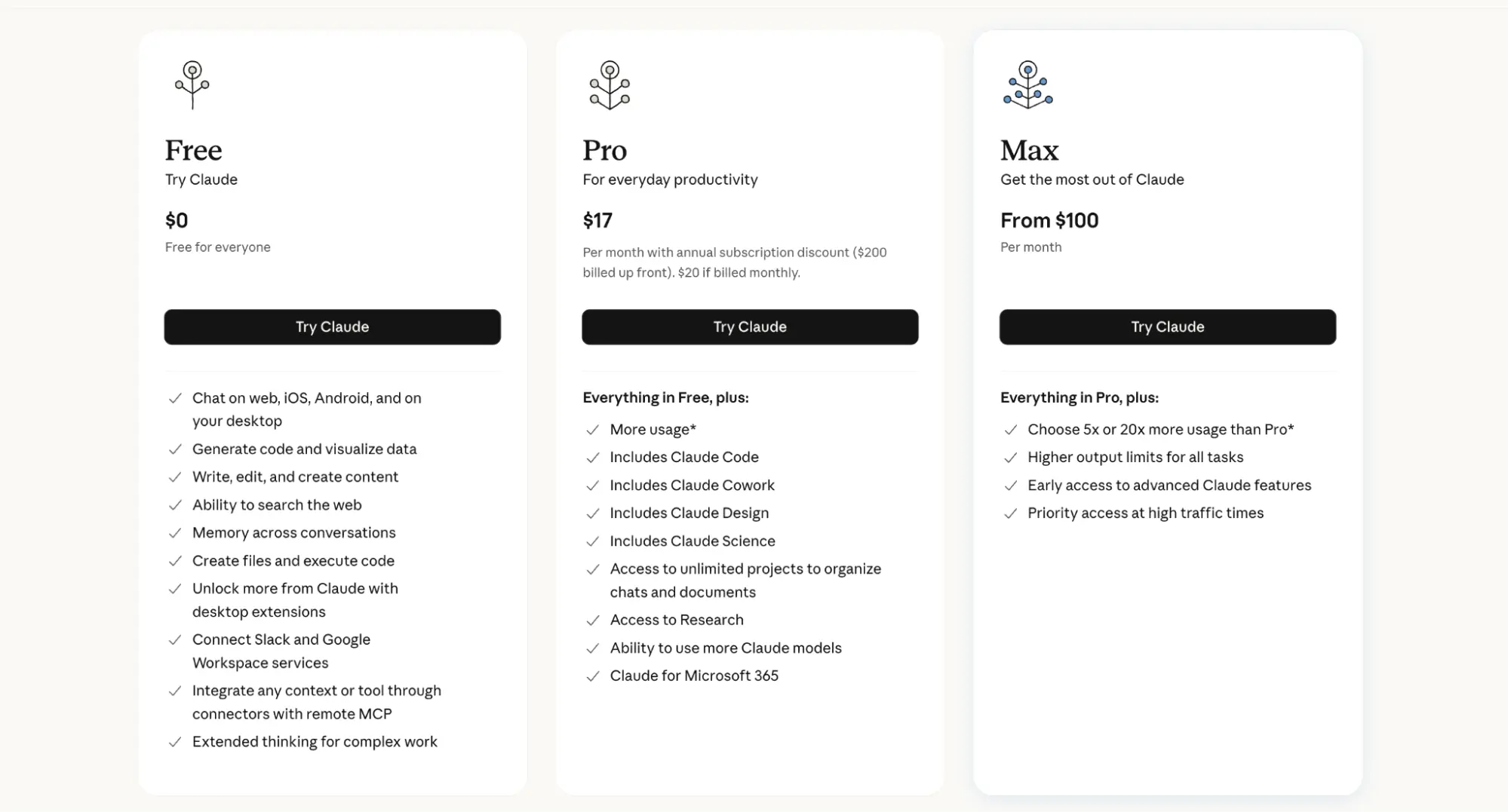
- Free: $0/month, but Claude Code is not included on the free plan.
- Pro: $20/month, or $17/month with annual billing. Includes Claude Code, more usage, Research, unlimited projects, and access to more Claude models.
- Max: Starts at $100/month and gives either 5x or 20x more usage than Pro, plus higher output limits and priority access during busy periods.
What users say
Claude Code has 650+ reviews on Product Hunt, where users often praise its ability to understand a codebase and work through larger coding tasks rather than just suggest individual lines of code.
On Reddit, experienced users are similarly positive about its coding quality, but usage limits are one of the most common complaints, especially for people running longer or more intensive sessions.
3. Manus: Best AI Agent for Long, Multi-Step Tasks
Best for: People who want to hand off projects that combine research, browsing, and creating a finished deliverable.
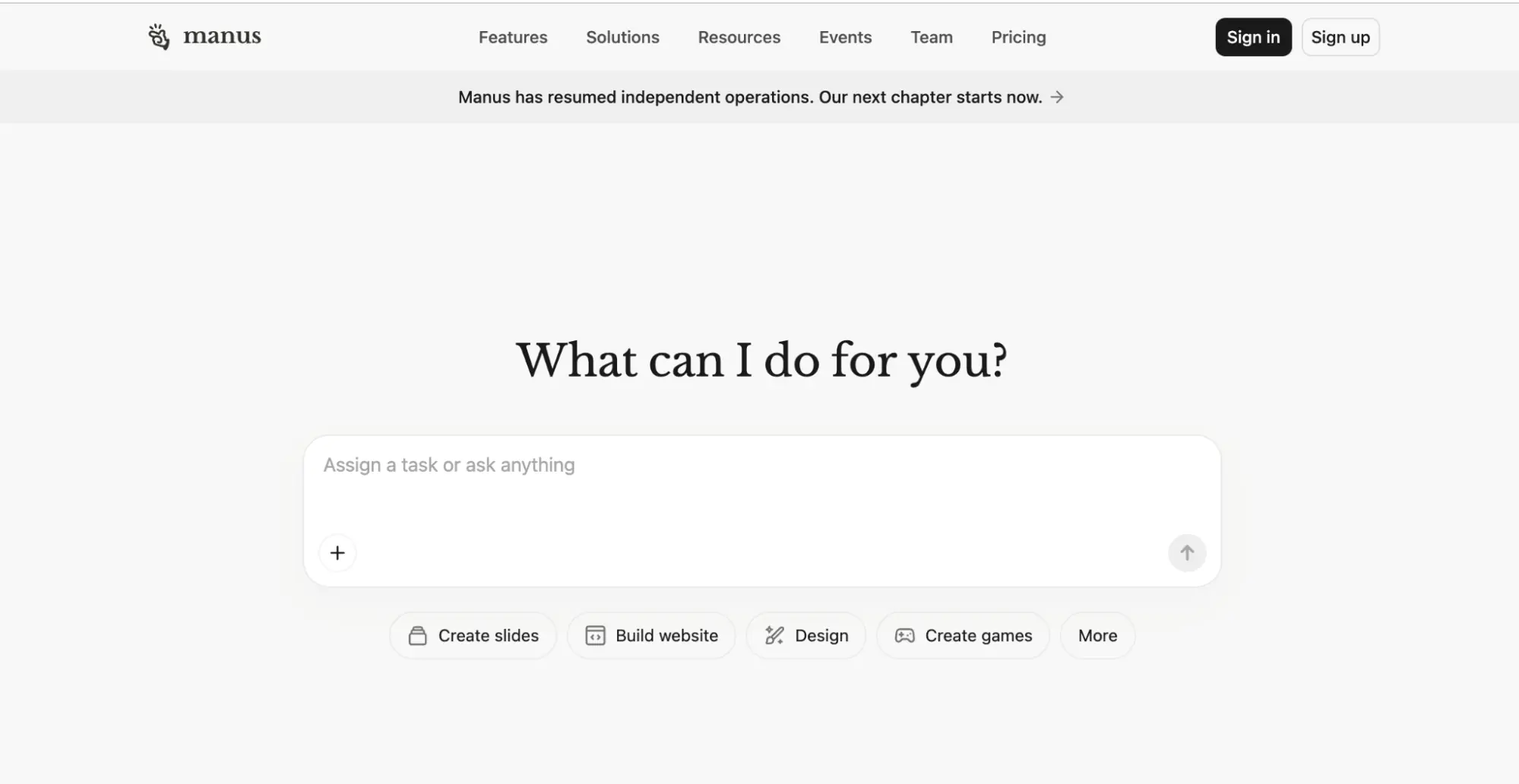
Manus is a general-purpose AI agent built to complete tasks rather than just answer questions. In Agent Mode, it can research topics, browse websites, and produce websites, slides, or videos, planning the steps itself instead of waiting for you to prompt each stage.
Take a competitive analysis. You ask it to research 20 competitors, compare their pricing and features, and turn the findings into a presentation. Manus breaks the job into steps, opens each competitor's site in its own browser, pulls pricing and feature details into a working table, and then builds the slide deck from that table. It runs in the cloud, so you can close your laptop and come back to the finished deck. What you should check when you return is the source of each number, since a pricing page it misread ends up on a slide with the same confidence as one it got right.
The other thing to watch is the meter. Long runs and retries both burn credits, and the cost of a task is hard to know until it finishes.
What it does well
- Handles complete multi-step projects from one goal
- Can research, browse, create slides, and build websites
- Can keep working in the cloud without your computer staying open
Where it falls short
- Credit usage can be difficult to predict on longer tasks
- Failed or repeated attempts can consume additional credits
- Billing and customer support are common complaints in public reviews
Pricing
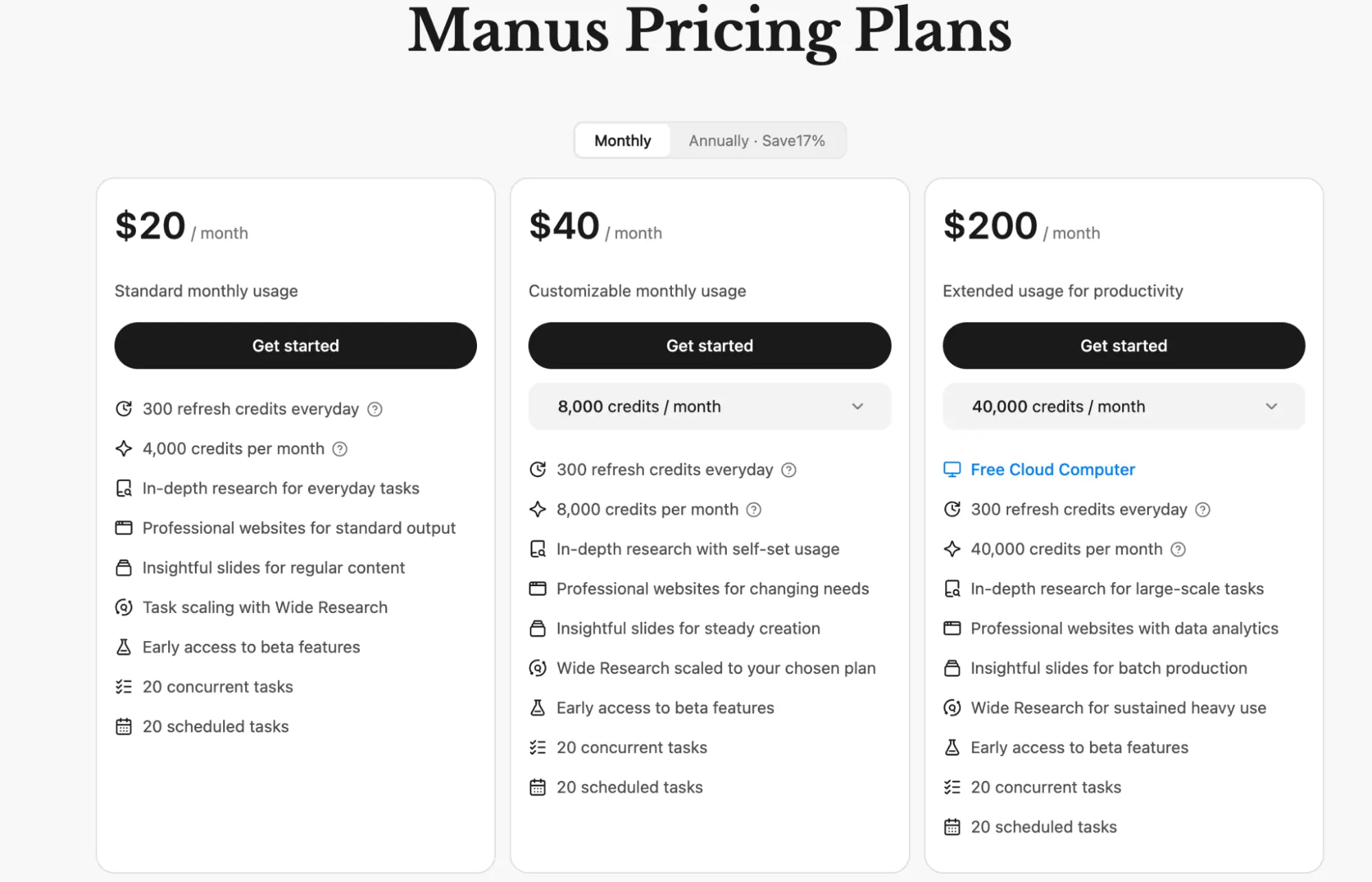
- Free: $0/month with 300 daily refresh credits, access to Manus 1.6 Lite in Agent Mode, 1 concurrent task, and 2 scheduled tasks.
- $20 plan: Includes 4,000 monthly credits, 300 daily refresh credits, Wide Research, website and slide creation, plus up to 20 concurrent and 20 scheduled tasks.
- $40 plan: Includes 8,000 monthly credits with the same features as the $20 plan and a usage level you can adjust.
- $200 plan: Includes 40,000 monthly credits, free Cloud Computer, and higher usage for larger research, website, and content tasks.
What users say
Manus has a 4.6/5 rating from 11 G2 reviews, where users praise its research, detailed reports, and ability to work through multi-step projects.
Trustpilot is much more negative at 1.3/5 from 187 reviews, with complaints around credits, billing, failed tasks, and support.
4. Replit: Best AI Agent for Building Apps Without Coding
Best for: People who have an app idea and want AI to build and launch it without setting up the technical stack themselves.
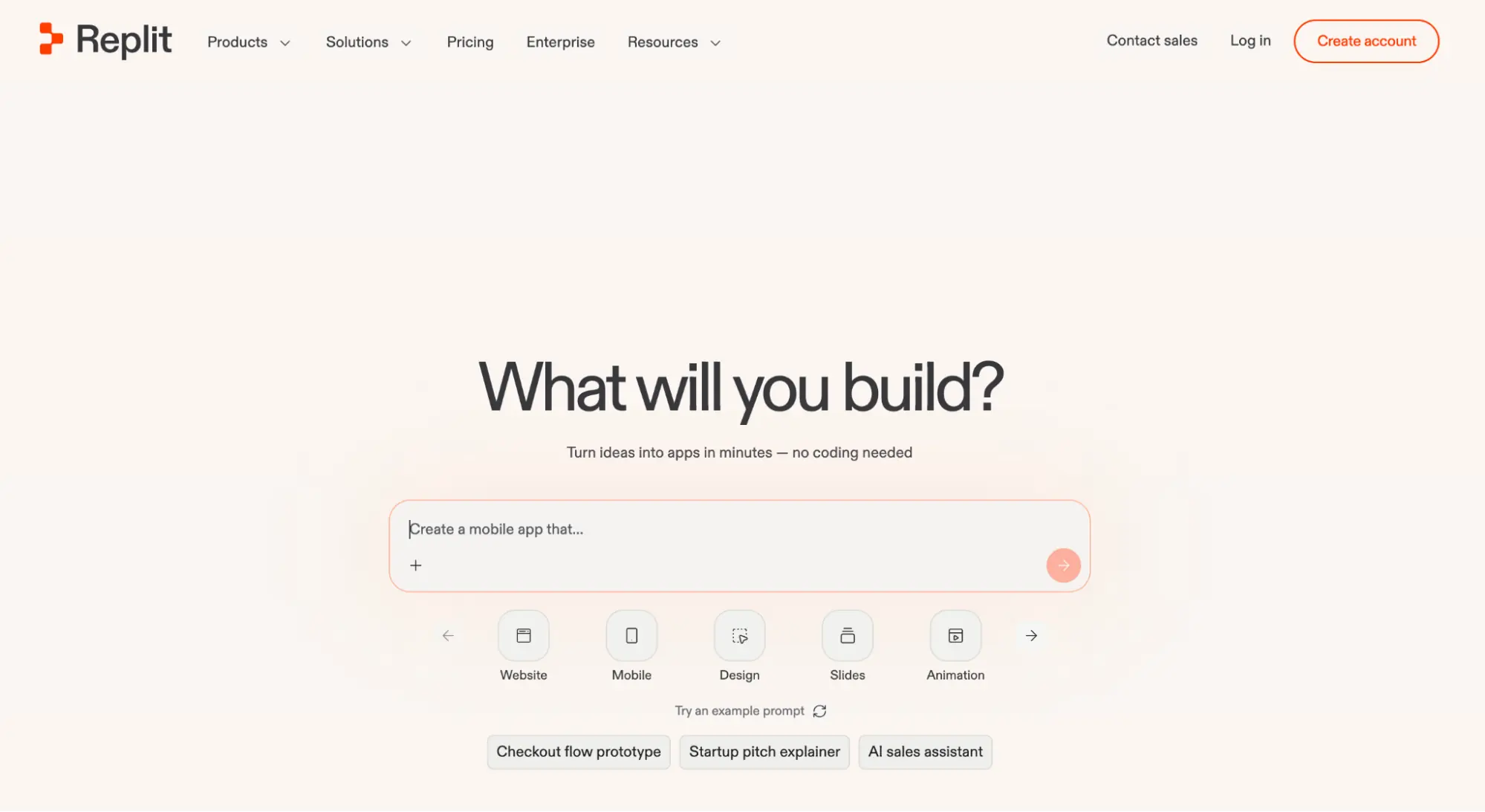
Replit Agent is an AI app and website builder. You describe what you want in plain English, and it writes the frontend and backend, sets up a database and authentication, connects services, tests the app, and publishes it from the same browser-based workspace.
Start with an idea rather than a codebase. Ask it to "build a client portal where freelancers can upload invoices and clients can pay them," and the first thing it does is write a plan for you to confirm: the pages, the data it will store, and the Stripe connection it needs. Then it builds the app, opens it in a preview pane, clicks through the pages itself, and fixes the errors it hits. You test the invoice upload, tell it what is wrong in plain English, and it revises. Publishing is a button in the same workspace.
Expect several rounds of that feedback loop on anything beyond a prototype, and expect the bill to climb with each round. The agent can also change something you did not ask about while fixing what you did, so re-check the pages that were already working.
What it does well
- Beginner-friendly enough to build apps from plain-English prompts
- Good for prototypes, demos, MVPs, and internal tools
- Database, authentication, hosting, and publishing are built in
Where it falls short
- Agent costs can be unpredictable on larger builds
- Bigger projects can drift from your instructions or need several rounds of fixes
- More complex production apps still benefit from someone who understands the underlying code
Pricing
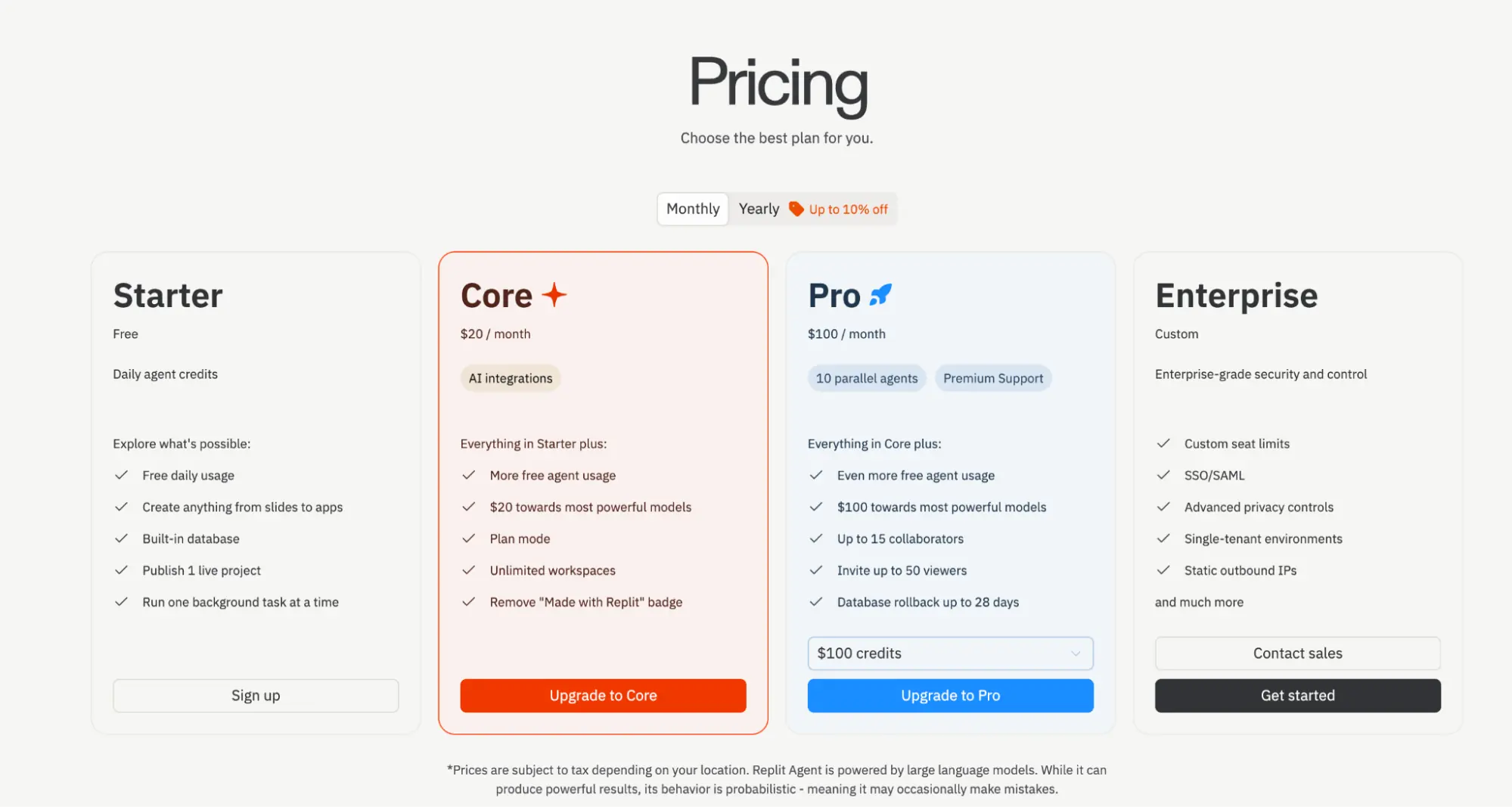
- Starter: Free with daily Agent credits, a built-in database, one published project, and one background task at a time.
- Core: $20/month. Adds more Agent usage, AI integrations, unlimited workspaces, Plan Mode, and $20 toward higher-end models.
- Pro: $100/month. Adds more Agent usage, $100 toward higher-end models, up to 10 parallel agents, 15 collaborators, database rollbacks, and premium support.
- Enterprise: Custom pricing for larger teams that need SSO/SAML, advanced privacy controls, custom seat limits, and enterprise security features.
What users say
Replit has a 4.5/5 rating from 400+ G2 reviews. Users often praise how quickly they can go from an idea to a working app, especially for prototypes and smaller projects.
Common complaints include credit costs, reliability on larger builds, and needing multiple iterations when the Agent gets stuck or changes something unexpectedly.
5. OpenClaw: Best Self-Hosted AI Agent for Personal Automation
Best for: Technical users who want a personal AI agent they can self-host, customize, and keep running in the background.
OpenClaw is an open-source AI agent that runs on your own computer or server. You connect it to messaging apps such as WhatsApp, Telegram, Slack, and Signal, then give it access to tools, files, a browser, and scheduled jobs. It supports multiple AI providers, including local models.
The classic setup is a morning brief. You give OpenClaw read access to your inbox and calendar, add a news search skill, and schedule a job for 7:30. Each morning it reads what arrived overnight, checks the day's meetings, runs the searches, and sends one message to your Telegram with the three things that need a reply, the meetings that moved, and any news on the accounts you follow. Because it keeps memory between runs, you can answer "skip the newsletter digests" once and it applies from the next morning on.
Getting there takes an evening of setup and a working knowledge of API keys, and every skill you install runs with the access you gave the agent. That is the trade: total control over where your data goes, in exchange for being your own administrator.
What it does well
- Can automate recurring personal and business tasks
- Runs on your own hardware and keeps persistent memory
- Supports many messaging apps, tools, and AI models
Where it falls short
- Requires more setup and maintenance than hosted AI agents
- Third-party skills and broad access to files or accounts require careful security controls
- API costs can climb quickly if scheduled jobs or agent loops use lots of tokens
Pricing
- OpenClaw: Free and open source. You can install it on your own Mac, Windows, or Linux machine.
- AI models: You bring your own model access, such as Anthropic, OpenAI, Google, a subscription-backed provider, or a local model. Usage costs depend on the provider and model you choose.
- Hosting and other services: If you run OpenClaw on a server or connect paid search, speech, or third-party APIs, those services can add their own charges.
What users say
OpenClaw has a 5.0/5 rating from 73 Product Hunt reviews. Users praise its persistent memory, local control, and recurring automations, while setup and configuration also come up as drawbacks.
Reddit feedback is more mixed. Some users rely on it for scheduled research, monitoring, and personal workflows, while others say the setup, token costs, and need for supervision limit how much work they would trust it to handle on its own.
6. ChatGPT Work: Best AI Agent for General Work
Best for: People who want one general-purpose AI agent to handle research, files, connected apps, and deliverables across different types of projects.
ChatGPT Work is OpenAI's agent for longer, multi-step tasks with a clear outcome. It gathers context, plans and completes the work, uses approved tools and connected apps, and creates finished spreadsheets, documents, presentations, reports, and Sites. You can monitor its progress, change direction, and approve important actions along the way.
Picture a weekly business review. You connect Slack, Google Drive, and your project tracker, then ask Work to prepare Friday's review. It reads the week's discussions in the channels you allowed, opens the metrics spreadsheet, pulls the status of each project, and drafts a deck with a slide per team and a summary page. Before it posts anything or sends the deck, it stops and asks. You read the draft, tell it the churn number looks off, and it goes back to the sheet to check. Once the format is right, you turn the same request into a scheduled task and it runs every Friday.
The two things to manage are permissions and the meter. Every connected app is a place the agent can read, and Work draws on the same usage allowance as Codex, so a heavy week of agent tasks in one shows up as limits in the other.
What it does well
- Works across files, connected apps, and approved tools to create finished deliverables
- Can handle longer, multi-step projects with minimal supervision
- Can run recurring and event-triggered tasks automatically
- Available on desktop, web, and mobile on Plus and above
Where it falls short
- Complex tasks can use your Work allowance quickly
- Work and Codex share the same usage allowance
- Free and Go users only get limited access, and only in the desktop app
- Using connected files and apps requires careful permission management
- Regular ChatGPT may be sufficient for straightforward writing, brainstorming, or document review
Pricing
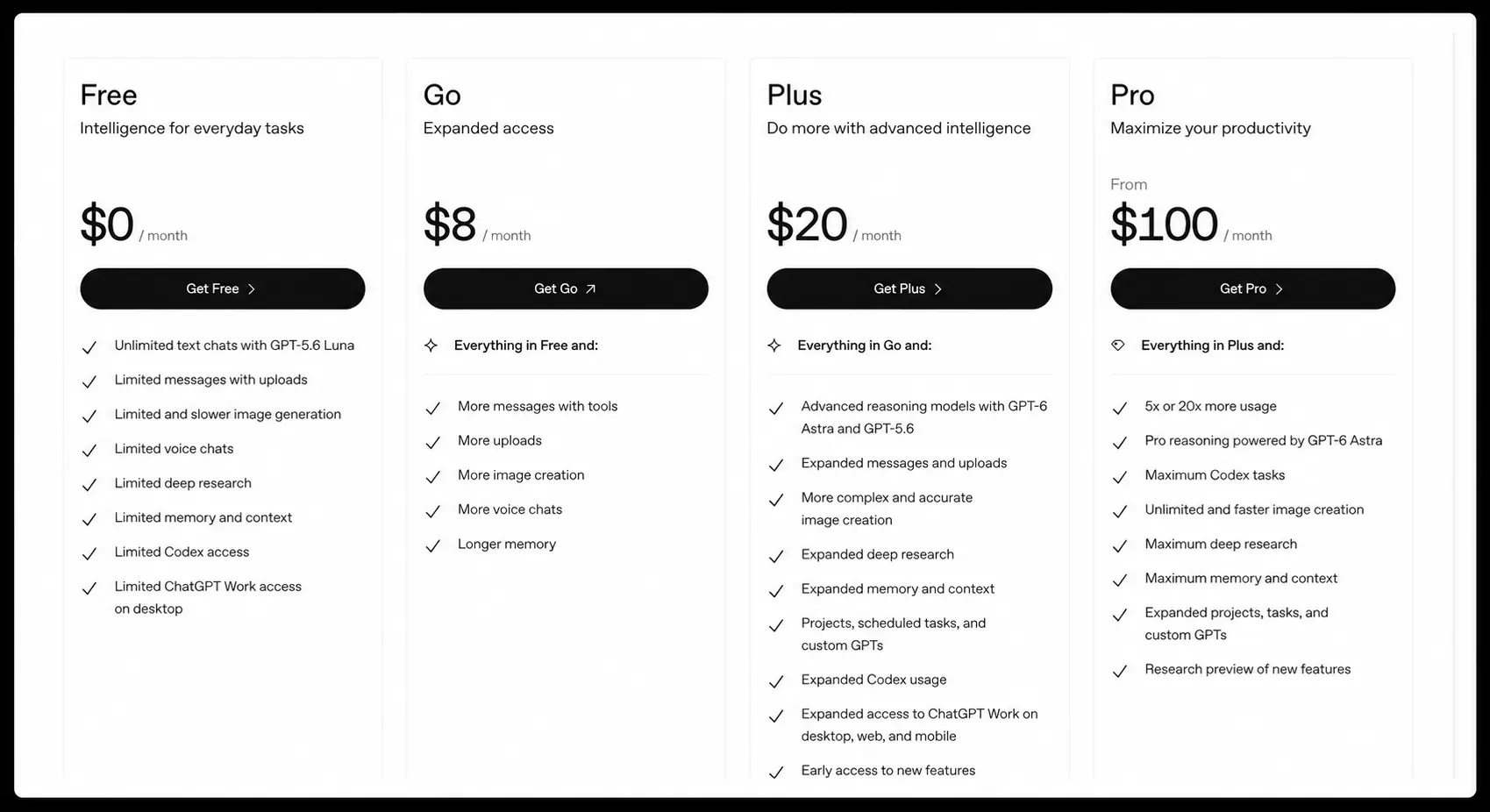
ChatGPT Work is available on every ChatGPT plan, but how much you get depends on the tier. Free and Go include limited Work access in the desktop app only. Plus and Pro extend it to web and mobile with higher limits, and Business, Edu, and Enterprise include it with team controls. Current individual-plan pricing is:
- Free: $0/month, with limited Work access on desktop
- Go: $8/month, with higher chat limits than Free and the same limited desktop Work access
- Plus: $20/month, with expanded Work access on desktop, web, and mobile
- Pro: From $100/month, with 5x or 20x the usage limits of Plus
What users say
Reddit users report using Work for project planning, research, presentations, curriculum building, organizing files, and projects that combine several sources. Others say the benefit is less obvious for simpler day-to-day work they already handle well with regular ChatGPT or Projects.
7. Fin AI Agent: Best AI Agent for Customer Support

Best for: Support teams that want AI to resolve routine customer questions, take actions, and hand off harder cases to a human.
Fin is Intercom's customer support agent. It answers questions across chat, email, phone, and other channels using your help center, policies, and other support content, and it can follow multi-step procedures that combine your support rules with actions in connected systems.
Consider a refund request. A customer writes in to cancel an order and get their money back. Fin identifies the intent, looks up the order in your connected system, checks it against the refund policy you wrote (say, 30 days and unshipped), and if the order qualifies, cancels it, issues the refund, and confirms to the customer in your tone. If the order shipped last week, it explains the policy and hands the conversation to a human agent with the context attached. Each resolved case counts as an outcome on your bill.
The quality of every answer traces back to the quality of your help content and procedures. Teams that get the most out of Fin treat the knowledge base as a product and review the conversations it escalates each week.
What it does well
- Handles customer support across multiple channels
- Can take actions instead of only answering questions
- Lets teams define support procedures, tone, and escalation rules
Where it falls short
- Answer quality depends heavily on accurate, up-to-date support content
- Complex workflows and escalation rules can require ongoing tuning
- Per-outcome pricing can become expensive as support volume grows
Pricing
- Free trial: 14 days with unlimited Fin outcomes and no credit card required.
- Fin with your current helpdesk: $0.99 per outcome, with a 50-outcome monthly minimum. This option requires contacting sales.
- Fin with Intercom Helpdesk: $0.99 per outcome plus $19 per helpdesk seat/month.
What users say
Fin has a 4.5/5 rating from 3,800+ G2 reviews. Users often praise its ease of use, quick setup, and ability to handle repetitive customer questions without human involvement.
Negative feedback tends to center on costs, occasional inaccurate answers, and the work needed to keep support content and escalation rules tuned as workflows become more complex.
8. Grok Bot: Best AI Agent for Always-On Business Tasks
Best for: People who want persistent AI coworkers that can continue working across apps and websites after they step away.
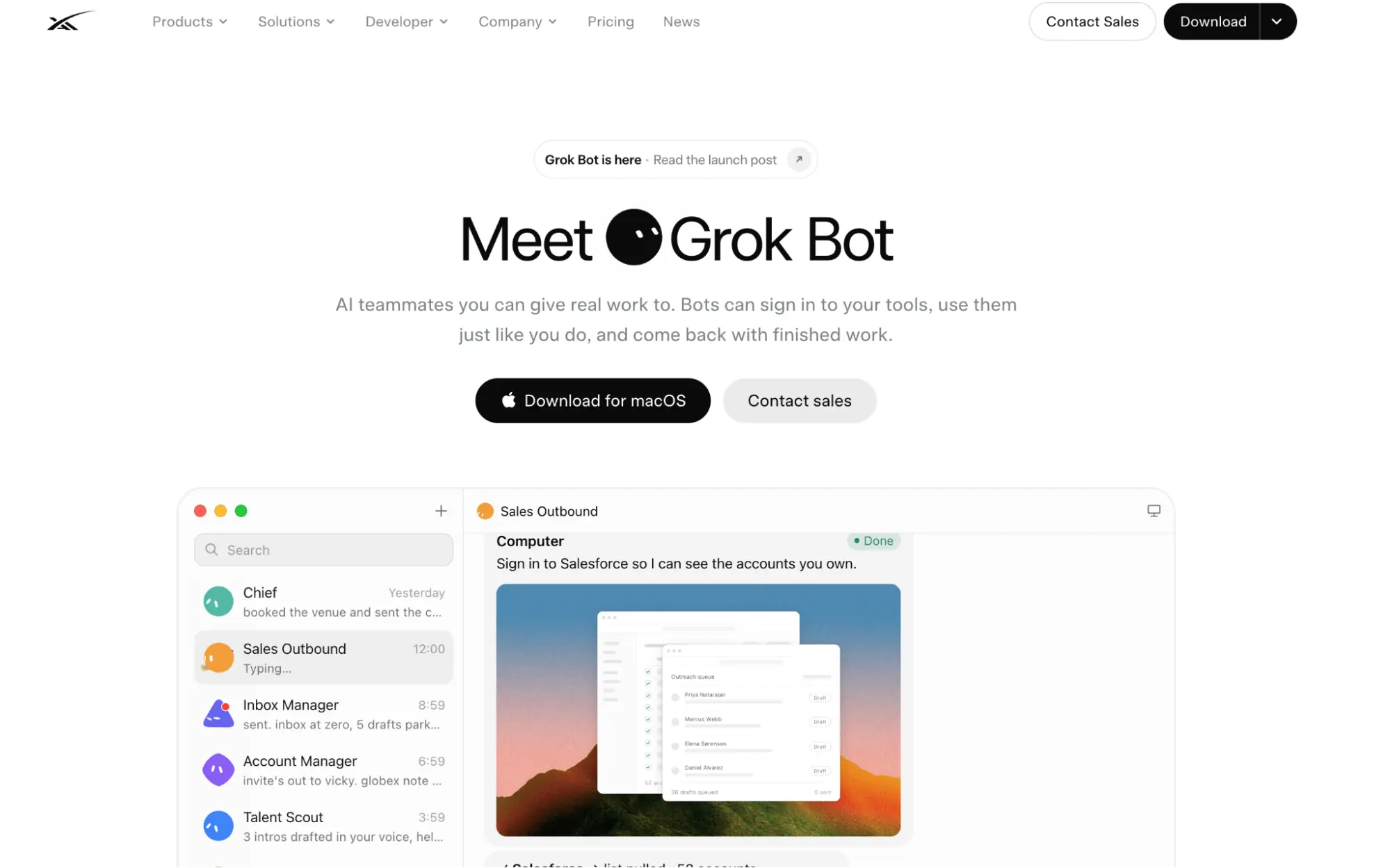
Grok Bot is a team of always-on agents that runs on a persistent cloud computer with browser and terminal access. Bots can sign in to the tools you use and continue working even when your computer is off. You create Bots for different roles, place them in the same chat, and let them pass work between each other instead of managing every handoff yourself.
Here is how an outbound sales setup looks. You create a research Bot and an outreach Bot and put both in one chat. Overnight, the research Bot works through a list of target accounts in the browser, reads each company's site and recent news, and writes a short brief per account into your CRM. In the morning the outreach Bot picks up those briefs, drafts a personalized first email for each, and posts the drafts in the chat for your approval. Nothing goes out until you say so. Once the routine works, you demonstrate it once more end to end and save it, and the Bots repeat it on a schedule.
The catch is that all your Bots share the same cloud computer, including its files, browser sessions, and app logins. Each Bot has its own role and context, but they are not isolated from one another. Sessions also expire, so a Bot that was working fine on Monday can stall on Wednesday waiting for you to log back into a tool.
What it does well
- Continues scheduled and long-running tasks while you are offline
- Lets multiple specialized Bots coordinate on the same project
- Learns recurring workflows by watching you complete them
- Works across apps and websites, including tools without direct integrations
Where it falls short
- Still in beta
- Browser sessions can expire, and some websites may block automation or require human action
- All your Bots share the same cloud computer and authenticated sessions
- Grok Bot usage resets weekly and can run out quickly with heavier workloads
- There is no standalone Grok Bot subscription
Pricing
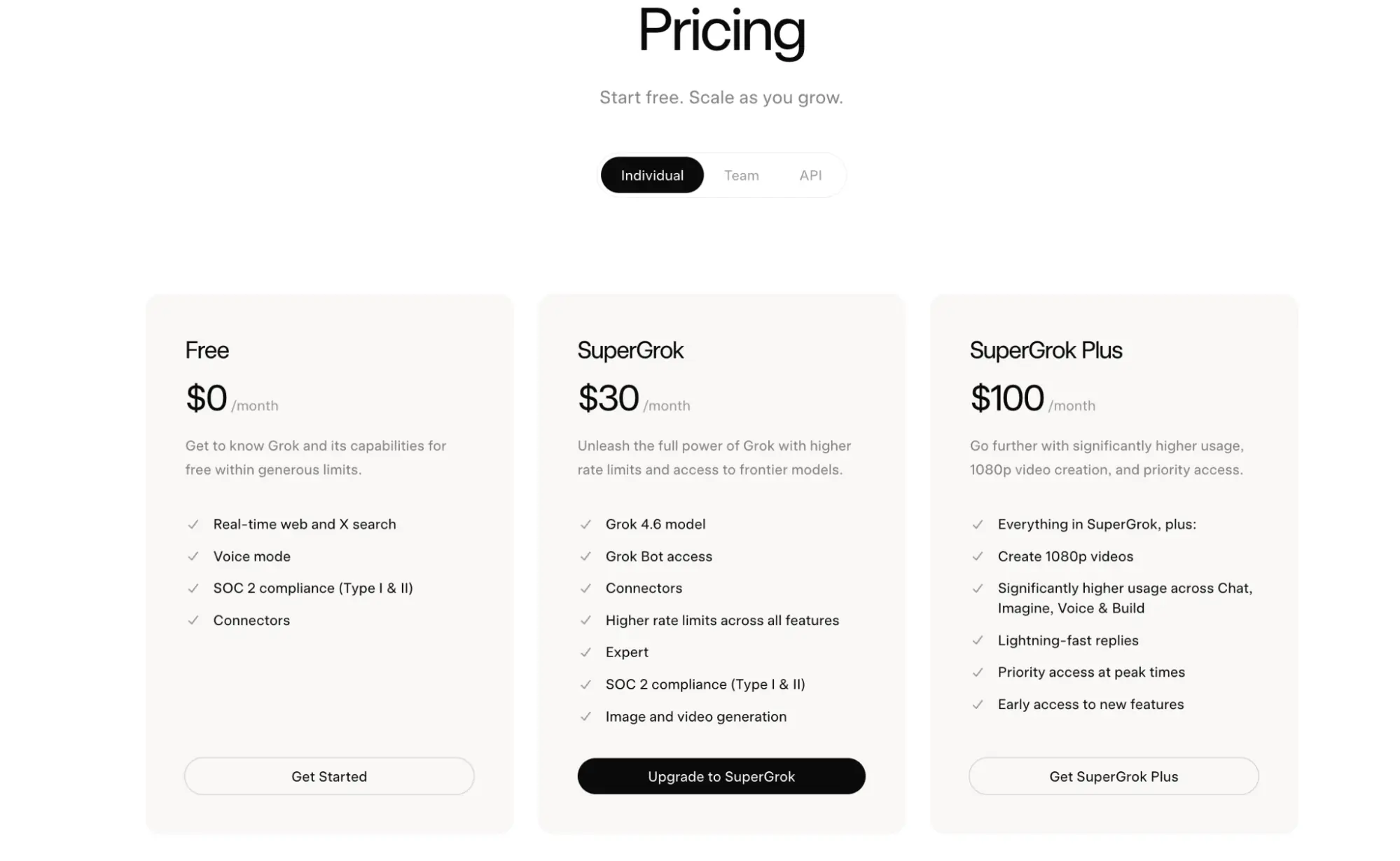
Grok Bot is included with eligible Cursor and SuperGrok subscriptions and has its own usage allowance, separate from normal Cursor or Grok usage.
- Cursor Pro: $20/month; Pro+ costs $60/month and Ultra costs $200/month.
- SuperGrok: Starts at $30/month; SuperGrok Plus costs $100/month and SuperGrok Heavy costs $300/month.
- Cursor Teams: Standard starts at $40 per user/month, with a higher-usage Premium option available.
- Extra usage: Included Grok Bot usage resets weekly. Eligible accounts can enable on-demand usage after reaching their allowance.
- Enterprise: Available with custom pricing and additional access, network, security, and auditing controls.
Grok Bot originally launched behind roughly $200–$300 plans, which is why older reviews quote much higher prices. Access expanded in August 2026, bringing the cheapest current route down to Cursor Pro at $20/month.
What users say
Early feedback is mixed. Users like the role-based setup, always-on computers, and ability to create several specialized Bots without building an agent system from scratch. Common complaints include fast usage consumption, browser and login problems, and Bots occasionally missing scheduled tasks or needing more supervision than expected.
Manus, ChatGPT Work, or Grok Bot?
Three agents on this list overlap: Manus, ChatGPT Work, and Grok Bot can all research, browse, and produce documents. If you are choosing between them, the deciding question is where the work lives and how often it repeats.
Pick ChatGPT Work if your material already sits in the apps a business uses every day, such as Slack, Google Drive, and a project tracker, and the output is a document or deck for colleagues. It is the one that stops for approval before acting, and if your company already pays for ChatGPT, it costs nothing extra to try.
Pick Manus for a one-off deliverable that starts from the open web rather than your own files, such as a competitor study, a landing page, or a slide deck built from research. It is the most self-directed of the three and the easiest to start on a free plan, at the cost of the least predictable bill.
Pick Grok Bot only when the job repeats and has to run without you, across tools that have no API. Its cloud computer with real logins is the feature, and also the risk. It is still in beta, and you should be comfortable with several Bots sharing one machine and one set of sessions.
For anything that starts and ends in a spreadsheet, none of the three is the right tool. Hand that part to GPT for Work, either directly or through Autosheet MCP from inside one of them.
How to Choose the Best AI Agent for Your Work
The easiest way to choose the best AI agent is to look at where your work gets stuck.
Pick the bottleneck first
Don't start by comparing feature lists. Start with the task that keeps eating your time.
If that is cleaning 20,000 spreadsheet rows, start with a spreadsheet agent. We've compared the broader category of AI tools for Excel and Google Sheets separately, since many of those tools are assistants rather than full agents. If it is researching a market for three hours, test a research agent. If your support team keeps answering the same questions, test a customer support agent.
The AI agent tools worth considering are usually very good at one job rather than average at everything.
Check how much of the job it can finish
Two agents can connect to the same tools and still be very different.
One might read your inbox and draft a reply. Another can send the reply, update the CRM, schedule the follow-up, and only come back to you when it needs approval.
When you evaluate an AI agent platform, check how much of the task it can finish before you need to take over.
If every step already needs to be mapped in advance, you may be better off with automation instead. Our AI task automation tools comparison covers that side.
Test the economics on one real task
Pricing pages are hard to compare when one tool charges by credits, another by tokens, and another by completed outcomes.
Give two candidates the same task. Compare the result, corrections, time saved, and actual cost.
This shows whether the agent saves enough time to justify what it costs.
The best AI agents for business are the ones you can trust with a repeatable piece of work without creating more work for you.
Conclusion
The agents on this list are not competing for the same job. GPT for Work owns the spreadsheet, Claude Code owns the codebase, Fin owns the support queue, and Replit owns the app you have not built yet. Manus, ChatGPT Work, and Grok Bot cover general work, and the section above tells them apart. OpenClaw is for the person who would rather run the whole thing themselves.
So the question is not which agent is best. It is which task you would most like to stop doing by hand, and which of these eight can finish it without handing half of it back to you.
If that task lives in Excel or Google Sheets, try GPT for Work on one of your own spreadsheets and see how far it gets.
FAQs
What is the best AI agent?
There is no single best AI agent for every job. GPT for Work is built for spreadsheets, Claude Code for coding, Manus for long multi-step projects, Replit Agent for app building, OpenClaw for self-hosted automation, ChatGPT Work for general work, Fin for customer support, and Grok Bot for always-on business tasks.
What are the best AI agents for business?
The best AI agents for business depend on where your team spends its time. Look for an agent that works inside the tools you already use, can finish the task without handing half of it back to you, and lets you approve sensitive actions before you roll it out widely.
What is the difference between an AI agent and a chatbot?
A chatbot mainly responds to prompts. An AI agent goes further: it works toward a goal, decides what to do next, uses tools, takes actions, checks the result, and continues without you specifying every step.
What is the difference between an AI agent and an AI agent builder?
An AI agent does the work. An AI agent builder is a platform or framework used to create and configure agents. Tools such as n8n, CrewAI, and LangChain fall more into the builder category than the ready-to-use agents covered here.
Can AI agents work without human supervision?
Sometimes, but not always. They can handle many tasks on their own, but actions involving money, customer data, production code, account changes, or external messages are safer with an approval step until the agent has proved reliable.