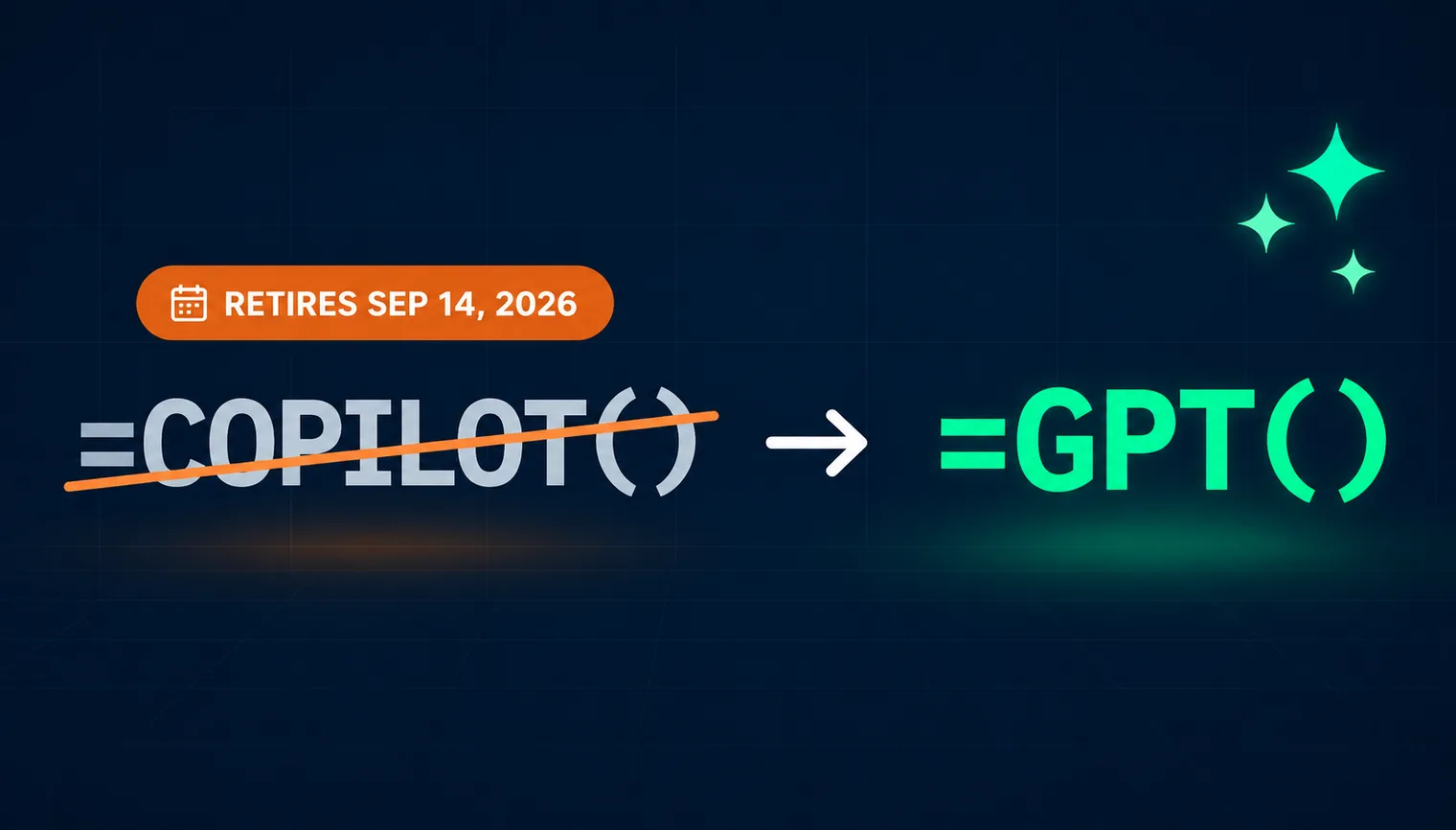
Microsoft retired the COPILOT function: since September 14, 2026, =COPILOT() is no longer available in Excel, and cells that use it return a #NAME? error when they recalculate. The closest replacement is the GPT function family in GPT for Excel: =GPT(), =GPT_TRANSLATE(), and a dozen other AI formulas that reference cells and ranges, run on ChatGPT or Claude, and are not capped at 100 calls per 10 minutes.
What happened to the COPILOT function?
Microsoft's support page for the COPILOT function now carries a retirement notice: "Starting September 14, 2026, the COPILOT function is no longer available in Microsoft Excel." Results that were already calculated stay in the workbook as cached values, but a cell that recalculates returns a #NAME? error. Microsoft points users to Copilot in Excel — the chat side pane — as the way to keep doing "many of the same AI-powered tasks."
That guidance replaces a formula with a chat window, which is not the same thing. A formula recalculates when its inputs change, can be dragged down a column, and lives inside your workbook's logic. A side pane conversation does none of that. If you built workflows on =COPILOT(), you need another AI formula, not another chat.
It is also worth remembering what COPILOT() required and allowed while it lasted, per Microsoft's documentation before the retirement:
- A paid license: a Microsoft 365 Copilot add-on license for work and school accounts, or Microsoft 365 Premium for individuals.
- A hard rate limit: "You can calculate up to 100 COPILOT functions every 10 minutes."
- Restricted inputs: the function only saw the cells passed as context arguments, with no access to other workbook data or enterprise data, and it would not calculate in workbooks labeled Confidential or Highly Confidential.
What replaces the COPILOT function in Excel?
The direct replacement for formula-driven AI in Excel is the GPT functions in GPT for Excel. They work the way COPILOT() did — a prompt plus cell or range references, entered as a formula:
=GPT("Summarize this customer feedback in one sentence", A2)
Like any Excel formula, GPT functions recalculate when referenced cells change and can be dragged down a column with the fill handle to process entire ranges.
Beyond the general-purpose =GPT(), the GPT functions reference documents a full family of purpose-built functions: GPT_TRANSLATE, GPT_CLASSIFY, GPT_EXTRACT, GPT_FORMAT, GPT_EDIT, GPT_TAG, GPT_MATCH, GPT_LIST and GPT_HLIST, GPT_SPLIT and GPT_HSPLIT, GPT_TABLE, GPT_VISION for images, GPT_WEB for web-grounded answers, and the GPT_CREATE_PROMPT helper. Each function accepts optional temperature and model parameters, so you can pin a specific ChatGPT or Claude model per formula — something COPILOT() never exposed.
GPT functions are the formula-driven layer of GPT for Excel. The headline feature of GPT for Work is the AI Agent, which handles chat-driven and bulk work — you describe the task, and it analyzes your sheet and executes across up to a million rows. Use the Agent when you want to delegate a whole job; use GPT functions when you want AI inside your spreadsheet logic, exactly where COPILOT() used to sit.
COPILOT() vs. GPT functions: side-by-side comparison
COPILOT() | GPT functions (GPT for Excel) | |
|---|---|---|
What it is | Native Excel AI function, now retired | Family of 16 AI functions from the GPT for Excel add-in |
Availability | Retired on September 14, 2026 | Actively developed; Excel on Windows, macOS, and the web |
License required | Microsoft 365 Copilot add-on (work) or Microsoft 365 Premium (individual) | Standard Microsoft 365 Excel; no Copilot license |
Rate limits | 100 calculations every 10 minutes | Up to 1,000 rows per minute, up to 1 million rows per run |
Models | Undisclosed; no model choice | ChatGPT and Claude, selectable per formula via the model parameter |
Web access | No live web access | GPT_WEB and web-search-capable models |
Image input | Not supported | GPT_VISION |
Cost | Copilot license, $18–$30/user/month | Free trial, then a subscription from $25/month |
How do I switch my COPILOT() formulas to GPT functions?
- Install the add-in. Get GPT for Excel from the Microsoft marketplace (installation guide). One install covers Excel on Windows, macOS, and the web, and comes with free starting credits — no card required.
- Open the sidebar. GPT for Excel must be running before GPT functions calculate for the first time in a workbook.
- Replace the formulas. The general pattern maps one to one:
=COPILOT("prompt", A1)becomes=GPT("prompt", A1). Because the arguments carry over as-is, migrating a whole workbook is a single search and replace:- Press Ctrl+H (Cmd+H on Mac) to open Find and Replace.
- Find
=COPILOT(, replace with=GPT(, make sure Look in is set to Formulas, and click Replace All.
Or skip the manual step entirely and hand the job to the AI Agent in GPT for Excel. Open the sidebar, and prompt: "Replace every COPILOT formula in this workbook with the equivalent GPT formula." The Agent finds the formulas and rewrites them for you.
COPILOT() to GPT function map
For common COPILOT() use cases, a dedicated function usually beats the generic one:
If you used COPILOT() to… | Use instead |
|---|---|
Answer free-form prompts | GPT |
Translate text | GPT_TRANSLATE |
Categorize or label rows | GPT_CLASSIFY, GPT_TAG |
Pull data points out of text | GPT_EXTRACT |
Clean up or rewrite values | GPT_FORMAT, GPT_EDIT |
Generate lists or tables | GPT_LIST, GPT_TABLE |
Research current information | GPT_WEB |
Read images | GPT_VISION |
Why GPT functions were the stronger AI formula all along
The retirement forced the migration, but on the merits, GPT functions were already ahead of COPILOT() on the three constraints that mattered most.
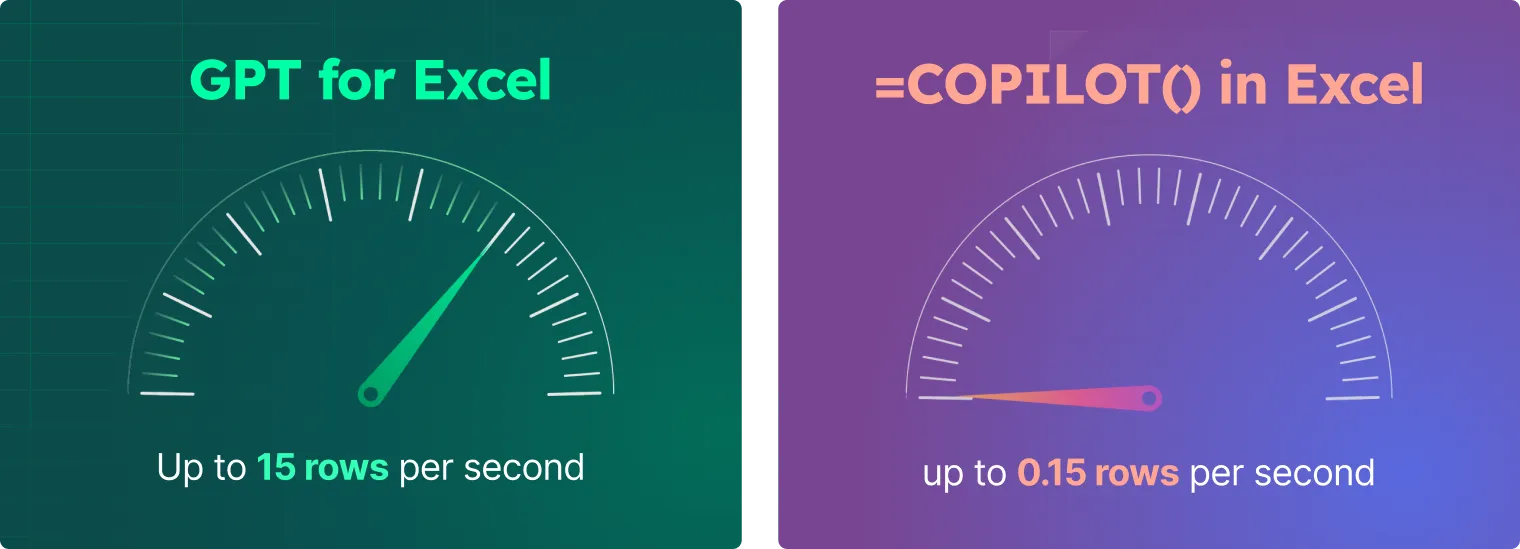
No 100-calls-per-10-minutes cap. COPILOT() allowed 100 calculations every 10 minutes, which made anything beyond a small table painful. GPT for Excel runs at up to 1,000 rows per minute and scales to a million rows per run: in our head-to-head test, GPT functions translated 1,000 reviews in just over a minute while COPILOT() managed 40 translations despite several retries. In our March 2026 AI agents benchmark, GPT for Excel was fastest in 10 of 11 tasks, averaging about 16 seconds per typical spreadsheet task versus 50 seconds for Claude in Excel and nearly 2 minutes for Copilot.
Model choice. COPILOT() never disclosed which model answered your formula. Every GPT function takes an optional model parameter, so you can choose between ChatGPT and Claude models per formula — or set a default in the sidebar — and match the model to the task and budget.
No Copilot license prerequisite. COPILOT() required a Microsoft 365 Copilot add-on or Microsoft 365 Premium. GPT functions work in standard Microsoft 365 Excel on Windows, macOS, and the web, with nothing else to license from Microsoft.
How much does GPT for Excel cost?
GPT for Work is not free, but you can start without paying: installation is free and comes with free starting credits, no card required. After the trial, it's a monthly subscription:
- Standard: $25/month for one user, with a monthly usage quota and shared extra-usage credits when you need more (valid for 12 months after your most recent purchase).
- Business: $45 per seat per month, adding team management, centralized billing, and pooled extra usage.
Compare that with COPILOT(), which was only available through a paid Copilot license — $30 per user per month for Microsoft 365 Copilot on enterprise plans, or from $18 per user per month for Copilot Business — paid whether you ran 10 formulas or 10,000.
Frequently asked questions
Do my COPILOT() formulas still work after September 14, 2026?
No. Since September 14, 2026, the COPILOT function is no longer available in Excel. Results that were already calculated stay in the workbook as cached values, but any cell that recalculates returns a #NAME? error, so workbooks that depend on it need another AI formula. The switch to GPT functions is a one-to-one formula replacement: a single Find and Replace of =COPILOT( with =GPT(, or one prompt to the GPT for Excel Agent asking it to do the replacement for you.
What is the best alternative to the COPILOT function in Excel?
GPT functions in GPT for Excel are the closest like-for-like replacement: AI formulas such as =GPT() that take a prompt plus cell or range references, recalculate like normal Excel formulas, and can be filled down entire columns. Unlike COPILOT(), they offer model choice and are not capped at 100 calculations per 10 minutes.
Do GPT functions require a Microsoft 365 Copilot license?
No. GPT functions run in standard Microsoft 365 Excel on Windows, macOS, and the web. You need the GPT for Excel add-in and a GPT for Work account, which starts with free trial credits — no Copilot add-on and no Microsoft 365 Premium subscription.
Which AI models power GPT functions?
GPT functions run on ChatGPT and Claude. You pick the model per formula with the optional model parameter or set a workspace default in the sidebar, and you can adjust temperature the same way.
Can GPT functions handle bulk workloads that COPILOT() couldn't?
Yes. GPT for Excel processes up to 1,000 rows per minute and up to 1 million rows in one run. For chat-driven or very large jobs, GPT for Excel also includes an AI Agent that executes whole tasks from a single prompt — see how it compares with Copilot in Excel and the AI agents for Excel benchmark. For an overview of all the ways to use AI in Excel, see how to use AI in Excel.