Cancel your subscription
Canceling your subscription schedules the cancellation for the end of your current billing cycle. You keep full access until then.
-
Sign in to the GPT for Work dashboard with the account that you use for your space.
-
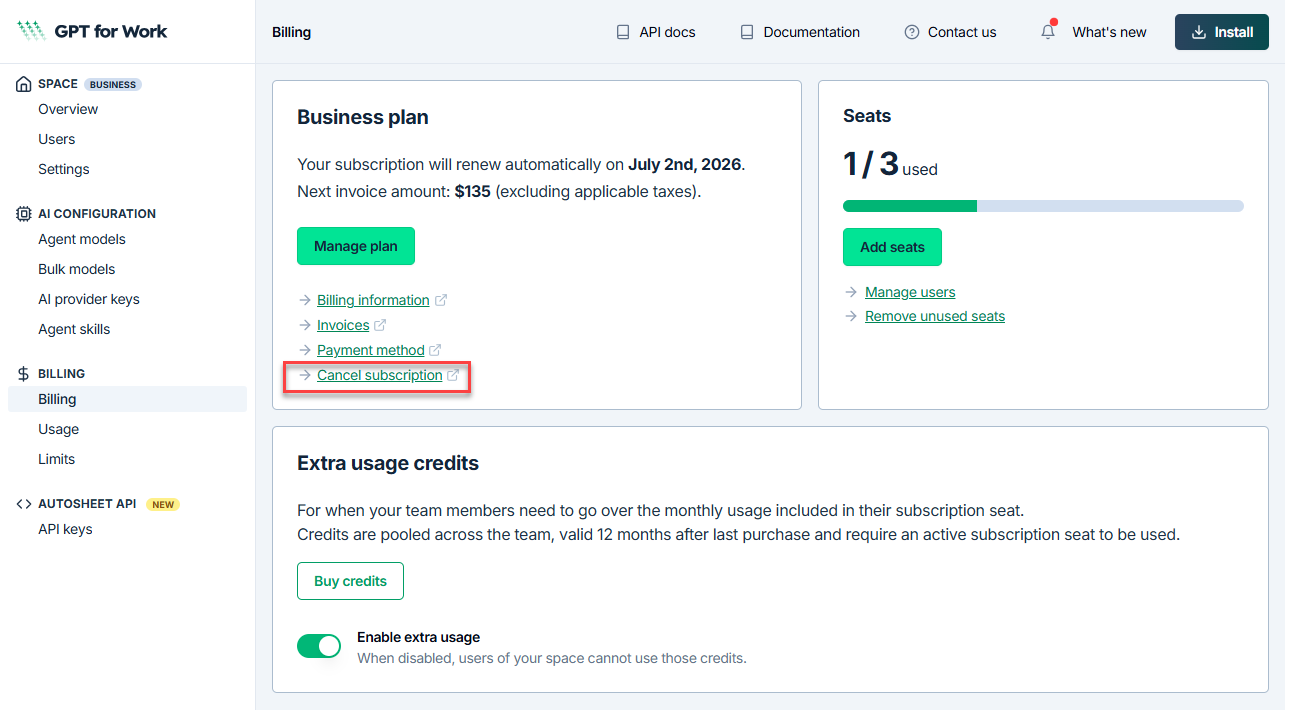
In the sidebar, select Billing.
-
Click Cancel subscription.
-
In the Stripe Customer Portal, click Cancel subscription.
-
Review the cancellation details, and click Cancel subscription to confirm.
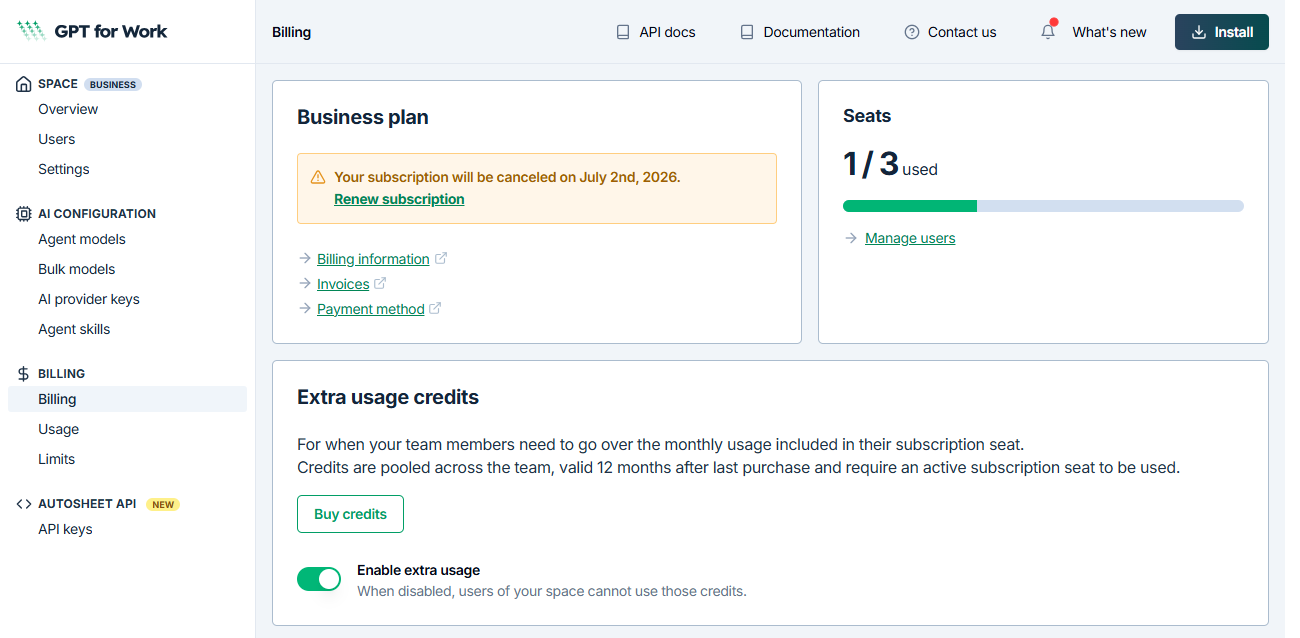
After confirming the cancellation, return to the dashboard manually. The dashboard reflects the scheduled cancellation.
What's next
- You can renew your subscription at any time before the billing cycle ends from the Billing page in the GPT for Work dashboard.