GPT formula examples for Excel
See GPT functions in action with real-world examples using some of the functions included in GPT for Excel – Autosheet.
To try out the examples, download our Autosheet examples template, and open it in Excel.
Rewrite and generate
Use GPT functions to rewrite or create content adapted to your goals:
-
Rephrase existing text by adjusting length, style, grammar or tone.
-
Create content that matches your audience needs using the perfect level of creativity.
Rewrite or rephrase content
Shorten product names:

Clean up text:

Change tone:

Learn more on GPT.
Create content
Generate button labels (CTAs):

Make your content more or less creative:

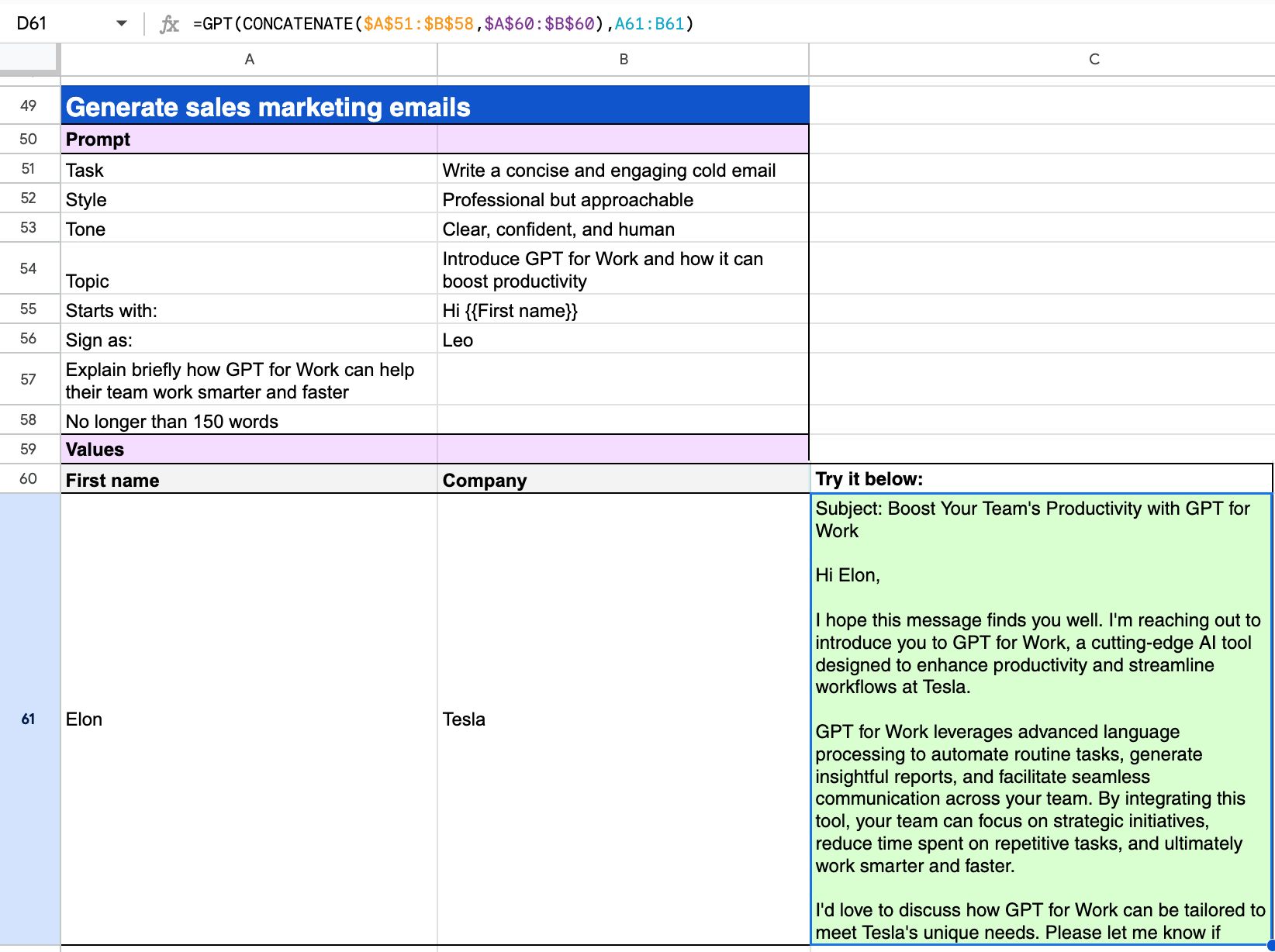
Generate sales marketing emails:
Learn more on GPT.
Generate multiple outputs (vertical vs. horizontal)
Generate SEO keywords:
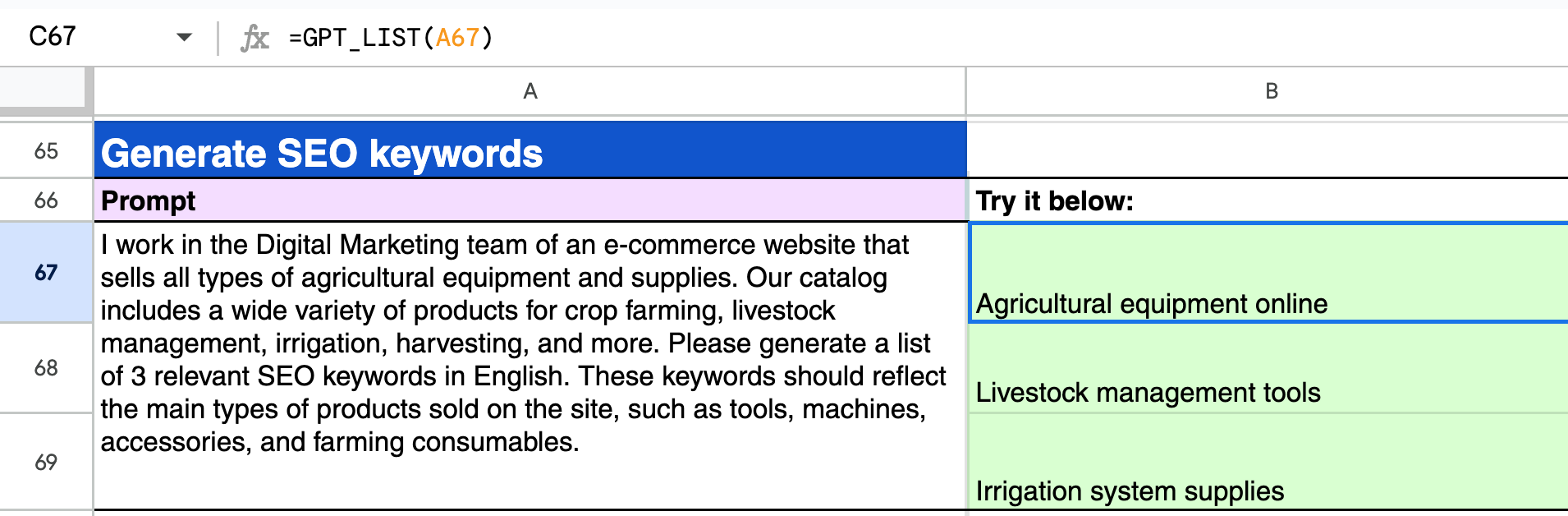
Generate content ideas side by side:

Learn more on GPT_LIST and GPT_HLIST.
Translate
Leverage large language models for your machine translation tasks and benefit from:
- High performance: AI models from leading providers (such as OpenAI) support translation across a wide range of language pairs. See all supported models.
- Support for many languages: The full list of supported language pairs isn’t public, but ChatGPT is known to work in 80+ languages, with varying accuracy depending on language and context.
- Integration of your corporate terminology: For on-brand, consistent translations.
Translate with GPT_TRANSLATE
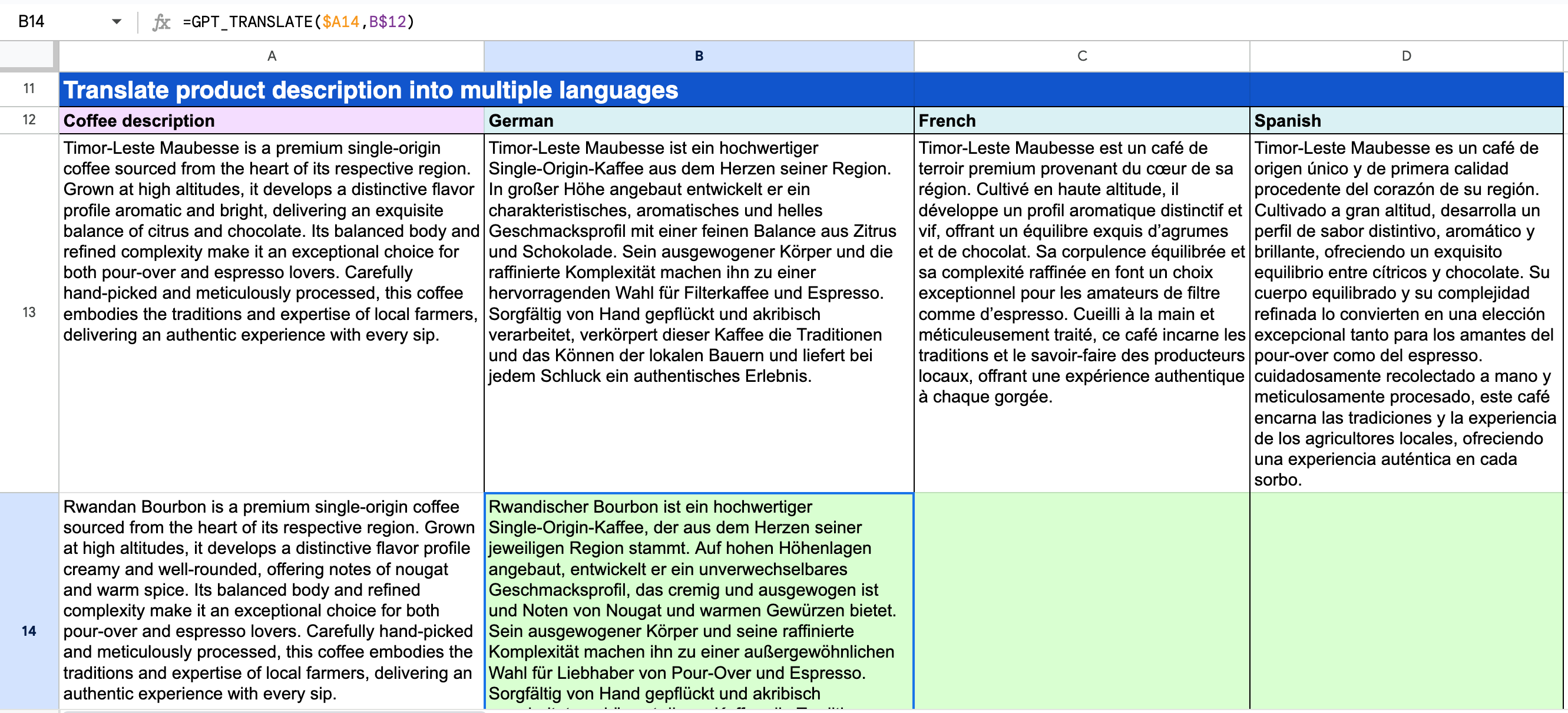
Translate descriptions:
Translate with specific instructions
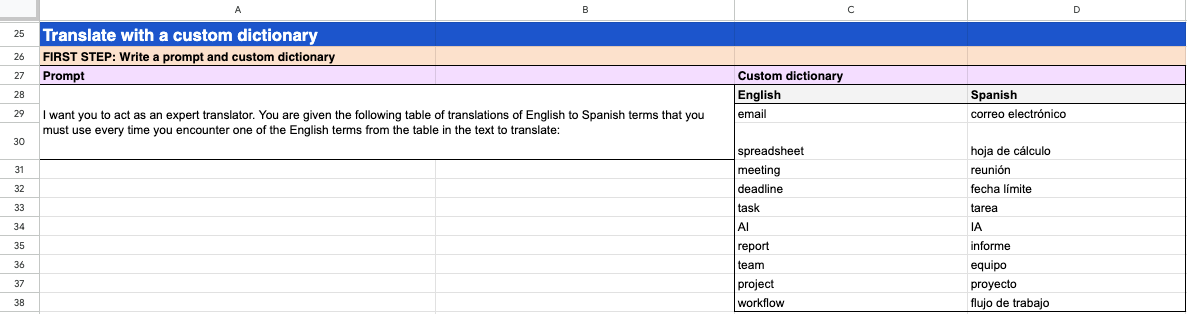
Translate with a custom dictionary:
-
Write a prompt and custom dictionary.
-
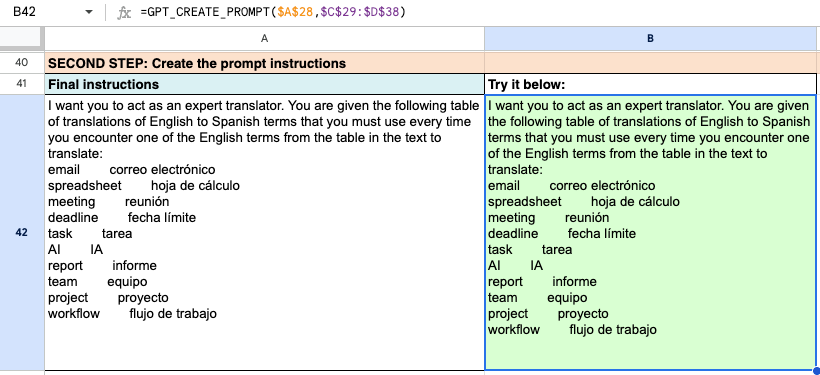
Create the prompt instructions.
-
Translate your texts.
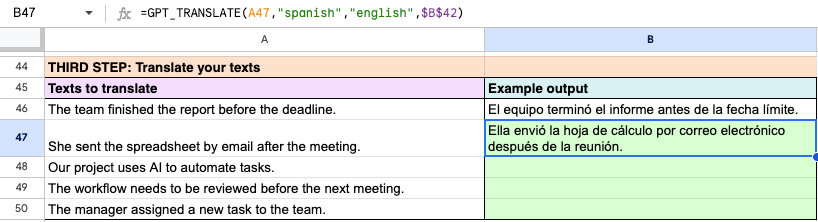
Your texts are translated in the target language, and the translations comply with the terminology you provided.
Learn more on GPT_TRANSLATE.
Prepare data
Free up your teams from tedious data preparation so they can concentrate on high-value data analysis:
- Basic data cleaning tasks include formatting data according to known standards or by following examples you set.
- More advanced tasks like named entity extraction, which traditionally demanded a specific pattern-based approach, are also an option.
Format data with GPT_FORMAT
Standardize dates:

Standardize cases:

Standardize phone numbers:

Standardize currencies:

Learn more on GPT_FORMAT.
Extract data with GPT_EXTRACT
Extract postal addresses:

Extract email addresses:
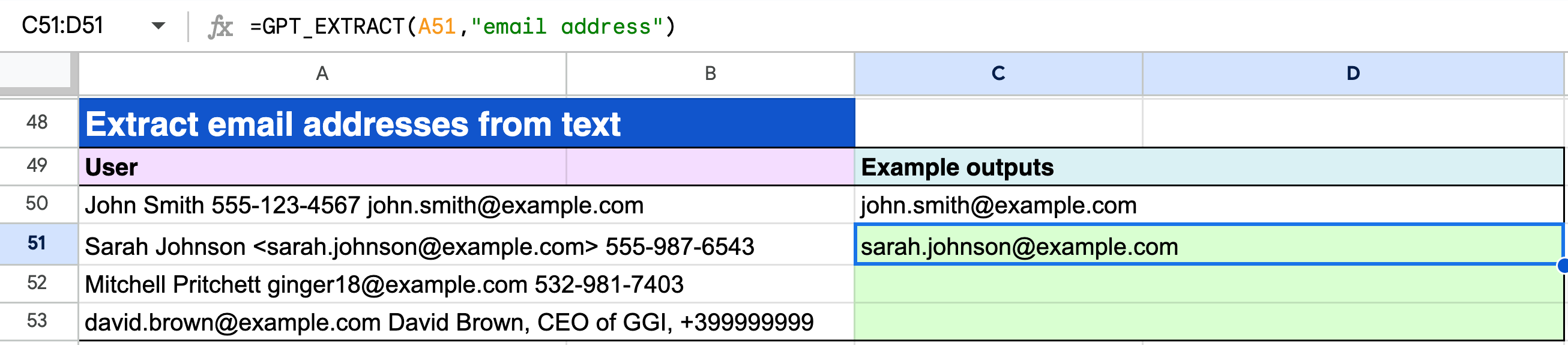
Extract emails and URLs:
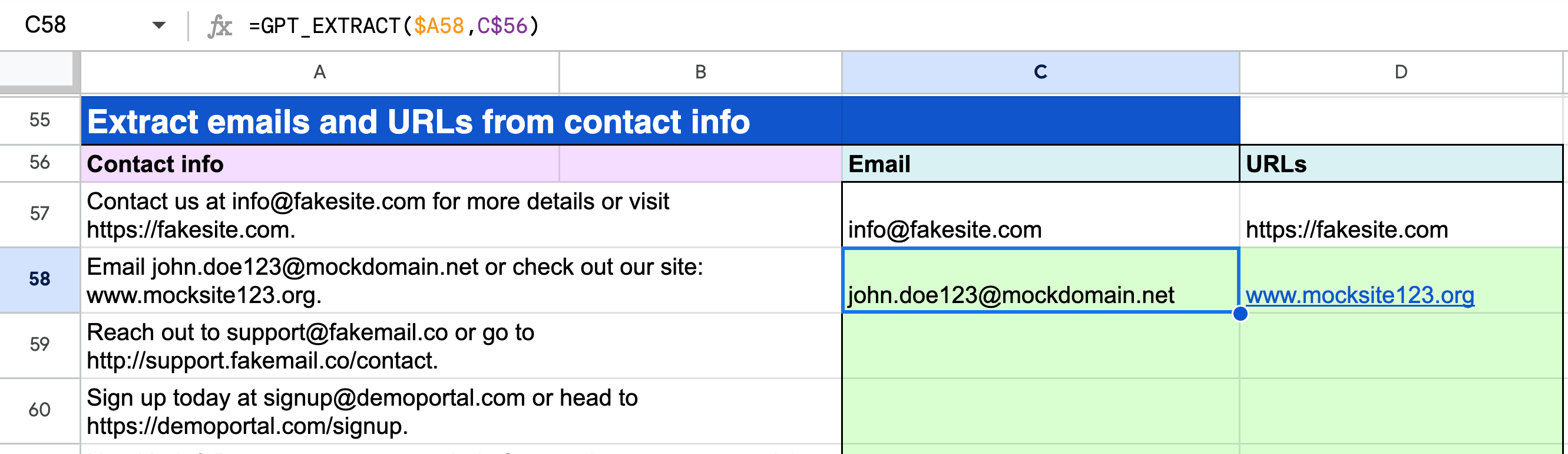
Learn more on GPT_EXTRACT.
Analyze
Get instant insights from large volumes of content through automated summarizing, categorization, tagging, and sentiment analysis.
Summarize data with GPT
Summarize customer tickets across languages:
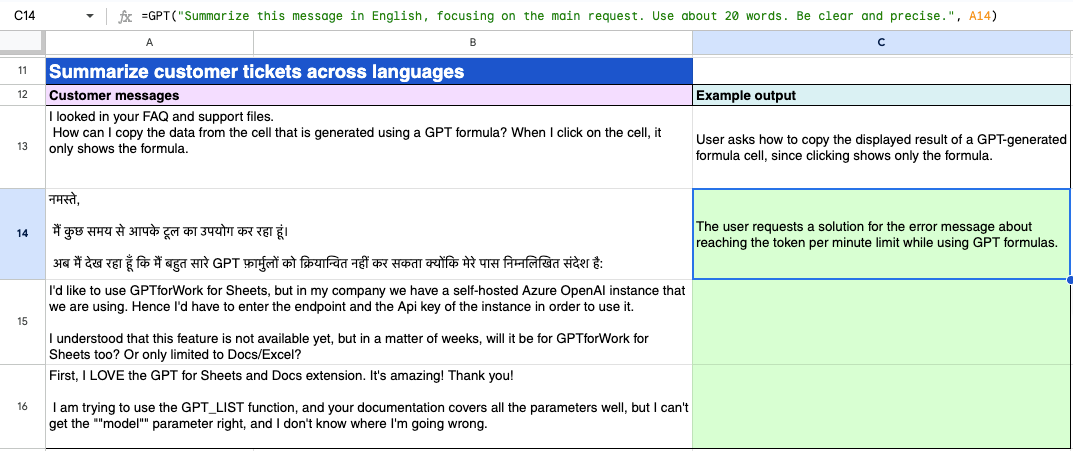
Summarize long descriptions:
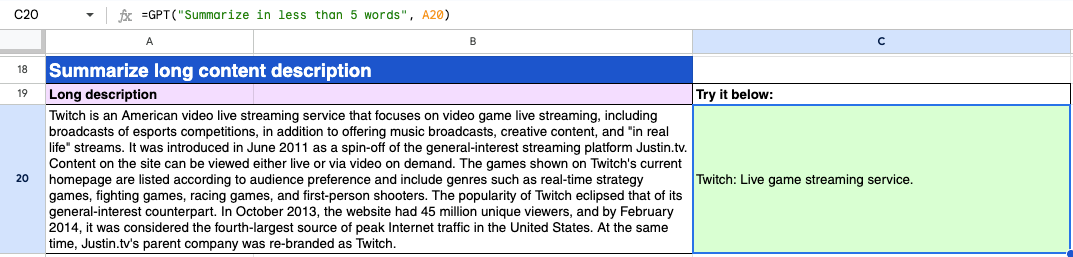
Learn more on GPT.
Categorize or classify data with GPT_CLASSIFY
Categorize customer feedback:

Analyze sentiment:
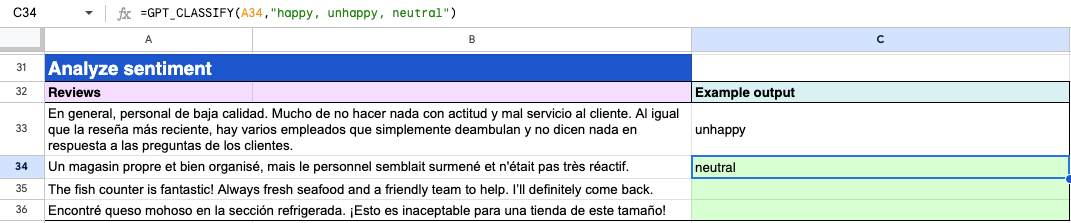
Categorize customer feedback with examples:
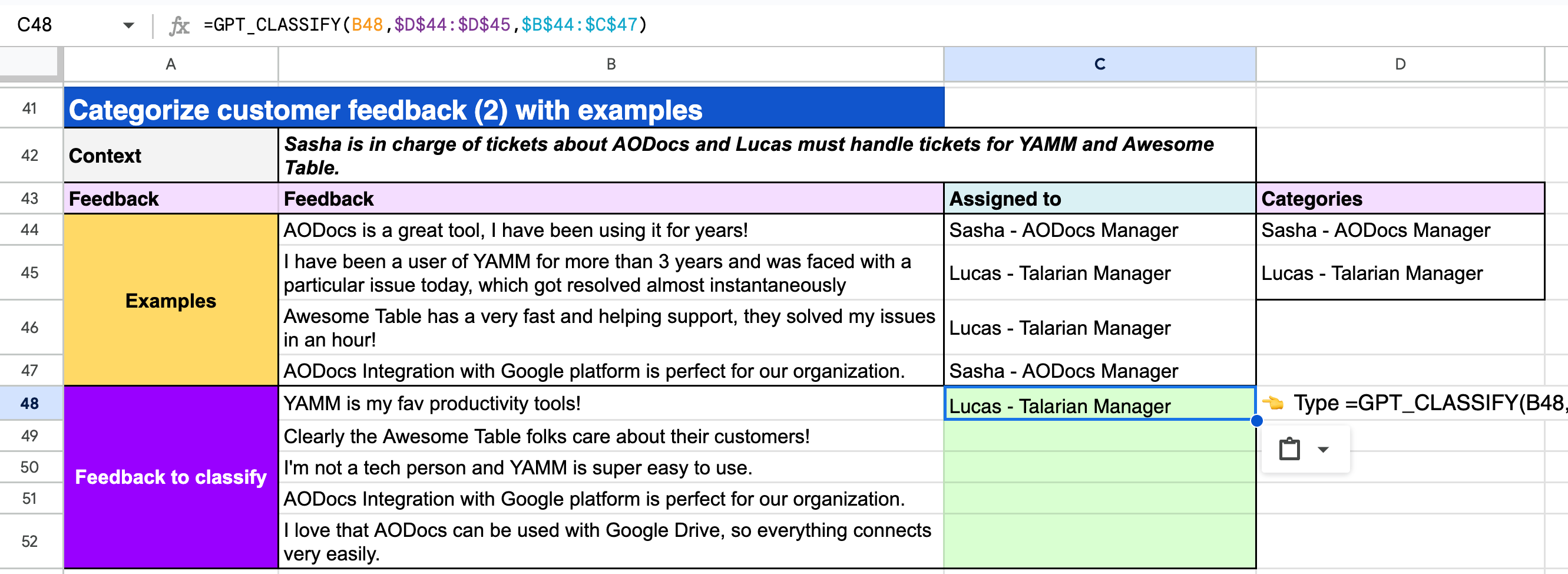
Learn more on GPT_CLASSIFY.
Assign tags with GPT_TAG
Tag products:
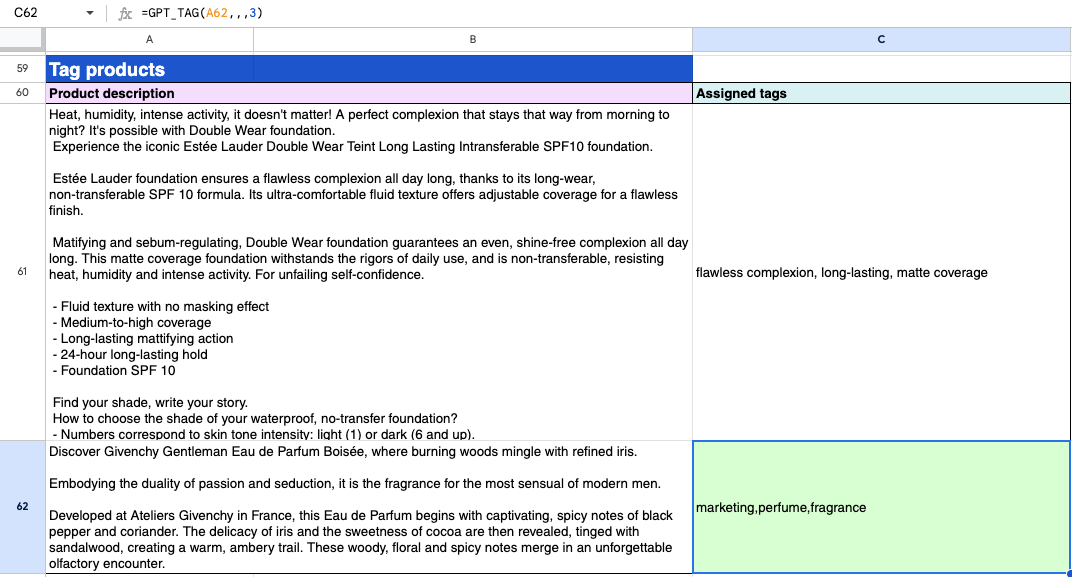
Learn more on GPT_TAG.
Analyze images with GPT_VISION
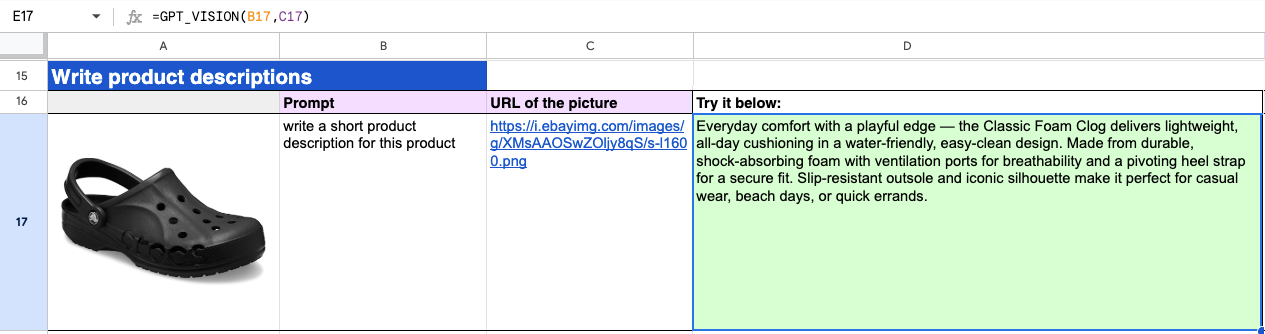
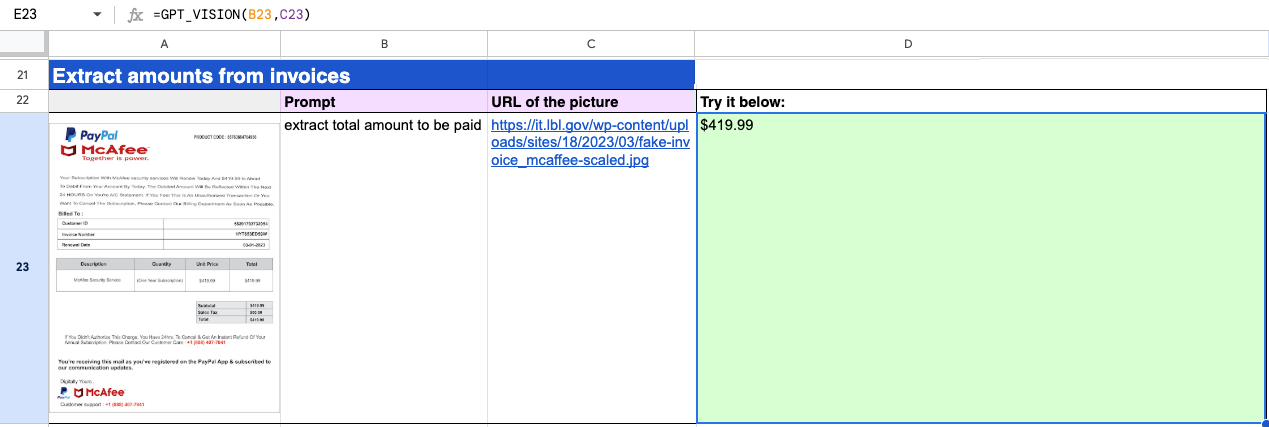
Applies a prompt to an image. GPT_VISION is the only function that can process images. For example, you can ask a question about the image, generate a description or generate alt text for images.
To use GPT_VISION, you need to select a model that supports images (Vision).
Create content from an image
Write product descriptions:
Extract information from an image
Extract amounts from invoices:
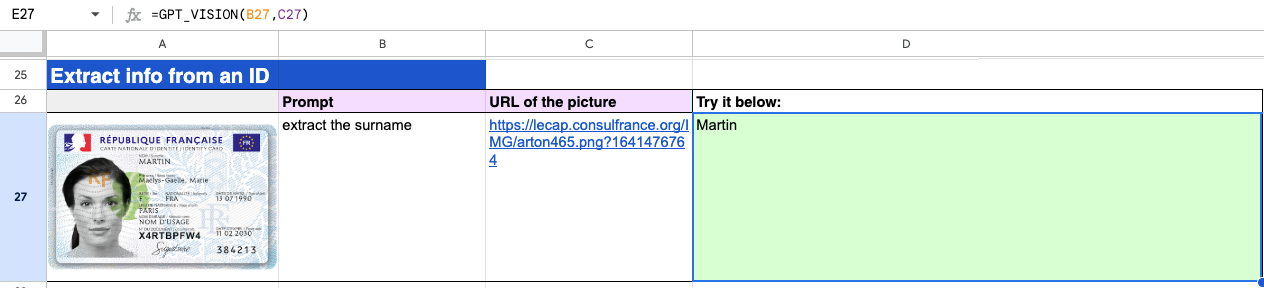
Extract info from an ID:
Explain elements in an image
Identify elements of an image:

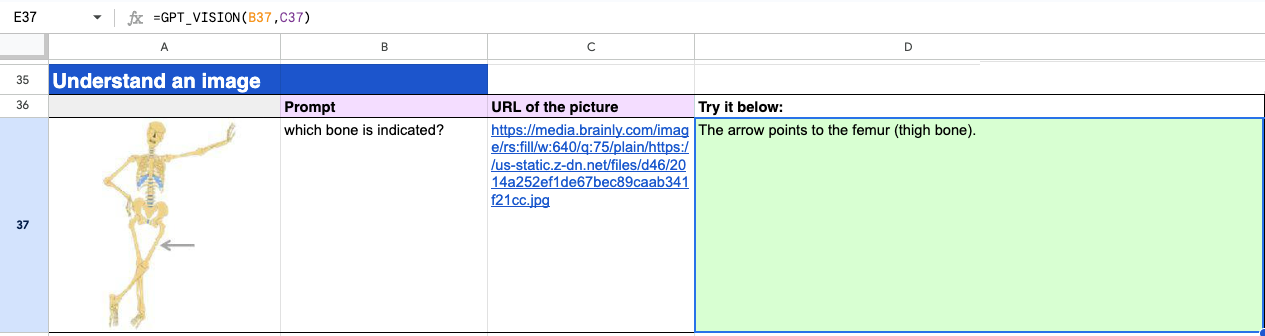
Understand an image:
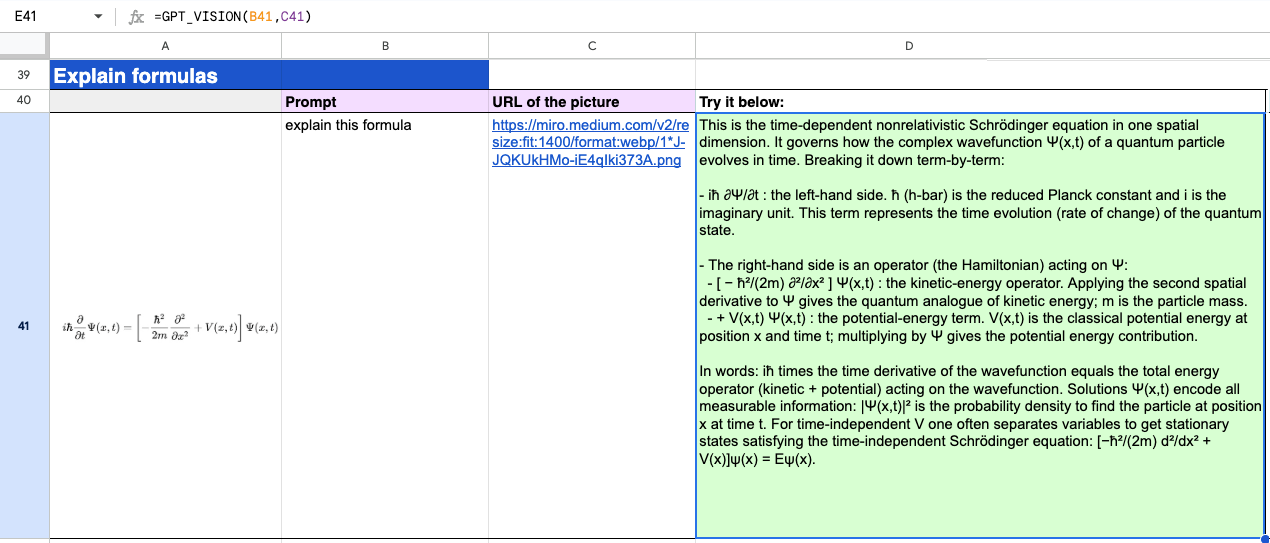
Explain formulas:
Learn more on GPT_VISION.
Search the web
Get answers from the web with GPT
To search the web with a GPT function, select a model with web search capabilities.
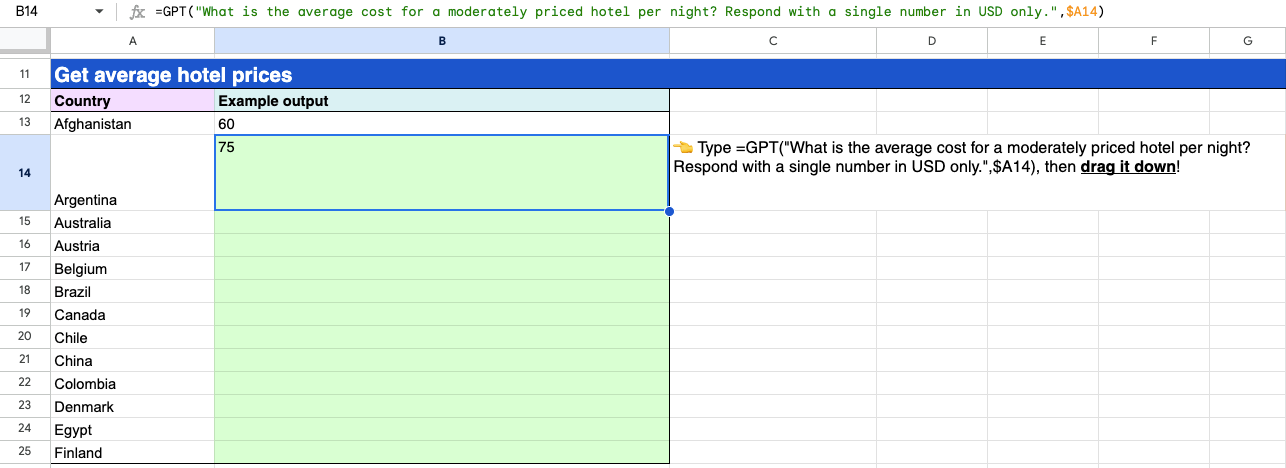
Get average hotel prices:
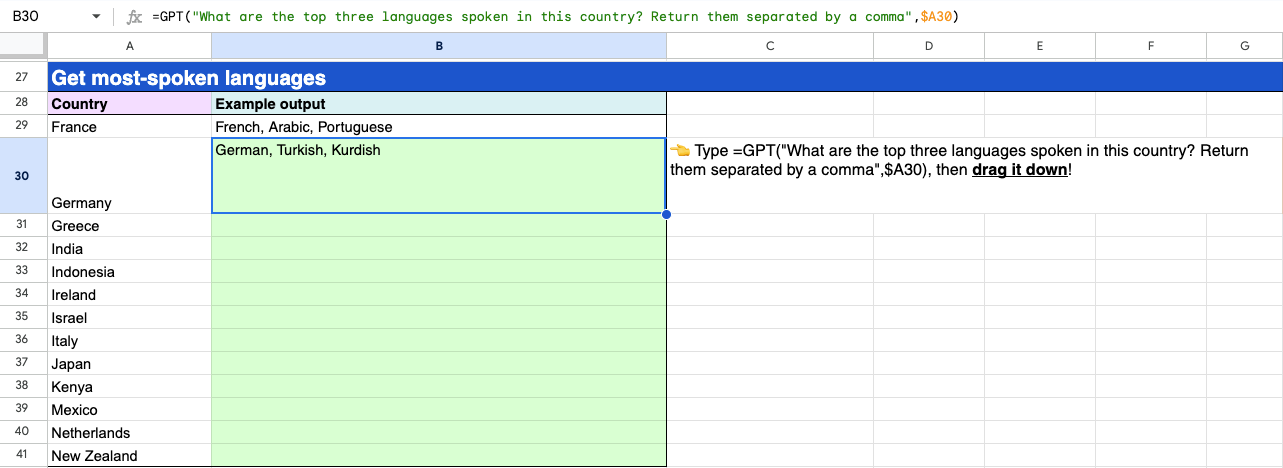
Get most-spoken languages:
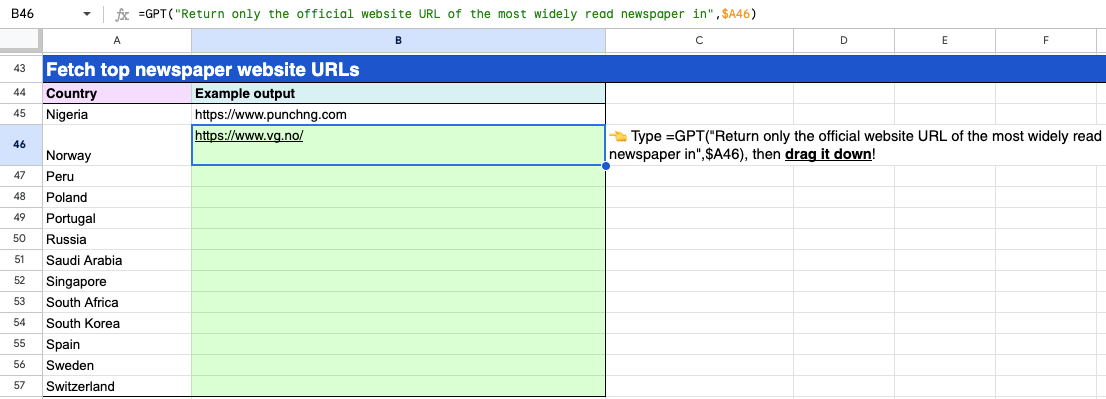
Fetch top newspaper website URLs: