Get started with GPT for Sheets – Autosheet
GPT for Sheets – Autosheet is an AI agent for spreadsheet work in Google Sheets. It integrates directly into your spreadsheet and lets you automate spreadsheet tasks through plain-language instructions.
This guide gives you a quick walkthrough of the add-on from installation to trying out the Agent.
Install the add-on
To use Autosheet, install the add-on:
 Install for Google
For detailed installation instructions, see Install Autosheet.
Open the add-on
-
Create a new spreadsheet.
-
In the menu bar, select Extensions > GPT for Sheets – Autosheet > Open.
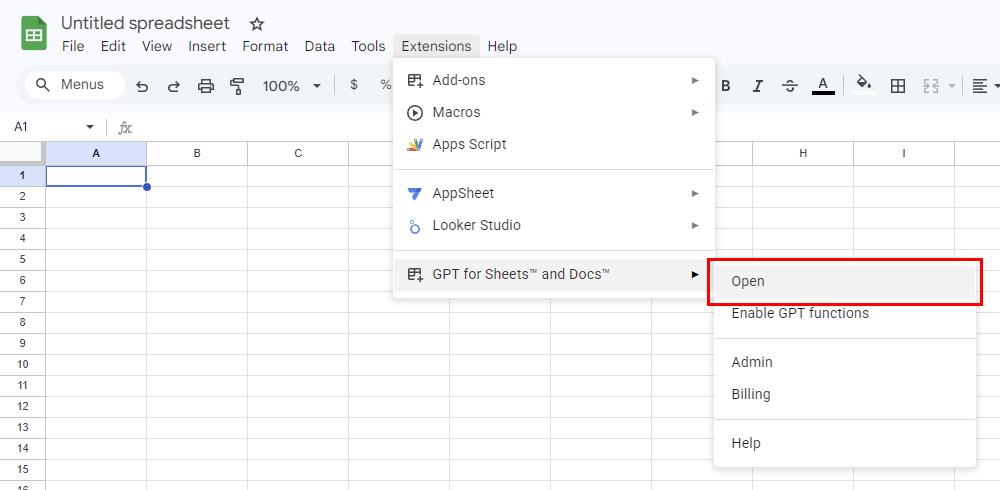
The GPT for Sheets – Autosheet sidebar opens.
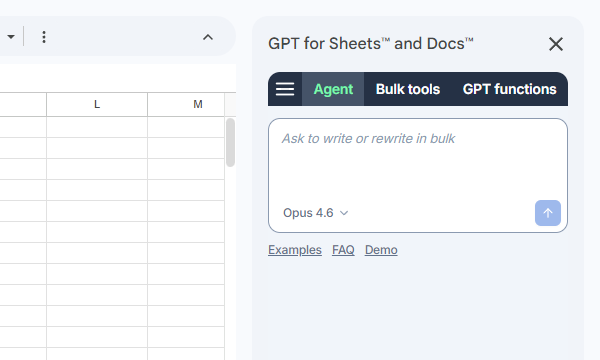
Use the Agent
The Agent is the chat interface for spreadsheet work in GPT for Sheets – Autosheet. Describe what you need in plain language — from everyday spreadsheet tasks to row-by-row bulk processing across large datasets — and the Agent reads your data, determines the required steps, and executes them directly in your spreadsheet.
Let's have the Agent do some quick market research for us. We'll use one of the built-in examples for convenience.
-
In the sidebar, select Agent.
-
Click Examples and select Market research.
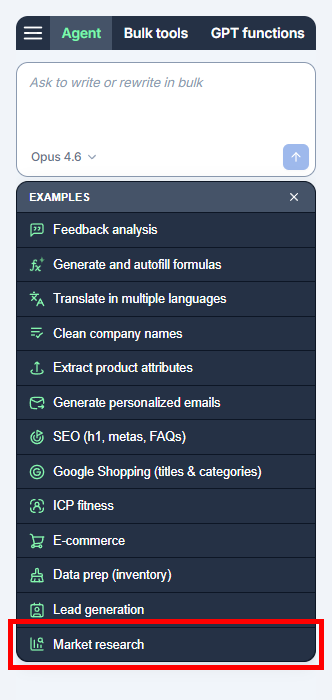
Autosheet:
-
Creates a new sheet prepopulated with example data. The data is a list of company names and a series of empty columns for company information that we want the Agent to fill in.
-
Prefills the Agent chat field with a prompt that will accomplish the example task:
Fill out this table. This simple prompt is enough for the Agent to fetch the missing company information from the web and fill the empty columns.
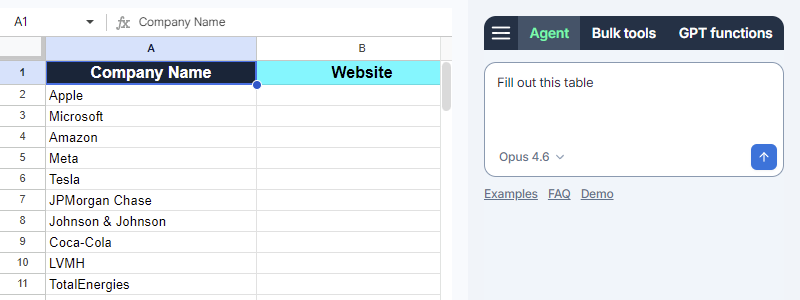
-
-
Click the send button.
The Agent:
-
Analyzes the prompt and drafts a plan for accomplishing the requested task.
-
Executes the plan. In this example, the Agent fetches the missing company information from the web and fills the empty columns B-E with what it found, one by one. Note that for column F, which does not require web search, the Agent uses gpt-4.1 (no web search).
tipYou can follow the Agent's thinking and workflow live in the sidebar.
-
The following video shows the entire process.
What's next
-
Learn more about GPT for Sheets – Autosheet.
-
Learn more about the Agent.
-
Learn about the other features available in Autosheet:
-
Try out different AI models.
-
Try out example Agent use cases for different business applications and product capabilities.