Buy credits
You can buy credits at any time to use the GPT for Work Google add-on (GPT for Sheets and Docs) or the GPT for Work Microsoft add-in (GPT for Excel Word). Credits expire one year after the last purchase.
 Google
 Microsoft
Sign in to the GPT for Work dashboard with your Google account.
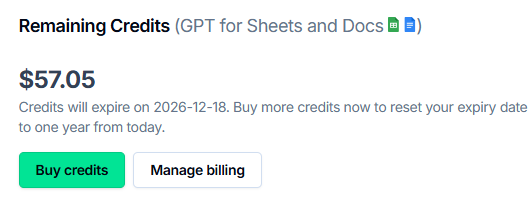
In the Remaining credits section, click Buy credits.
 info
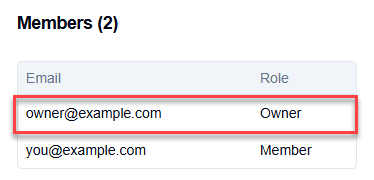
infoIf this option is not available, you can ask the owner of the space to buy credits.
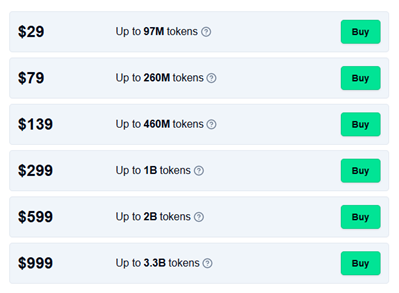
Click Buy for the credit pack that best suits your needs.
Enter your billing information and click Go to checkout.
Enter your payment details and click Pay.
Once your payment is processed, your credits increase by the purchased amount.
Sign in to the GPT for Work dashboard with your Microsoft account.
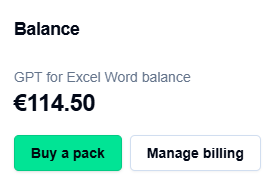
In the Remaining credits section, click Buy credits.
 info
infoIf this option is not available, you can ask the owner of the space to buy credits.
Click Buy for the credit pack that best suits your needs.
Enter your billing information and click Go to checkout.
Enter your payment details and click Pay.
Once your payment is processed, your credits increase by the purchased amount.
To estimate your credit usage based on common use cases, try our estimation tools.
What's next
- Download an invoice or a receipt for a credit pack purchase.