Train GPT for Work on your files
Only GPT for Sheets and GPT for Excel support this method.
OpenAI Assistants can be used as models in GPT for Work to tailor your results based on specific instructions and data.
This guide shows how to generate product descriptions using customer reviews and marketing briefs uploaded to an Assistant.
Create and set up an Assistant
To create and set up an Assistant to use your files as context for generating responses:
-
Log in to the OpenAI Platform.
-
Open the Assistants settings and click Create.
-
Upload the files that you want the Assistant to use as context when generating responses:
-
Enable File search and click Files.
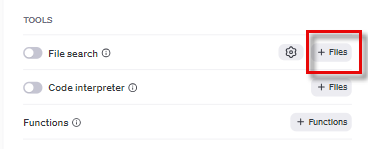
-
In the file attachment screen, select the files and click Attach.
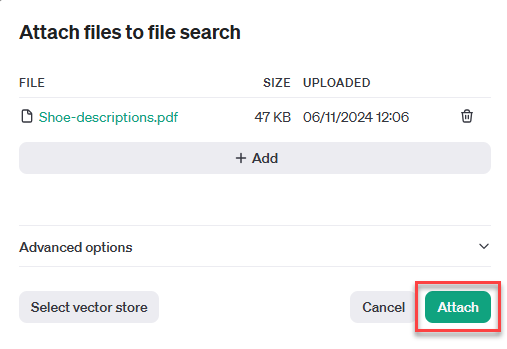
-
You have created an Assistant and set it up to use your files as context for generating responses.
We recommend trying executions in the OpenAI Playground to understand the cost before using it massively.
Prompt an Assistant from GPT for Work
Prerequisites
To prompt an Assistant from GPT for Work:
-
In GPT for Sheets or GPT for Excel, select Bulk tools and select Custom prompt.
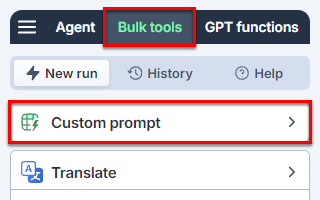
-
Open the model switcher and select the Assistant.
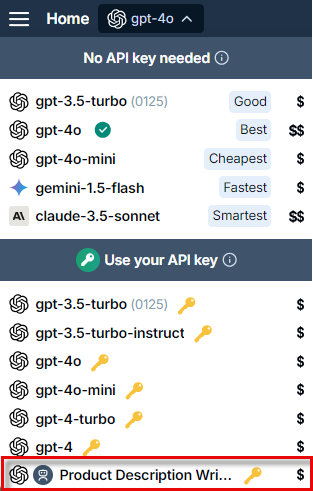
-
Enter the following prompt:
Write a description for this product: {{A}} -
In Put results in column, select B.
-
Click Run rows.
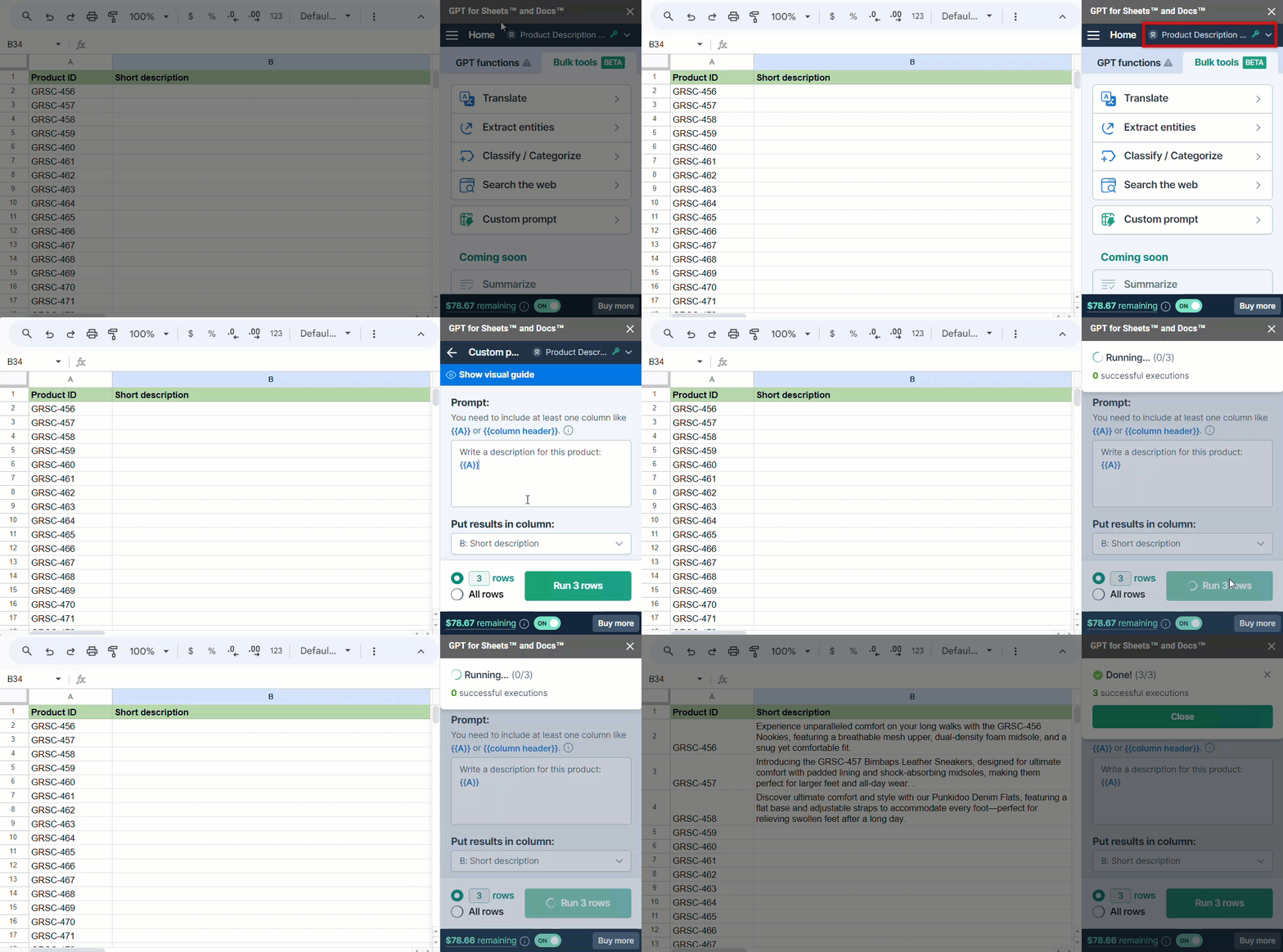
The Assistant searches for information in the files uploaded and uses it to generate content in the selected column. The Instructions as well as Temperature and Top P settings defined during the Assistant creation are taken into account in GPT for Work.