Open GPT for Work add-ons
 G Sheets
 MS Excel
 MS Word
 G Docs
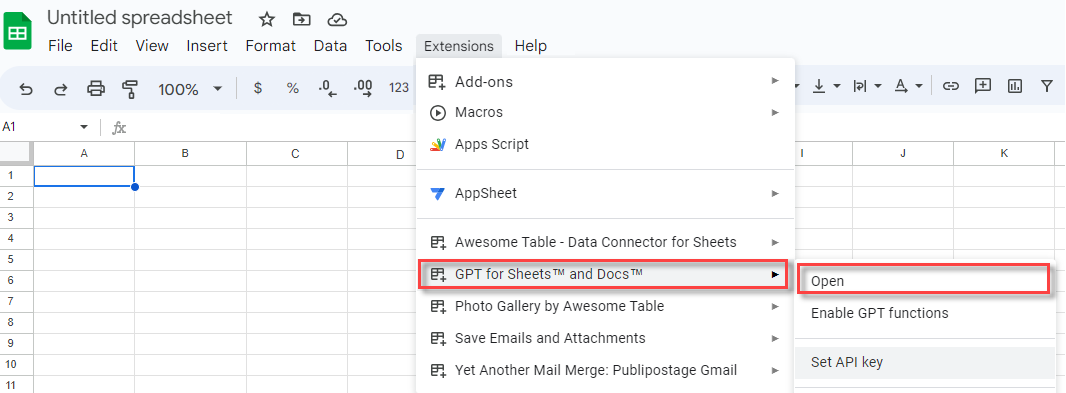
In the menu bar, select Extensions > GPT for Sheets and Docs > Open.
What's next
-
If you run into issues, see our troubleshooting guide.
On the ribbon, select Home > GPT for Excel Word.

info
If GPT for Excel Word is not visible on the ribbon, or if it's grayed out, select Home > Add-ins > My Add-ins > GPT for Excel Word. Learn more.
What's next
-
If you run into issues, see our troubleshooting guide.
On the ribbon, select Home > GPT for Excel Word.

info
If GPT for Excel Word is not visible on the ribbon, or if it's grayed out, select Home > Add-ins > My Add-ins > GPT for Excel Word. Learn more.
What's next
-
If you run into issues, see our troubleshooting guide.
In the menu bar, select Extensions > GPT for Sheets and Docs > Launch.

What's next
-
If you run into issues, see our troubleshooting guide.