Remove Google account access from GPT for Sheets
Removing Google account access from GPT for Sheets means removing access from the GPT for Sheets and Docs add-on, which also removes access from GPT for Docs.
-
In your browser, log in to the Google account you use in GPT for Sheets.
-
Open the third-party connections page for your Google account.
-
In apps and services list, find and select GPT for Sheets and Docs.
-
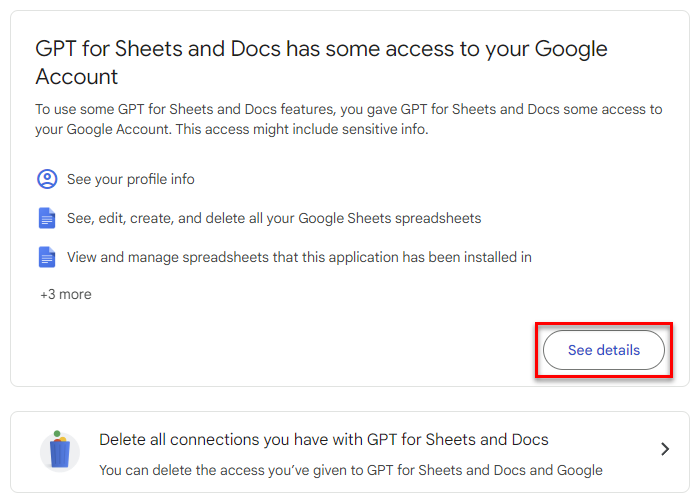
In the GPT for Sheets and Docs has some access to your Google Account section, click See details.
-
Click Remove all access.

-
Click Confirm.
The GPT for Sheets and Docs add-on no longer has access to your Google account.
Removing account access does not uninstall the add-on from Google Sheets. The next time you try to open the add-on, Sheets prompts you for permission to run the add-on, after which you can sign in with your Google account and grant access again.